Chapter 6: Console Configuration
Ethersound Networks
268/ 526 2.0 Eclipse User Guide
Patching the Ethersound Channels
With more than one Ethersound device on the network, you
need to decide which 64 sources and 64 destinations feed the
Ethersound channels.
This is handled from the Core 1, Core 2, Core 3, Core 4 and
ES devices tabs on the PATCH INPUT and PATCH OUTPUT
displays of the Primary Master device.
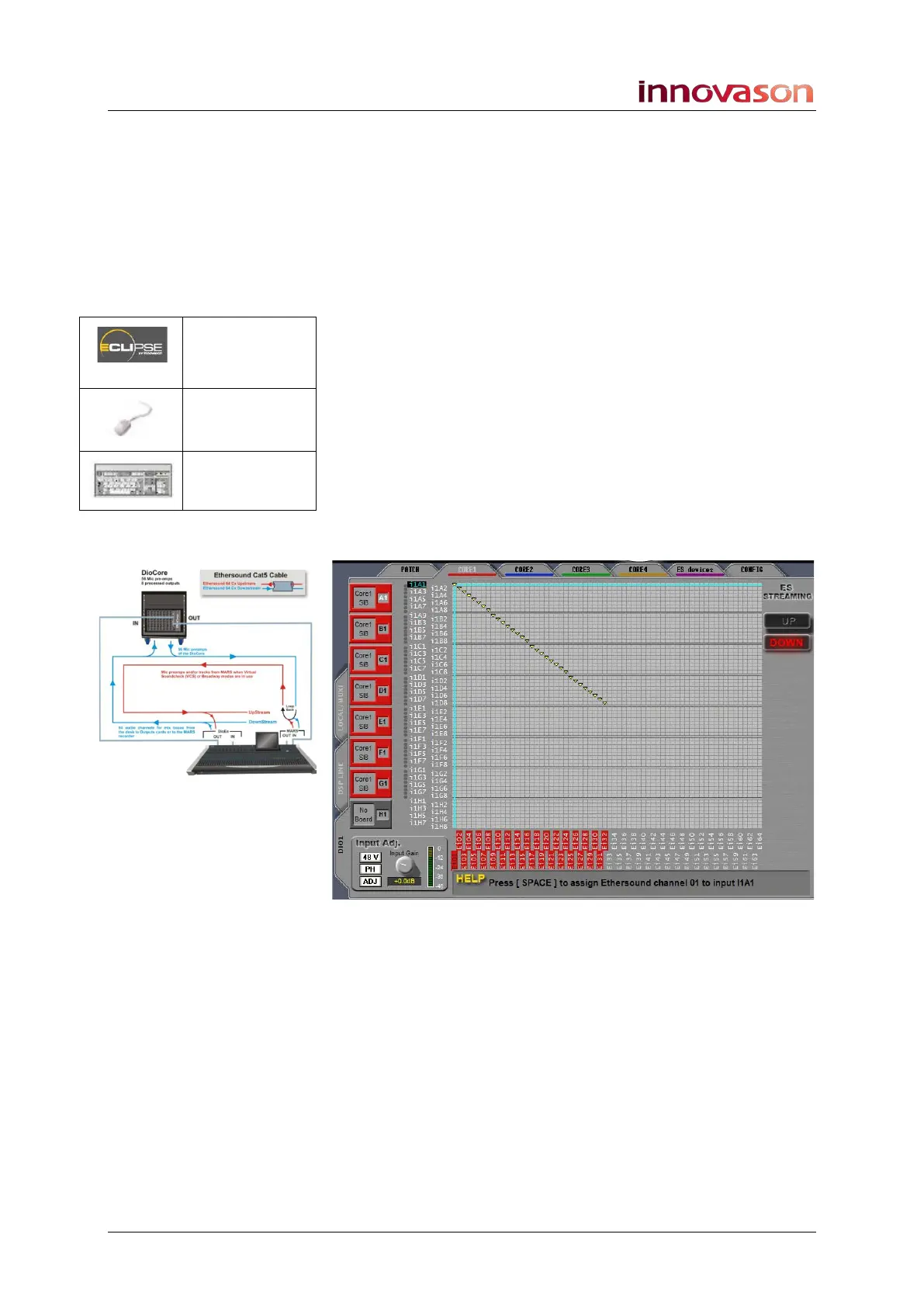
To assign sources to Ethersound channels:
1. Select the PATCH INPUT display.
2. Select the first DioCore you wish to assign – e.g.Core 1.
3. Use the patch grid to patch the physical sources from
the DioCore (on the left) to Ethersound channels 1 to 64
(at the bottom).
Note that the choice of ES streaming depends on your network
configuration. In a standard Eclipse installation, sources are
patched downstream so that they feed both M.A.R.S. and the
console:
4. Repeat these steps to assign sources from Cores 2, 3
and 4, or from other ES devices.
You can select any combination of sources to feed the 64
Ethersound channels.
Patch IN
(UTILITIES)
“GRID ->
Patch Input”
[F11]



 To Next Page