Chapter 6: Console Configuration
Ethersound Networks
Eclipse User Guide 2.0 269/ 526
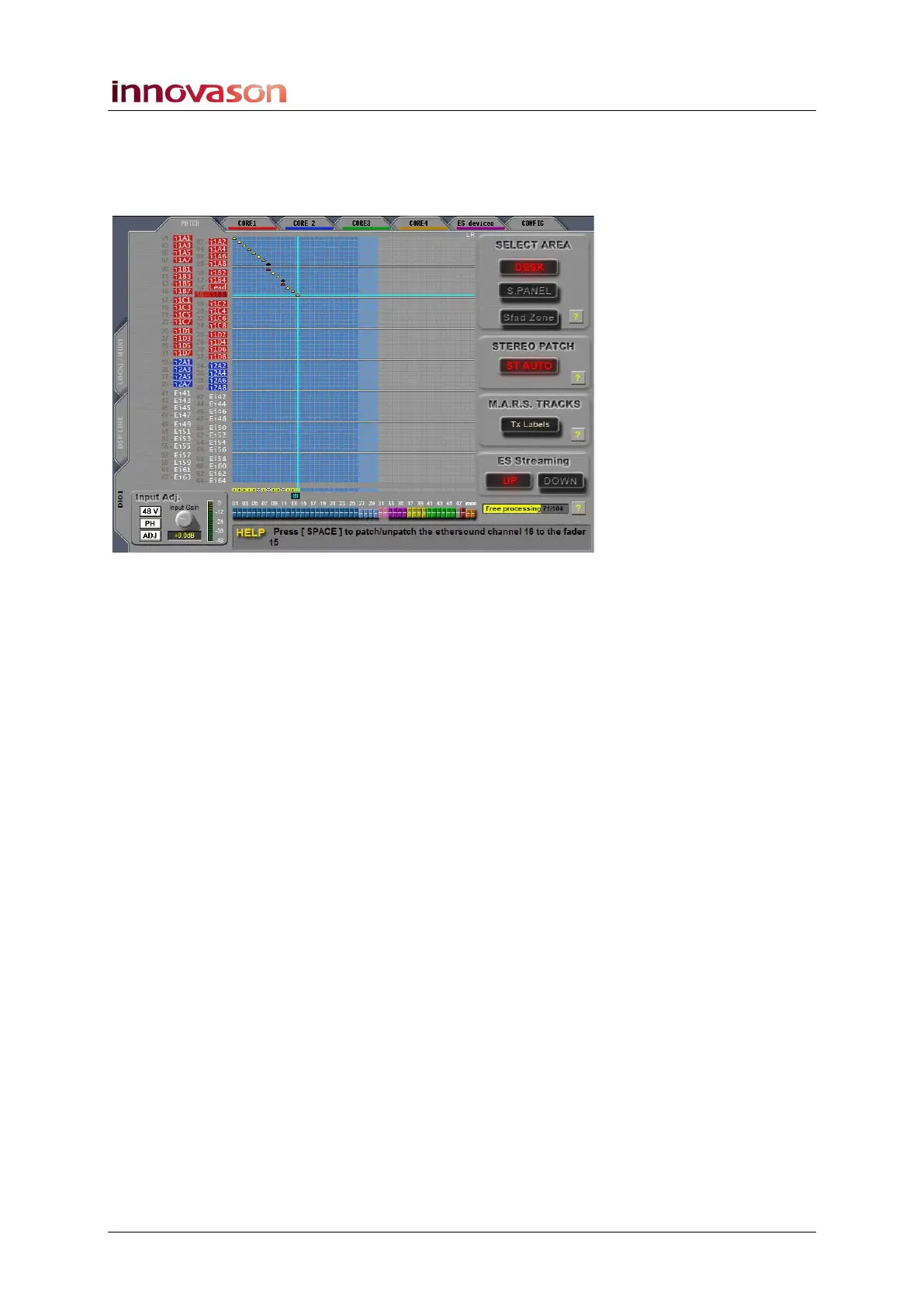
5. Once you have completed the DioCore assignments,
click on the PATCH tab.
This grid can now be used to patch each Ethersound channel to
an input fader as described on Page 235:
Notice that:
• The Ethersound channels (on the left) are colour coded
to show their origin:
o Red = sources from Core 1
o Blue = sources from Core 2
o Green = sources from Core 3
o Yellow = sources from Core 4
o Purple = sources from other Ethersound devices.
o White = not assigned to any device.
• Each Ethersound channel automatically inherits the user
Label given to the DioCore source – for example, the
name i1A1 comes from Core 1, Slot A, Input 1, etc.
To decide which physical destinations are fed from the 64
Ethersound output channels, repeat the process but from the
PATCH OUT display.



 To Next Page