Chapter 6: Console Configuration
The Patch Input Display
Eclipse User Guide 2.0 235/ 526
Input Patching
Input DSP resources are assigned when you patch a source to
a fader. In addition, stereo channels are created when you
patch two sources to the same fader. This allows you to decide
whether channels are mono or stereo as you patch.
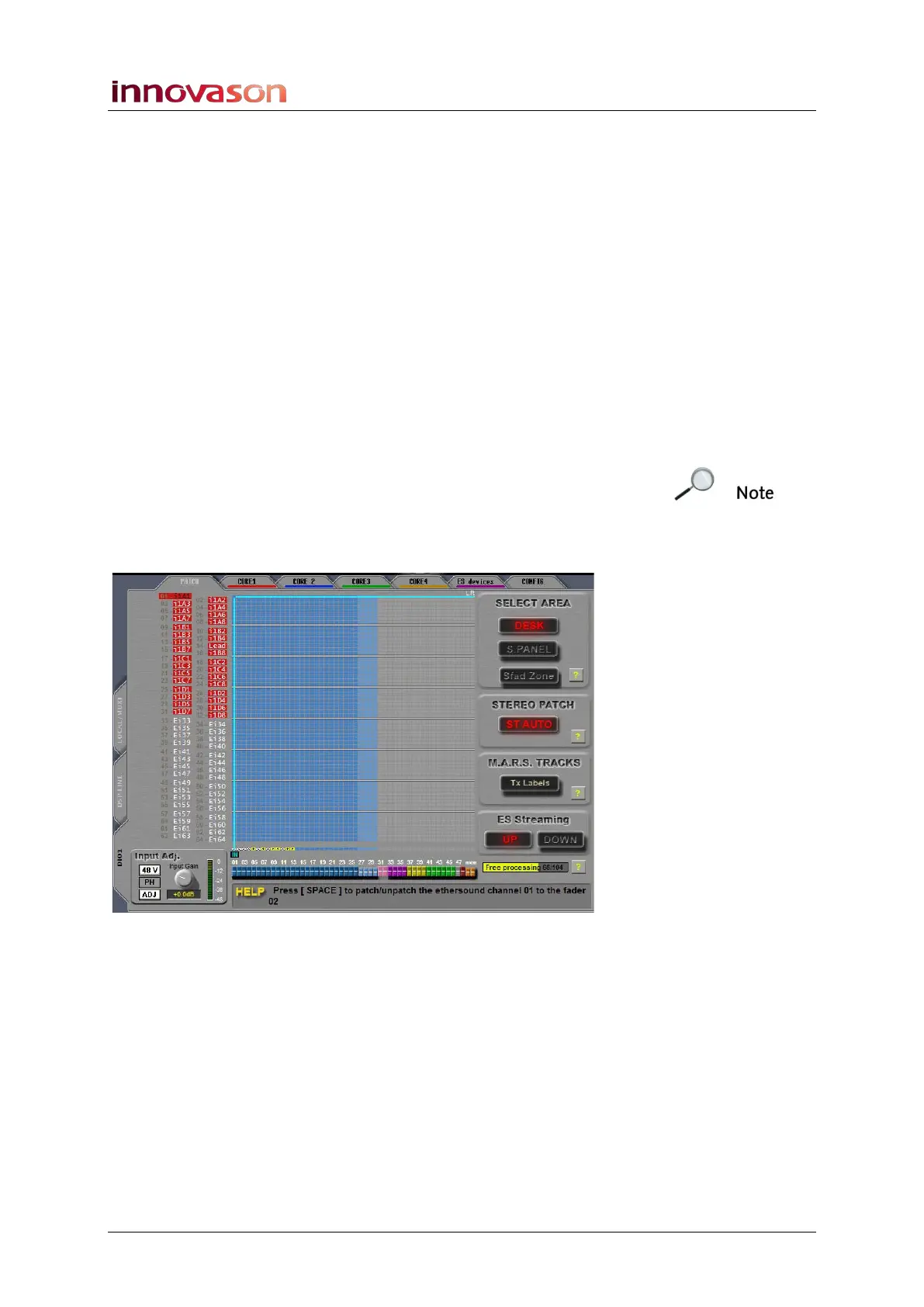
To patch a source to a fader:
1. Select the PATCH tab at the top of the PATCH INPUT
display.
2. And select a source category from the left of the display:
• LOCAL / MUXI = the Muxipaire inputs.
• DSP LINE = 16 line level inputs (rear of console).
• DIO1 = the 64 Ethersound channels.
Note that if you select DIO1, you will need to assign which
DioCore inputs, or other Ethersound devices, feed the 64
channels of the Ethersound network. See Page 263 for details.
In our example we have selected DIO1 to patch Ethersound
channels (from Core 1) to input channels on the console:
3. Now select an area of the console from the SELECT
AREA buttons on the right of the display:
• DESK = Faders 1 to 48.
• S. PANEL = Smart Panel controllers 1 to 48.
Note that the SFAD option is used with Smart Fader patching,
see Page 242.



 To Next Page