Chapter 6: Console Configuration
Internal Effects (the FM-8VB Card)
Eclipse User Guide 2.0 299/ 526
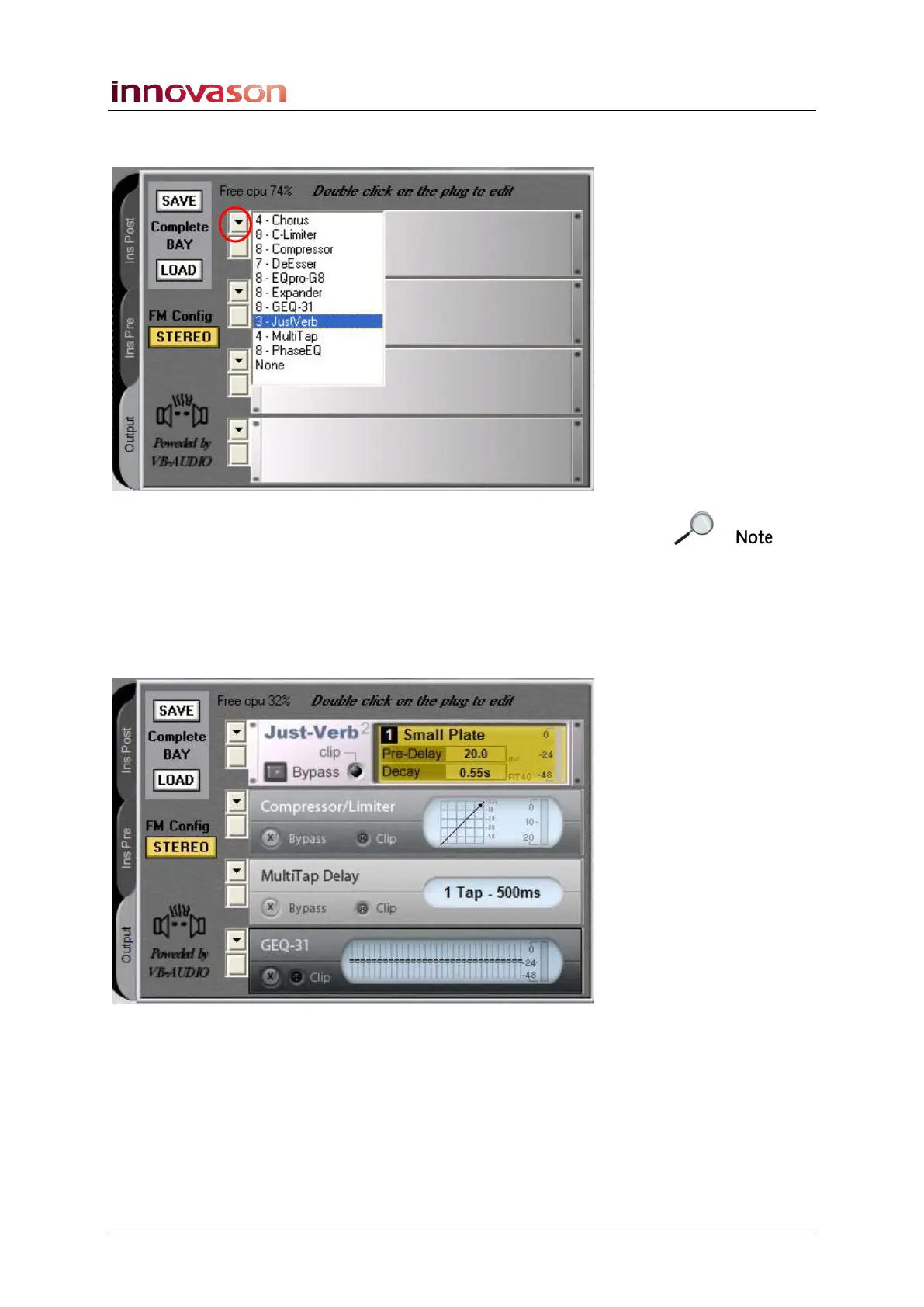
2. Click on the down arrow to the left of the first rack and
select a plug-in from the drop-down menu:
Note that the number before each plug-in indicates the number
of effects resources left on the FM8-VB card. In our example,
we can assign another 4 Chorus, 8 C-Limiters, 8 Compressors,
7 De-Essers, etc. from this FM8 card.
3. Double-click on the plug-in name or press [Enter] to
make the assignment.
4. Repeat to assign the other effects plug-ins as required:
The effects modules are daisy chained from top to bottom as
shown on the display.
5. If you need to remove a plug-in, select None from the
bottom of the plug-in selection list.
You can assign plug-ins in any configuration up to the limits
shown on the display. This means that you can assign the
same plug-in to multiple racks if you wish.



 To Next Page