Chapter 6: Console Configuration
Internal Effects (the FM-8VB Card)
302/ 526 2.0 Eclipse User Guide
The Effects Editor Window
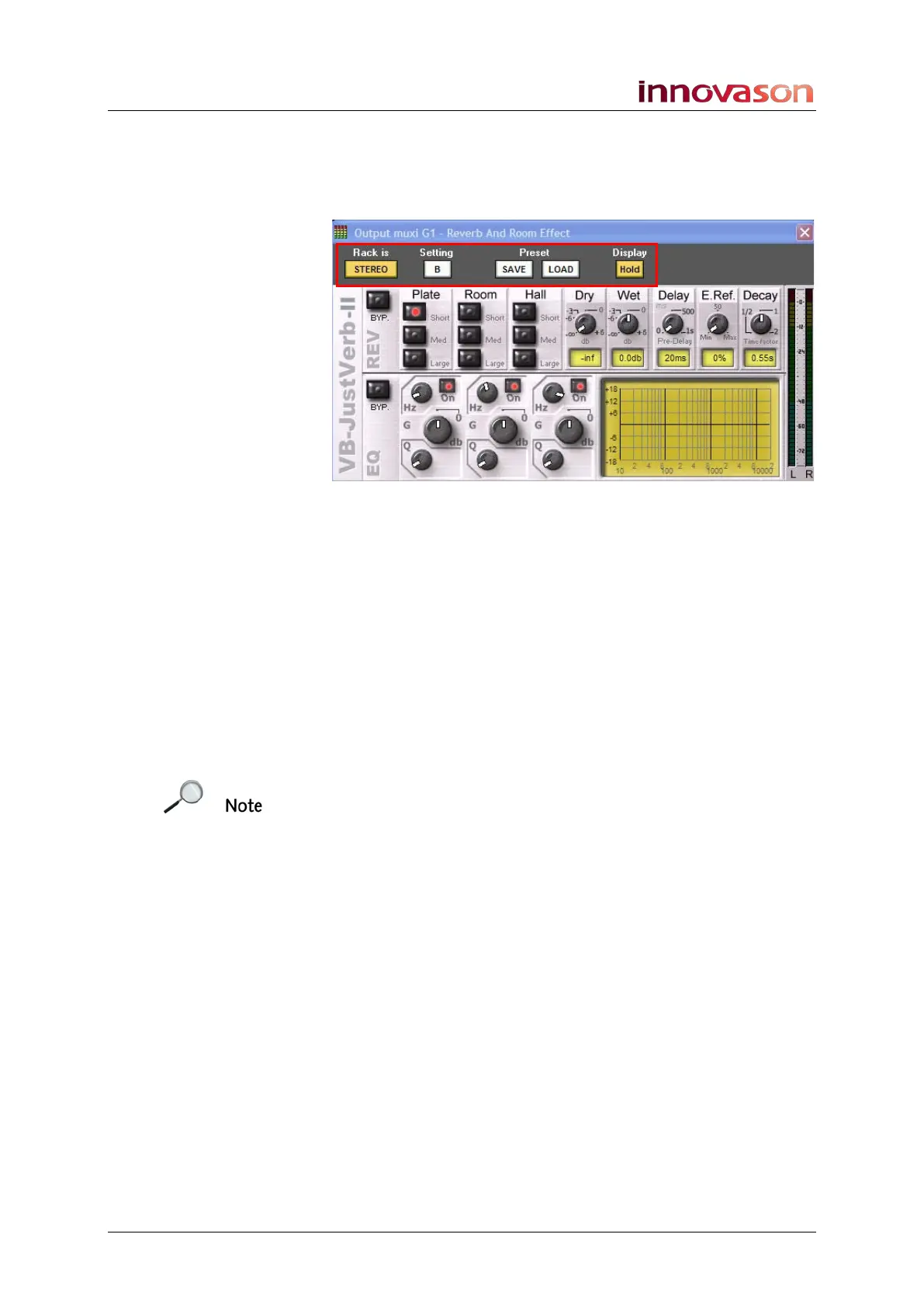
At the top of the Effects Editor window are a number of other
useful options:
Rack is STEREO
This field is for display purposes only and shows whether the
effects bay is set for MONO or STEREO operation.
A/B Settings
1. Click on the Setting A button to switch to Setting B.
This button enables you to setup one effect (A), switch to the
alternate setting (B) and setup a different sounding effect. You
can then A/B between the two settings by clicking the A/B
button.
Note that it is only the current setting which is stored when you
save a Page. Therefore, if you wish to store both your A and B
parameters, save a preset.



 To Next Page