Chapter 6: Console Configuration
Internal Effects (the FM-8VB Card)
306/ 526 2.0 Eclipse User Guide
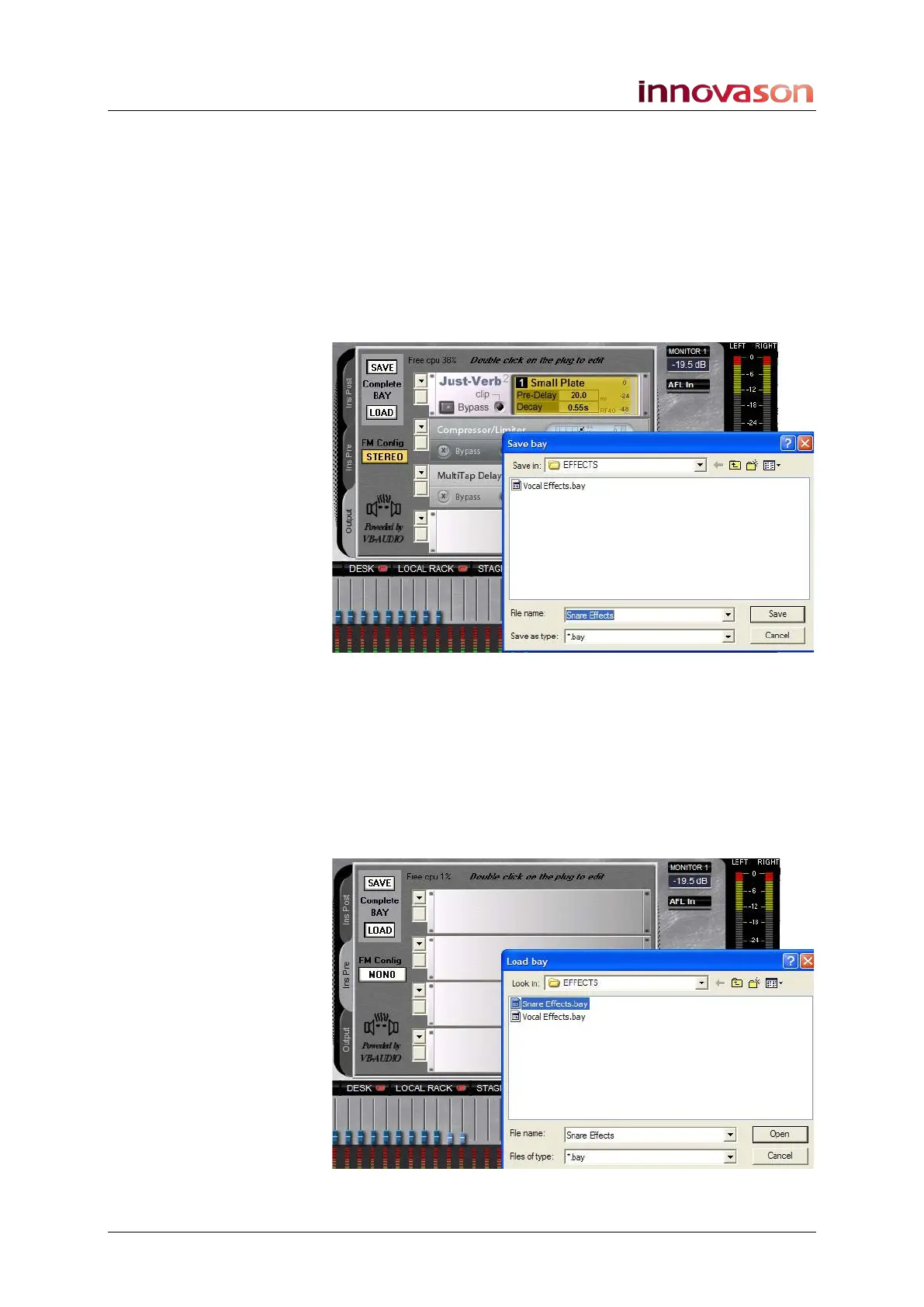
Bay Save and Load
The Complete BAY SAVE and LOAD buttons save and load
both the plug-in assignments and parameters for all four effects
racks within the bay. You might use these to save and recall the
complete effects setup for a vocal channel.
To save the current bay’s configuration and parameters:
1. Click on the SAVE button.
A file dialogue window opens asking for a File name:
2. Enter a name and select Save.
The bay is stored onto the console’s hard disk in the EFFECTS
folder.
To load back your bay configuration:
1. Open the effects processing on the channel where you
wish to load the preset.
2. Click on the LOAD button.



 To Next Page