Chapter 6: Console Configuration
Inserts
314/ 526 2.0 Eclipse User Guide
Assigning an Insert to an Output Channel
Assigning the insert to an output channel is very similar.
However, on output channels (mix busses) you can decide
whether the insert point is pre or post fader, and you also have
the option to insert internal signal processing (from 16 “floating”
DSP paths).
1. Select the output channel (press SEL on the fader or
Smart Panel controller).
2. BEFORE you right-click to choose an insert, select
whether the insert will be pre or post-fader:
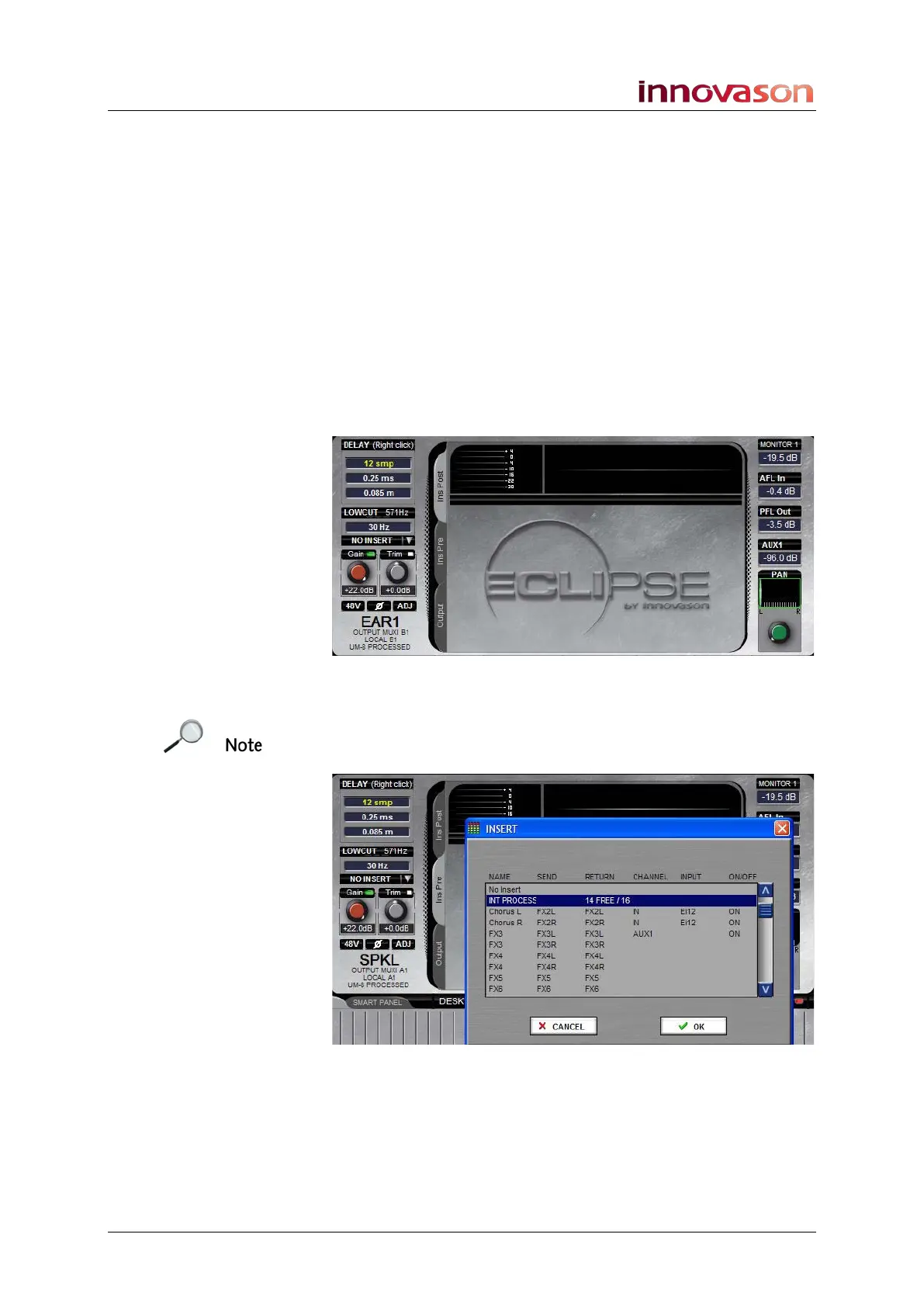
• Click the Ins Pre tab to assign a pre-fader insert.
• Click the Ins Post tab to assign a post-fader insert:
3. Now follow the steps on Page 312 to assign the insert.
On output channels, the INSERT selection list includes the 16
internal DSP paths (INT PROCESS). These can be used to
apply EQ, Dynamics, etc. to a mix bus:



 To Next Page