Chapter 6: Console Configuration
User Defined Panel
338/ 526 2.0 Eclipse User Guide
Clearing All Assignments
The KEYS CONFIG CLEAR button can be used to clear all VU,
rotary control and switch assignments.
Note that you cannot undo this operation, unless you have
saved the assignments (see below).
1. Select the KEYS CONFIG CLEAR button.
2. Confirm by pressing OK.
Saving and Loading Assignments
The User Defined panel assignments are saved when you use
either “File -> Save” or “File -> Save As”.
However, you can also create different Key Configurations so
that they can be loaded while patching, mixing FOH or mixing
monitors. The Keys Config file saves all VU, rotary control and
switch assignments onto the Nova PC within the USER folder.
To save a Keys Config
1. First assign the VU meters, rotary controls and switches
to the desired functions.
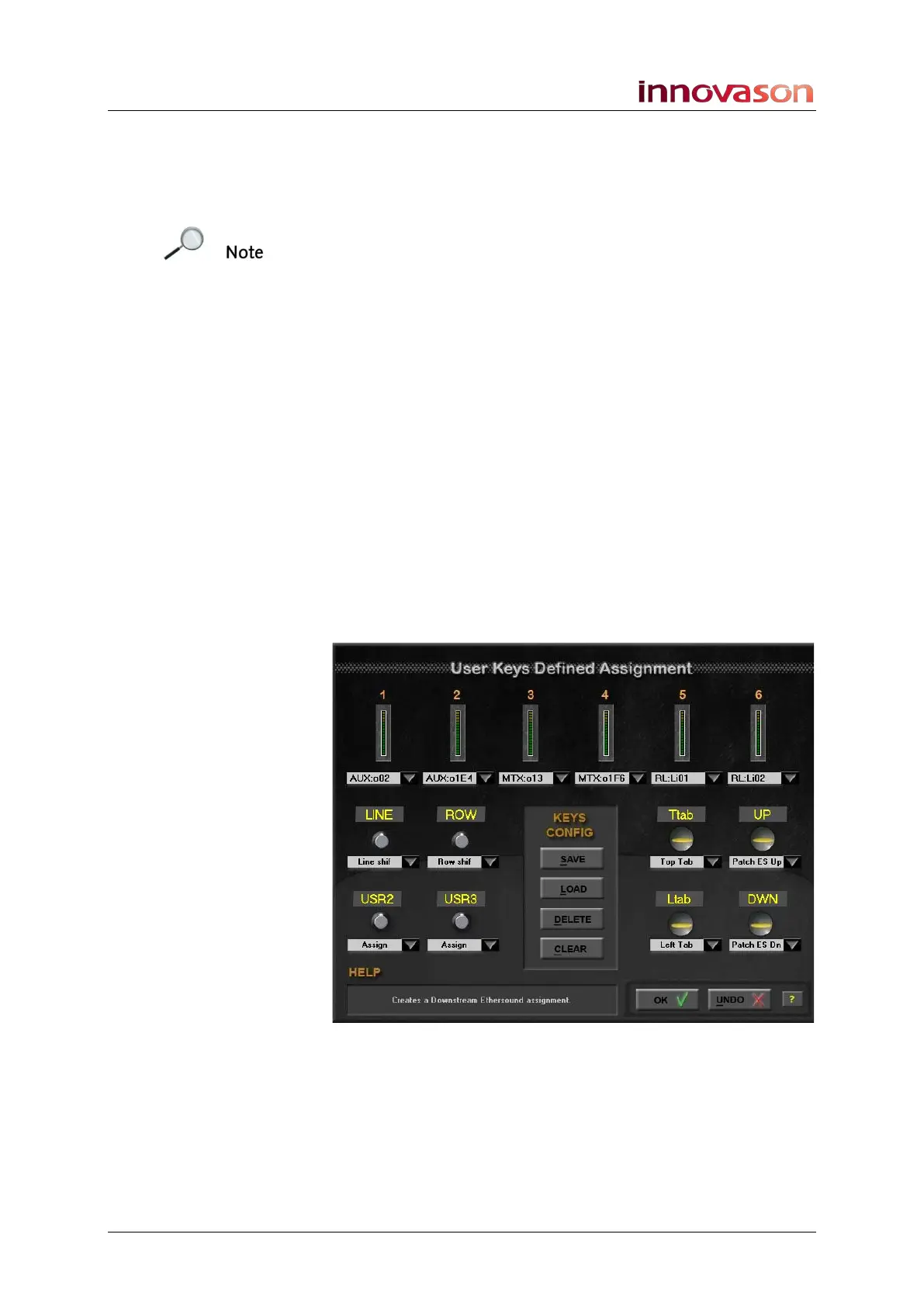
In our example, we have a configuration suitable for patching:



 To Next Page