Chapter 2: Installation
The Standard Eclipse Package
36/ 526 2.0 Eclipse User Guide
Console:
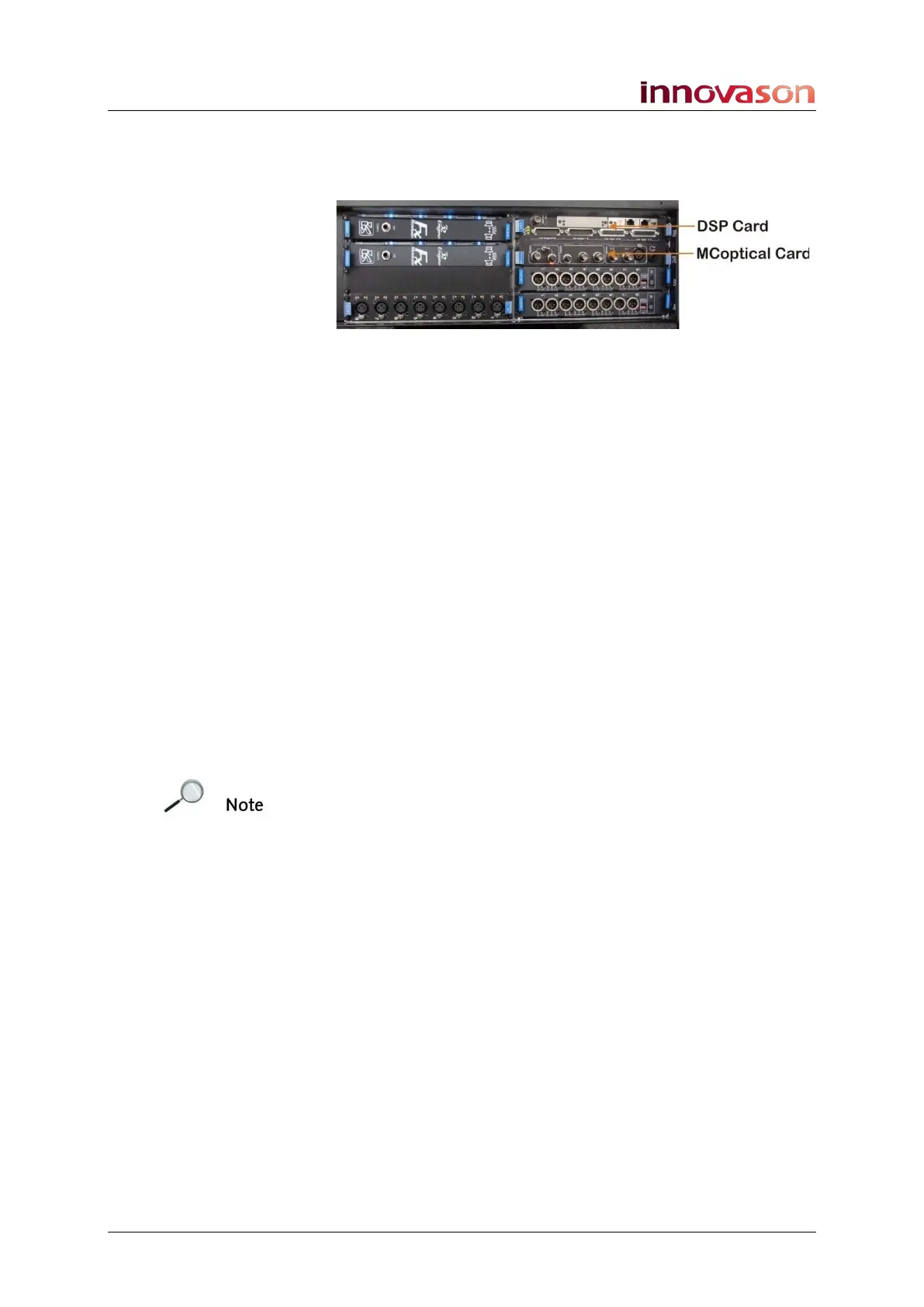
Every console is always fitted with the DSP and MC
optical
cards:
DSP Card (with DIO interface)
This card provides the console’s internal DSP processing: 104
input channels, 48 mix busses, 16 floating DSP paths and 48
assignable Delays.
It also includes 16 Line level balanced inputs, 16 balanced
outputs, and an Ethersound interface for connection to the
DioCore, external Ethersound devices and/or M.A.R.S.
The card hosts 3 LEDs (Sync, Prog and Pwr) which indicate its
status.
There is also a BNC connector labeled Sync out Dio to clock
the console from an incoming Ethersound network (DioEs
module), in cases where the console is not the primary master
of the Ethersound network.
MC
optical
Card (Control and Sync)
This card handles control and synchronisation. It generates the
audio clocks, drives the digital bus, and handles
communications with the console’s integrated PC.
The card provides a choice of BNC or optical Receive and
Transmit connections to a remote StageBox. A Muxipaire
Stagebox is an option on the Eclipse system, see Page 285 for
more details.
You will also find three connections for synchronisation:
• Wc In (BNC) – to connect an external Wordclock sync
reference.
• Wc Out (BNC) – Wordclock out. This output follows the
selected sync source and can be used to distribute
system clock to external devices.
• AES In (XLR) – to connect an external AES sync
reference.
See Page 48 for details on selecting the clock source.
The headphone output (stereo ¼” jack) on the MC
optical
card is
left over from historical products and is not used on Eclipse.



 To Next Page