Chapter 7: Reset and Automation
File Management
354/ 526 2.0 Eclipse User Guide
File -> Import
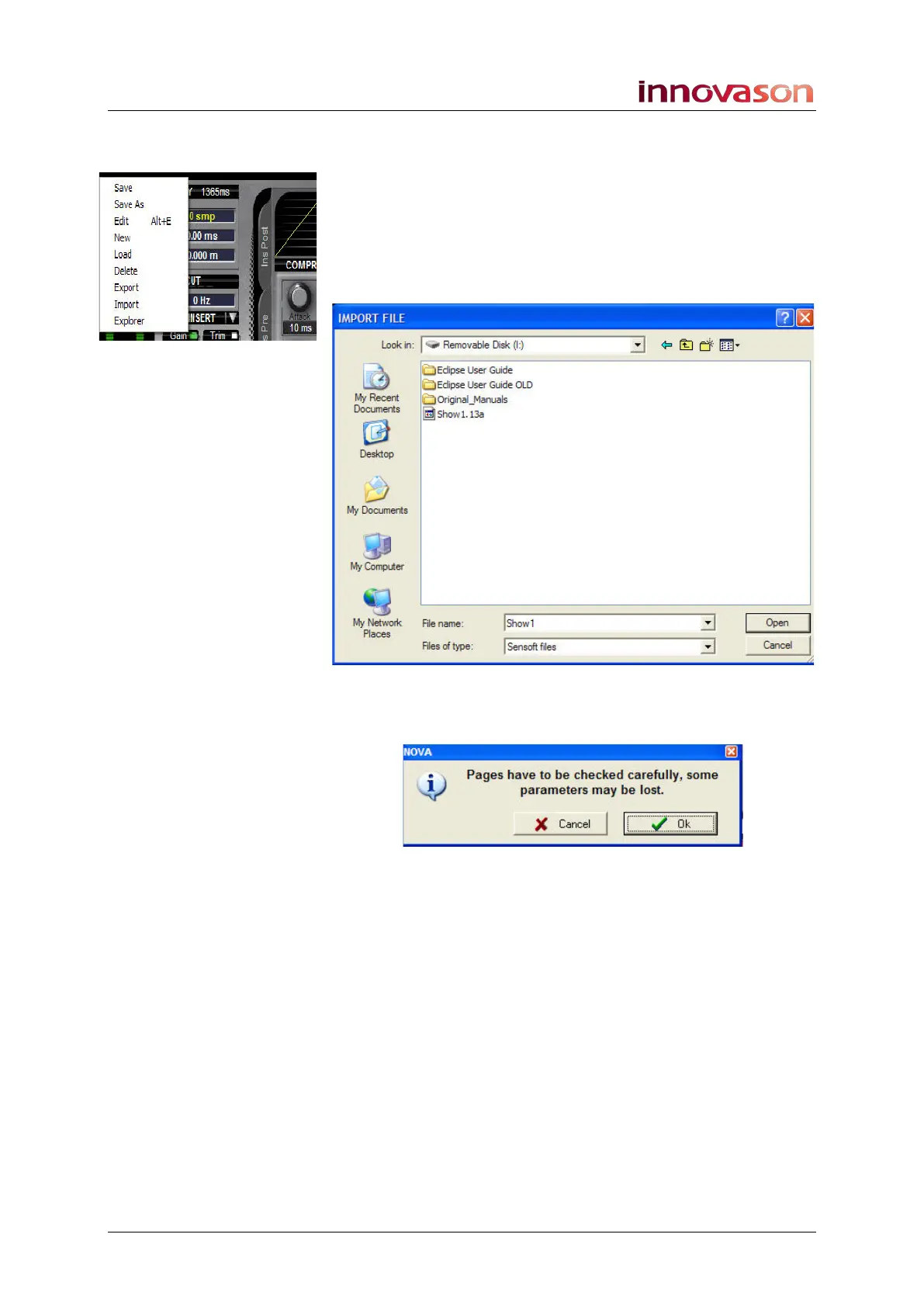
This command imports a File (all Pages).
1. Using the trackball select “FILE -> Import” from the
main menus.
You will be presented with a File Explorer window.
2. Select the Nova file (type *.13a) you wish to load:
3. And click on Open.
The following dialogue box appears:
If you are importing a File to a different console, then it is
possible that some Page settings may not be compatible. For
example, if one system has different I/O cards to another, then
only parameters consistent between the two systems may be
imported.
4. Click on OK.
The File is imported to the hard disk.
5. Use “File -> Load” to load the File as described on Page
345.



 To Next Page