Chapter 7: Reset and Automation
The Play List (Automation)
366/ 526 2.0 Eclipse User Guide
Arranging and Hiding Information
The following functions allow you to display or hide comment
lines, and arrange or hide columns, thereby allowing you to
focus on the most important information for the show.
Display or Hide Comment Lines
1. Double-click on the button to display or hide
comment lines for an individual Page.
2. Double-click on the button at the top of the PlayList
(beside Q), for the following global operations:
• 1
st
Double-click – hides comment lines for all Pages.
• 2
nd
Double-click – shows comment lines for all Pages.
• 3
rd
Double-click – shows comment lines for the current,
previous and next Page.
Arranging Columns
1. Click on a column header and drag and drop to
rearrange its position.
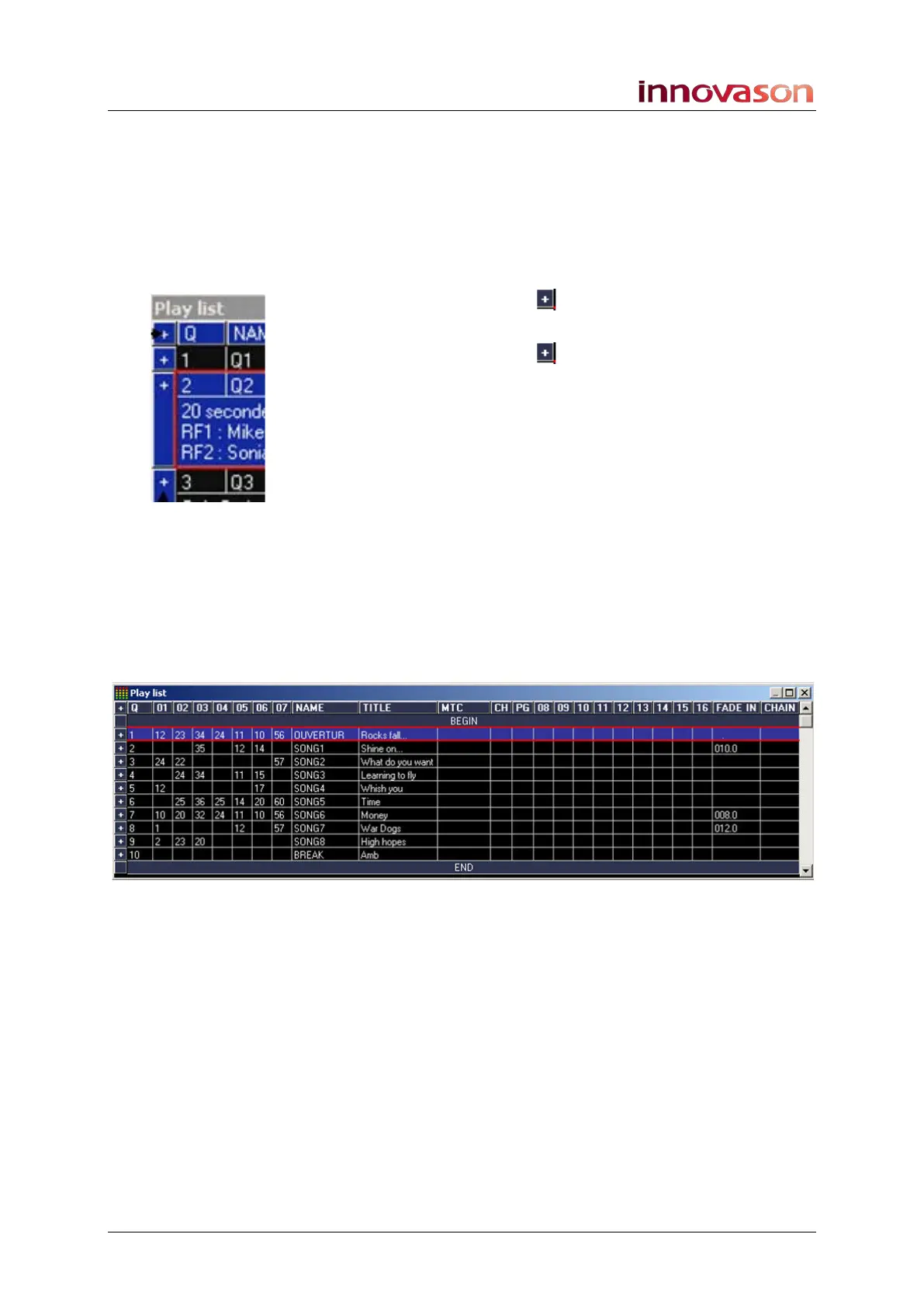
In the example below, it was important to see the MIDI program
changes sent on channels 1 to 7 so these have been moved to
the left of the Play List:



 To Next Page