Chapter 7: Reset and Automation
The Play List (Automation)
Eclipse User Guide 2.0 367/ 526
Hiding Columns
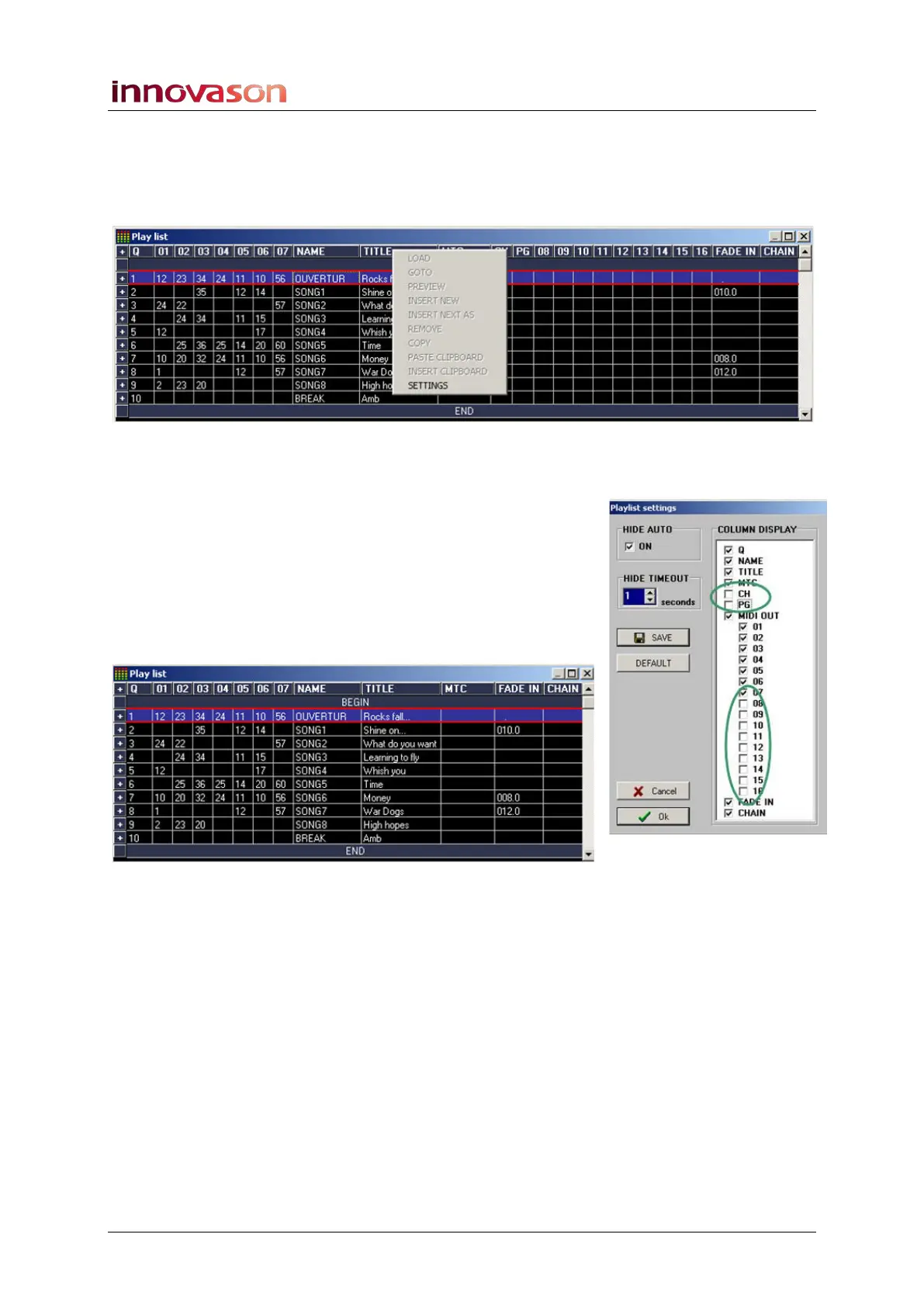
1. Right-click anywhere in the Play List and select
SETTINGS from the drop-down menu:
The Playlist Settings window appears:
2. Select DISPLAY at the top of the window.
You can now use the COLUMN DISPLAY options to hide any
unwanted elements. In the example opposite, we have chosen
not to display program changes for Pages (CH and PG), or
program changes sent to MIDI channels 8 to 16.
3. When you have finished, press OK.
The simplified Play List looks as follows:
You can find more details on the Playlist Settings window on
Page 380, and the right-click menu functions on Page 379.



 To Next Page