Chapter 7: Reset and Automation
The Play List (Automation)
372/ 526 2.0 Eclipse User Guide
MTC Options
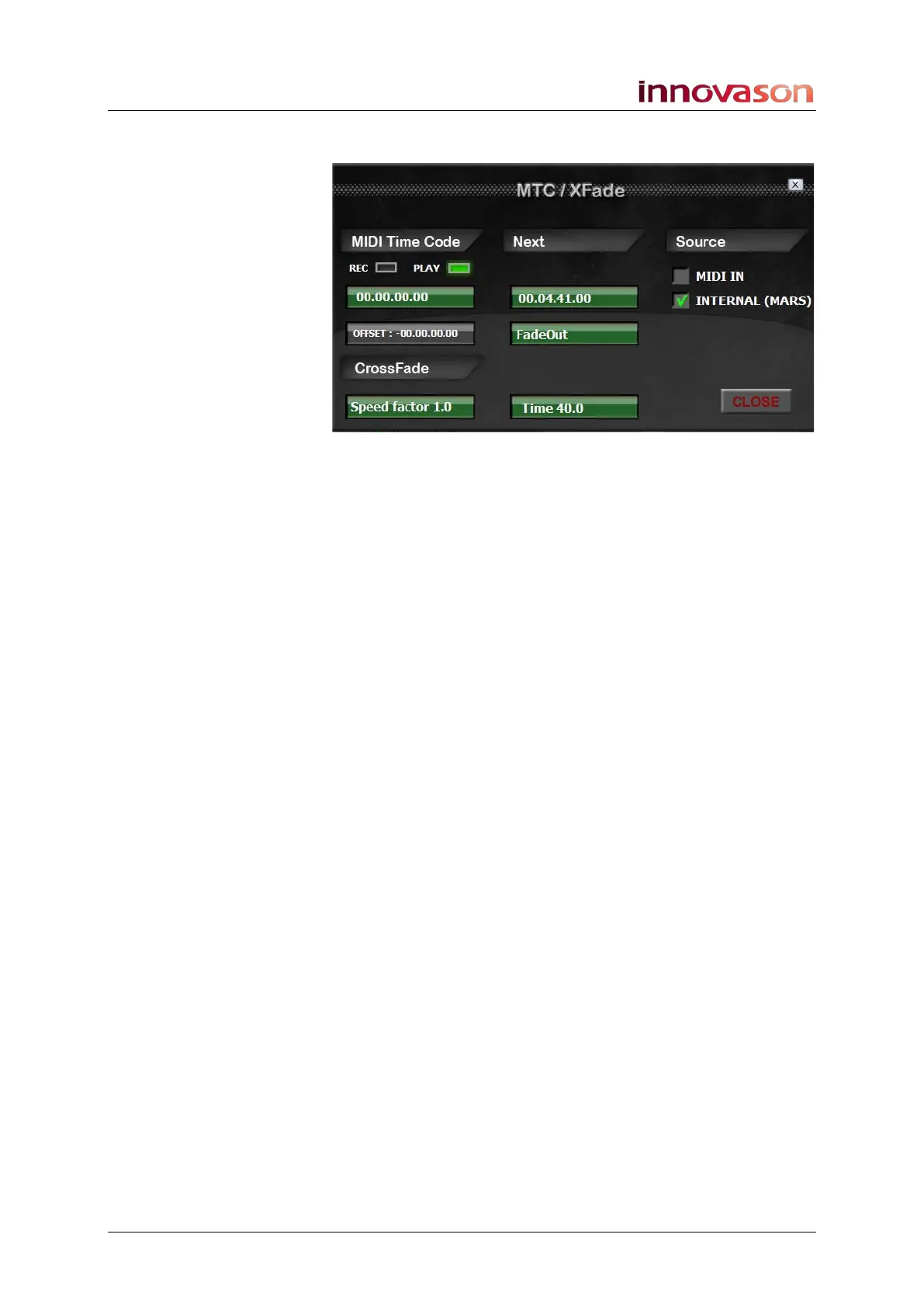
On the MTC/XFade window, the area below MIDI Time Code
shows:
• REC and PLAY - the MIDI timecode mode. In our
example, PLAY mode is selected.
• MTC – the incoming MIDI timecode with any offset
applied. In our example, the MTC is 00.00.00.00.
• OFFSET – this box can be used to enter an offset.
The area below Next shows details for the next Page change:
• MTC – displays the next MIDI timecode programmed to
action a Page change.
• Page Name - displays the next Page change to take
place. In our example, FadeOut is programmed.
Setting a MTC Offset
The timecode entered in the OFFSET box determines the
absolute difference between the MTC value entering the
console (generated by an external device) and the value
displayed and used by Eclipse. The offset may be + or -:
1. To change the MTC offset:
• Left-click on the OFFSET box to decrease the offset.
• Right-click on the OFFSET box to increase the offset.
As you change the value, the MIDI timecode displayed on the
console updates accordingly.



 To Next Page