Chapter 7: Reset and Automation
Processing Libraries
Eclipse User Guide 2.0 385/ 526
Bank -> Load multiple
This operation allows you to load either a folder of settings
(saved by Save multiple), or multiple single processing libraries.
Note that channels must be consecutive and of the same type –
e.g. all input channels.
1. Press SEL on the first channel of the range you wish to
load to.
Settings will be loaded from left to right starting with this
channel number.
2. Select “Bank -> Load multiple”.
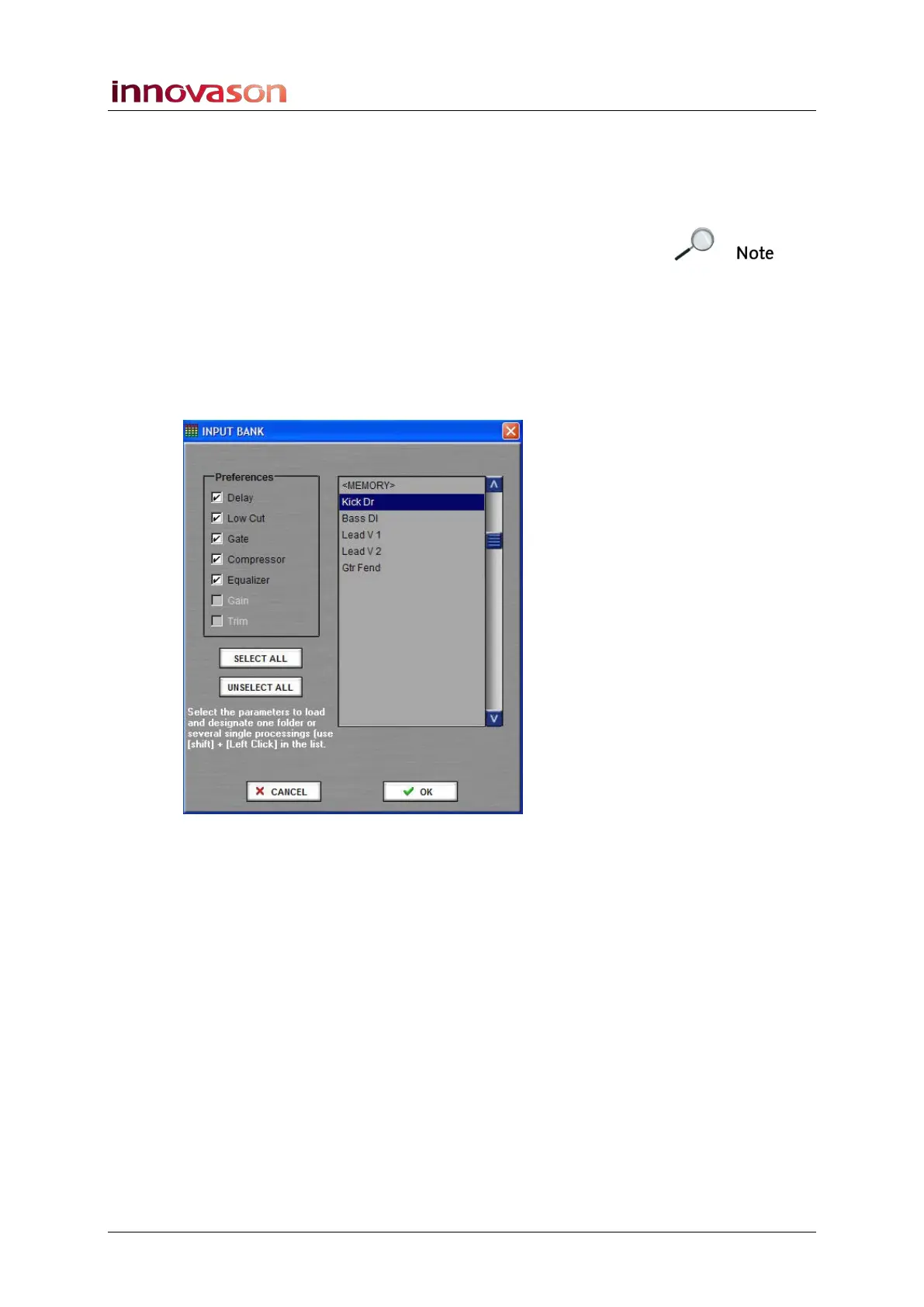
The following pop-up appears:
3. Select the library file you wish to load – you can select a
folder (as saved using Save multiple) or several single
processing libraries (press [Shift] and left-click on each
file.)
4. Under Preferences tick the settings you wish to load.
5. Then press OK.
The ticked parameters are loaded to the channel range.



 To Next Page