Chapter 8: Utilities & Preferences
Copy and Paste
Eclipse User Guide 2.0 397/ 526
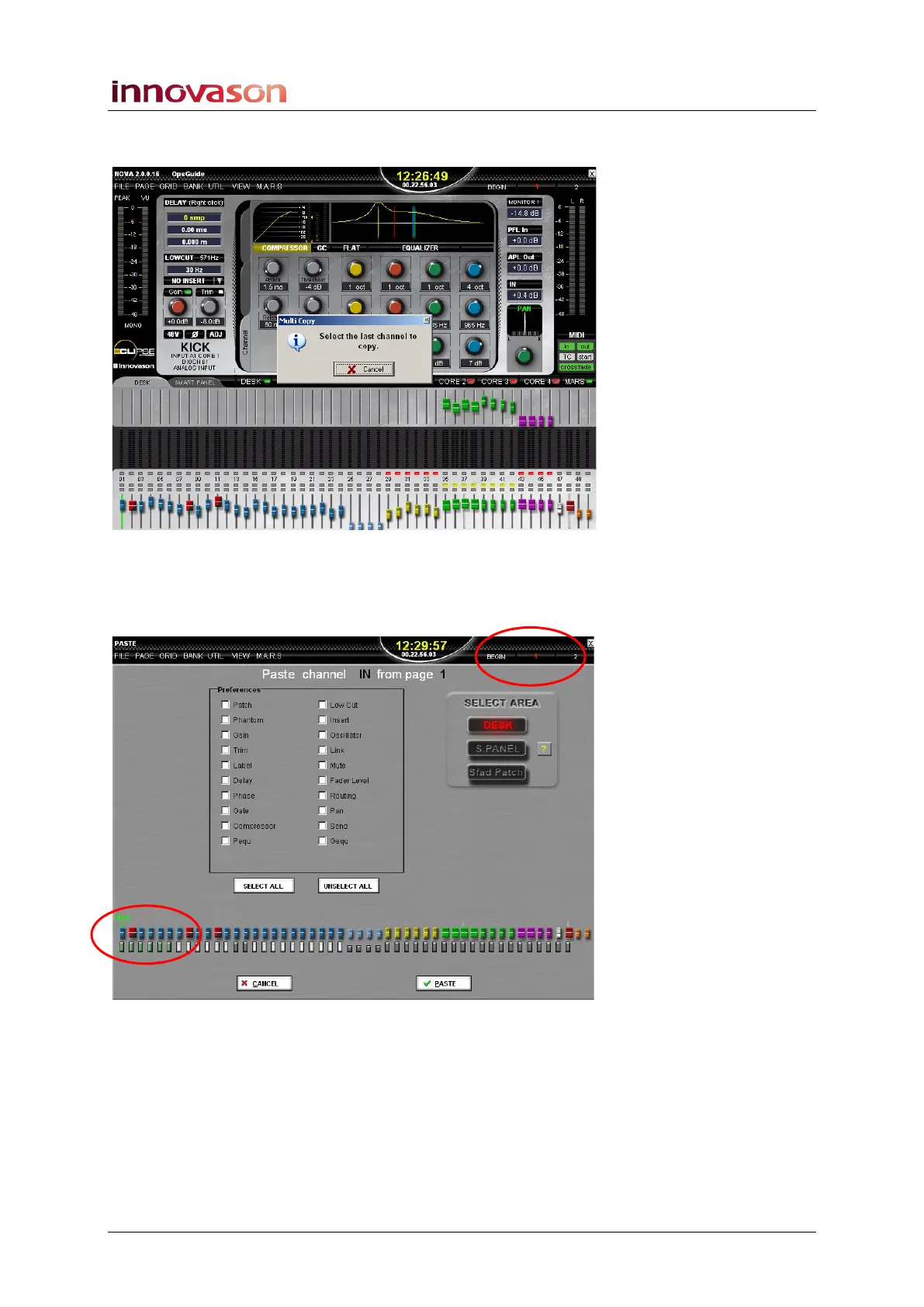
The Multi Copy window now asks for the last channel you wish
to copy:
3. Press the SEL button on the last fader (or Smart Panel
controller) you wish to copy – e.g. on the OverHead
Right fader.
The Paste display now opens:
The range of channels which you are copying is indicated by
the green markers below the faders at the bottom of the display
– in our example, Faders 1 to 6.
The current Page is highlighted in red at the top right – in our
example, Page 1.



 To Next Page