Chapter 8: Utilities & Preferences
Over Ram
400/ 526 2.0 Eclipse User Guide
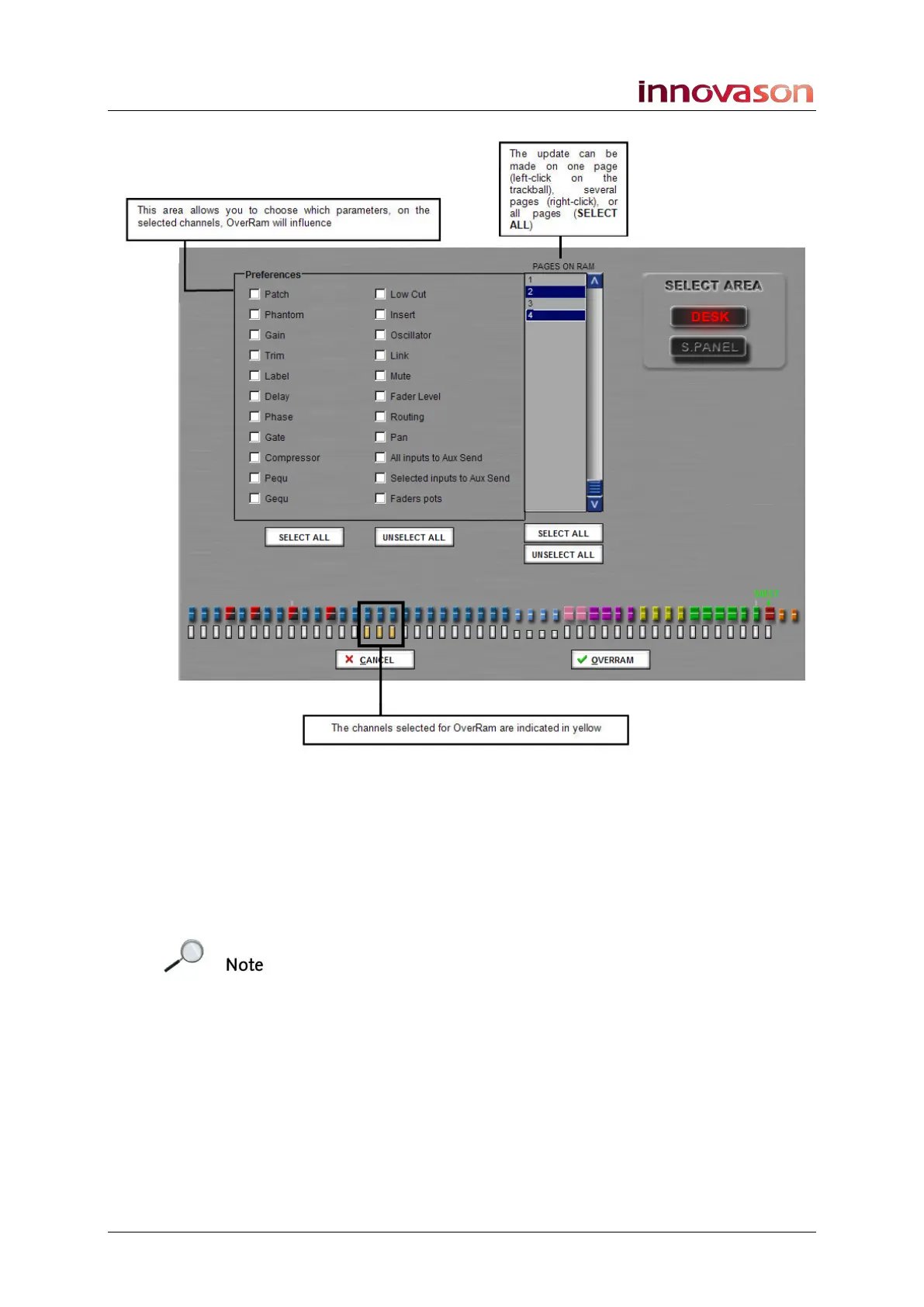
2. Select the channels which you wish to Over Ram by
pressing their SEL buttons.
You can select Fader strips or Smart Panel controllers (DESK
or S.PANEL).
3. Select the parameters you wish to Over Ram from the
Preferences area.
Note that the All Inputs to Aux Send and Selected inputs to
Aux Send options are a special case, see next page.
4. Select the Pages you wish to Over Ram from the list on
the right.
5. When you are ready, press OK to perform the operation.
The chosen parameters for the selected channel(s) are written
into the selected Pages in RAM.
Parameters are only written to Pages in RAM, and will not affect
Pages saved to a File on hard disk. If you wish to keep your
Over Ram changes for another day, save the File to write the
RAM Pages to hard disk, see Page 347.



 To Next Page