Chapter 8: Utilities & Preferences
Over Ram
Eclipse User Guide 2.0 401/ 526
Over Ram for Aux Sends
For Aux mixes, you have two choices from the Preferences
area:
• All Inputs to Aux Send – allows you to Over Ram all
sends to an Aux (or Auxes) in one operation.
• Selected Inputs to Aux Send – allows you to Over
Ram selected sends to an Aux (or Auxes). For example,
if you just want to change the level of one instrument to
a monitor feed.
All Inputs to Aux Send
To Over Ram all sends to an Aux:
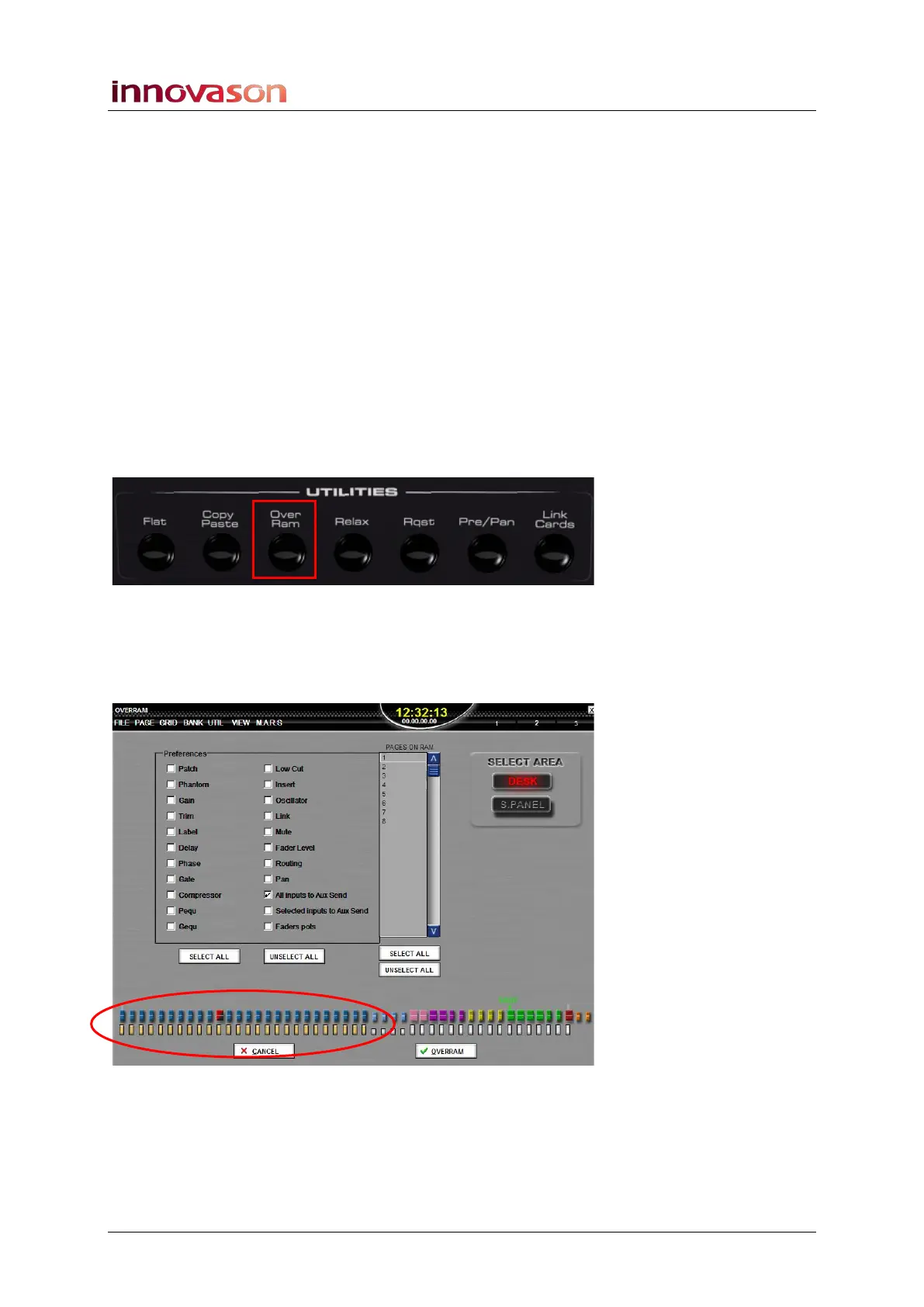
1. Press Over Ram on the UTILITIES panel to open the
OVERRAM display:
2. Select the All Inputs to Aux Send option from the
Preferences area.
This automatically selects all input channels (shown in yellow at
the bottom of the display):



 To Next Page