Chapter 10: M.A.R.S.
Transport Control
458/ 526 2.0 Eclipse User Guide
The Cue List Window
You can view and edit all the cues stored by Eclipse from the Cue
List window:
1. Press the CUE LIST button on the TRANSPORT panel.
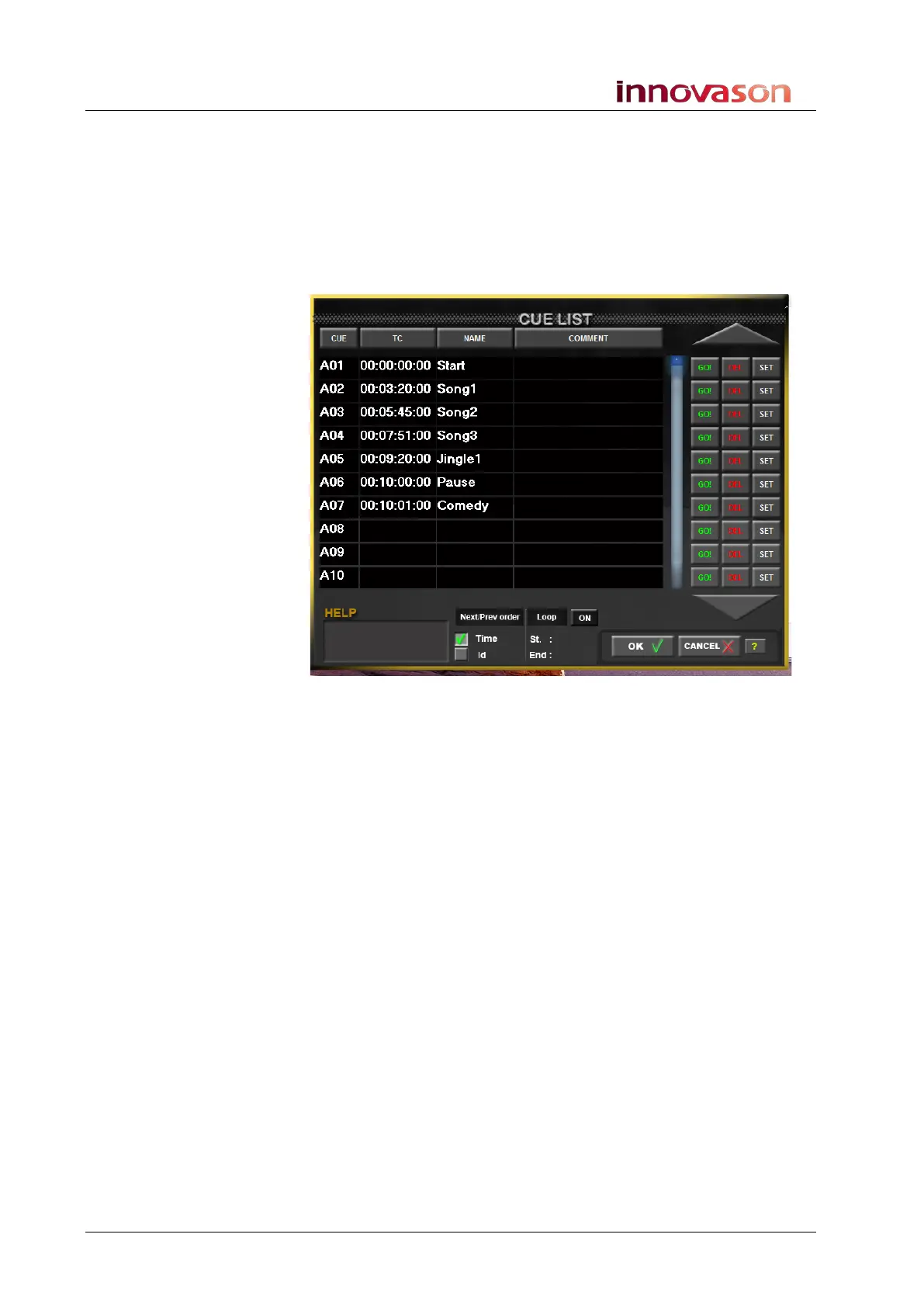
The CUE LIST opens and shows the Cue ID, timecode value,
name and any comments for each memory location:
2. Press the A, B, C, D or E buttons on the TRANSPORT
panel to switch the cue list between banks.
3. Touch a SET button on the right of the window to instantly
store a cue memory.
4. Touch a GO! button to instantly recall a cue memory.
5. Touch or select the CUE, TC, NAME or COMMENT column
titles to order the cue list by ID, timecode, name or
comment.
Naming or Adding Comments
1. Touch or click on the NAME or COMMENT column entry to
enter a name or add a comment:
A cursor flashes within the entry box.
2. Type in your text.
3. Press [Enter] to confirm.



 To Next Page