Chapter 10: M.A.R.S.
Advanced Functions
Eclipse User Guide 2.0 477/ 526
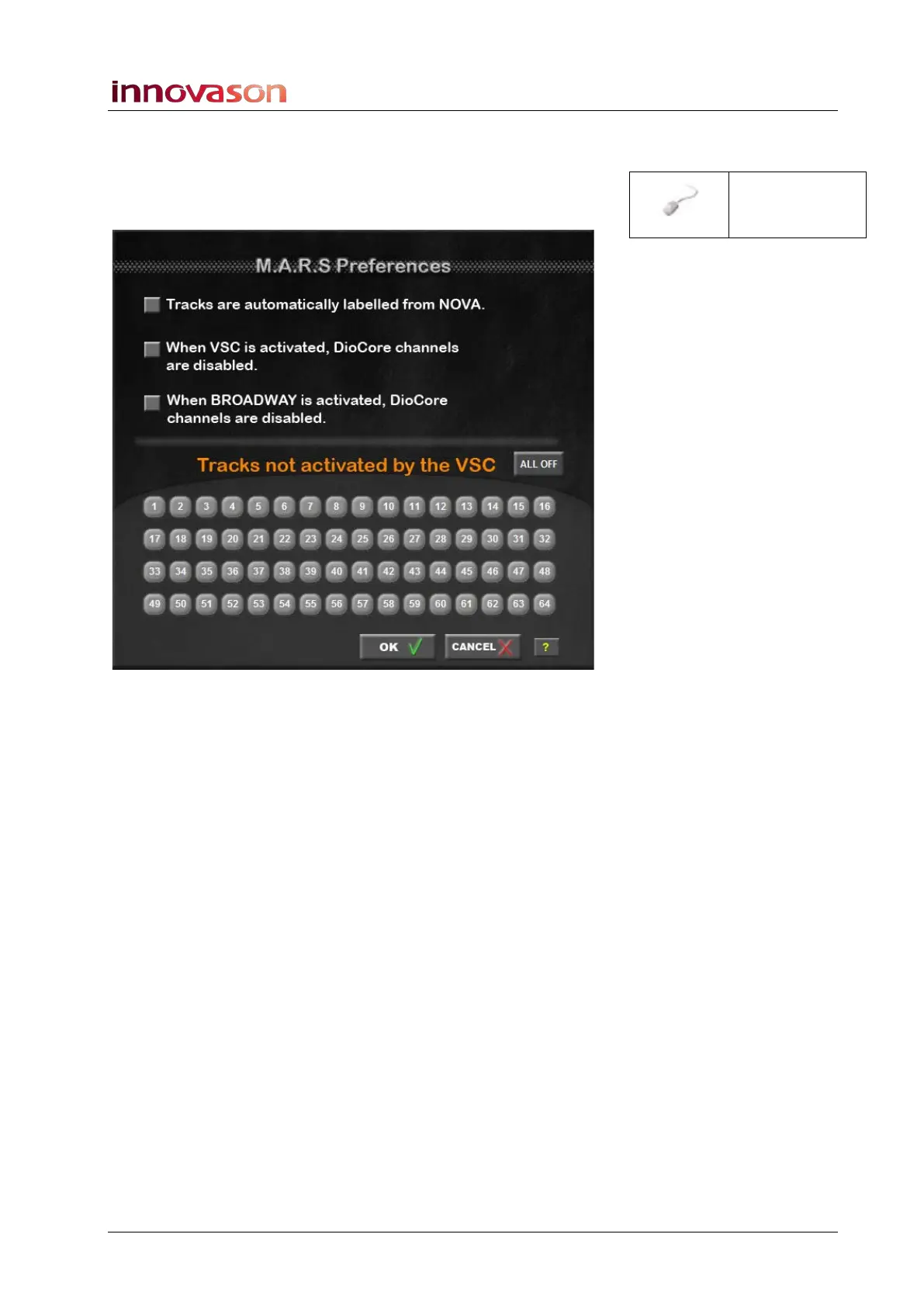
Other M.A.R.S. Preferences
The preferences within the M.A.R.S. -> preferences window
perform the following functions:
• Tracks are automatically labelled from NOVA – see the
previous page.
• When VSC is activated, DioCore channels are disabled
– If this option is ticked, then the DioCore does NOT write
data onto the Ethersound channels. For example,
depending on the network configuration, you may not want
the DioCore to replace signals on the Ethersound network.
• When BROADWAY is activated, DioCore channels are
disabled – as above, but this option relates only to
Broadway mode.
• Tracks not activated by the VSC – in this area you can
select any Ethersound channels (DioCore mics) which you
do not want to be patched by M.A.R.S. when VSC mode is
active. For example, you can use this option to protect live
mics so that they cannot be switched to replay.
“MARS ->
preferences”



 To Next Page