Chapter 10: M.A.R.S.
Project Management in M.A.R.S.
484/ 526 2.0 Eclipse User Guide
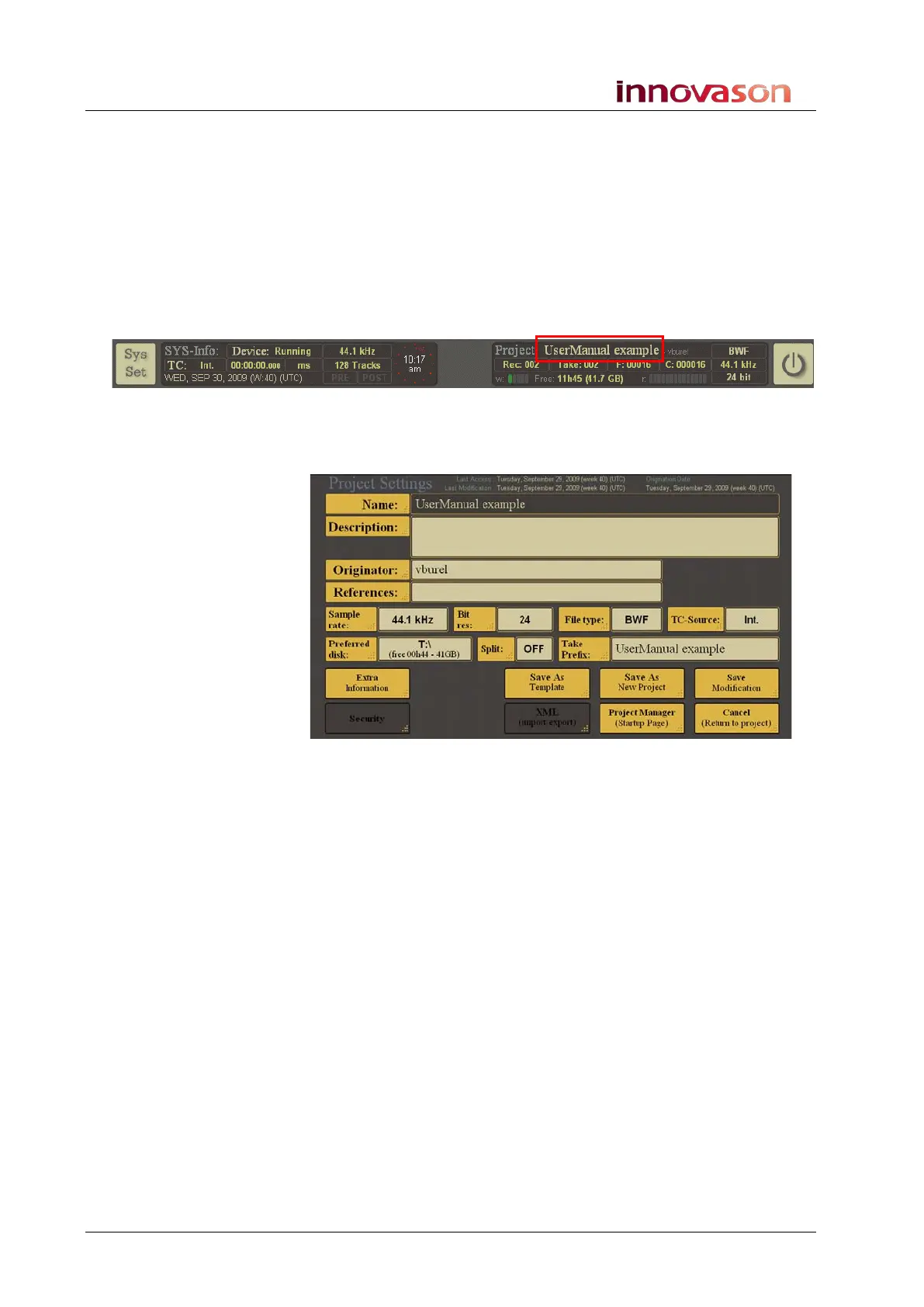
The Project Settings Window
This window contains the settings for a Project – it opens when
you select:
• NEW PROJECT from the Project Manager, see Page 466.
• Load Project from the Project Manager, see Page 448.
• Or if you select the name of the current Project at the top
right of the M.A.R.S. display:
When you open the Project Settings window for the current
Project (as shown above), you can perform the following functions:
Edit the Current Project
Having created a Project on M.A.R.S., it cannot be renamed.
However, you can change its settings in order to modify the
timecode source, file format, etc. for the next recording.
1. With the Project Settings window open, edit the options –
for example, touch TC-Source: to change the reference
timecode.
Whenever you change a setting, the Save Modification button
flashes.
2. Select Save Modification to save the changes.
The settings are saved and the window closes.



 To Next Page