Chapter 10: M.A.R.S.
Troubleshooting
498/ 526 2.0 Eclipse User Guide
M.A.R.S. will not go into Play, Stop, etc. when
controlled from the TRANSPORT panel
Assuming you have a valid Ethersound connection to M.A.R.S.,
and M.A.R.S. is booted, this may occur if the remote control option
for Eclipse has been turned off within the M.A.R.S. System
Settings window:
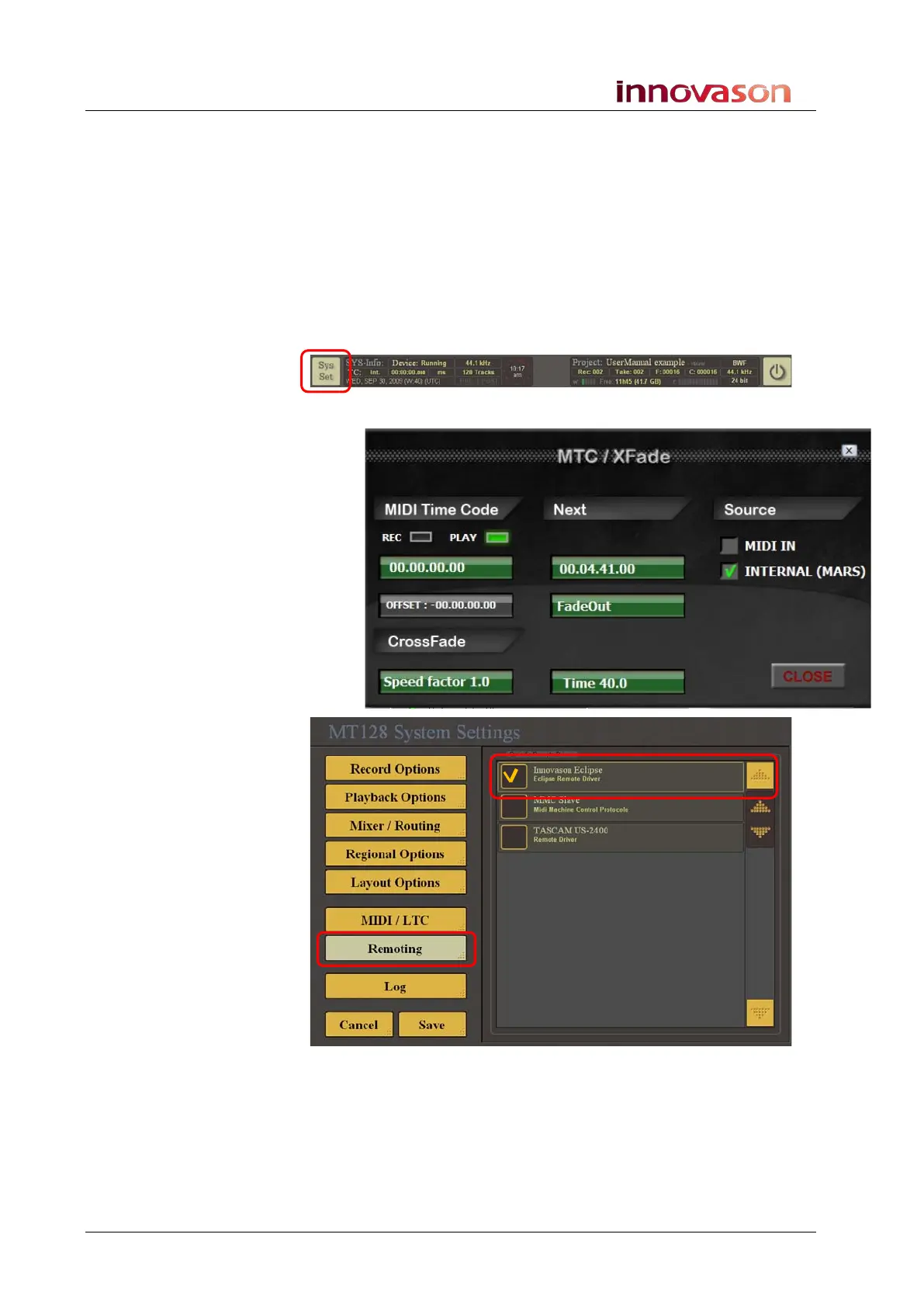
1. Switch the touch-screen to M.A.R.S.
2. Select Sys Set at the top left of the display to open the
System Settings.
3. Select the Remoting menu:
The Innovason Eclipse option must be ticked.
4. Select Save to save the change and close the System
Settings window.



 To Next Page