Chapter 3: Operating Principles
The Nova Touch-Screen
Eclipse User Guide 2.0 69/ 526
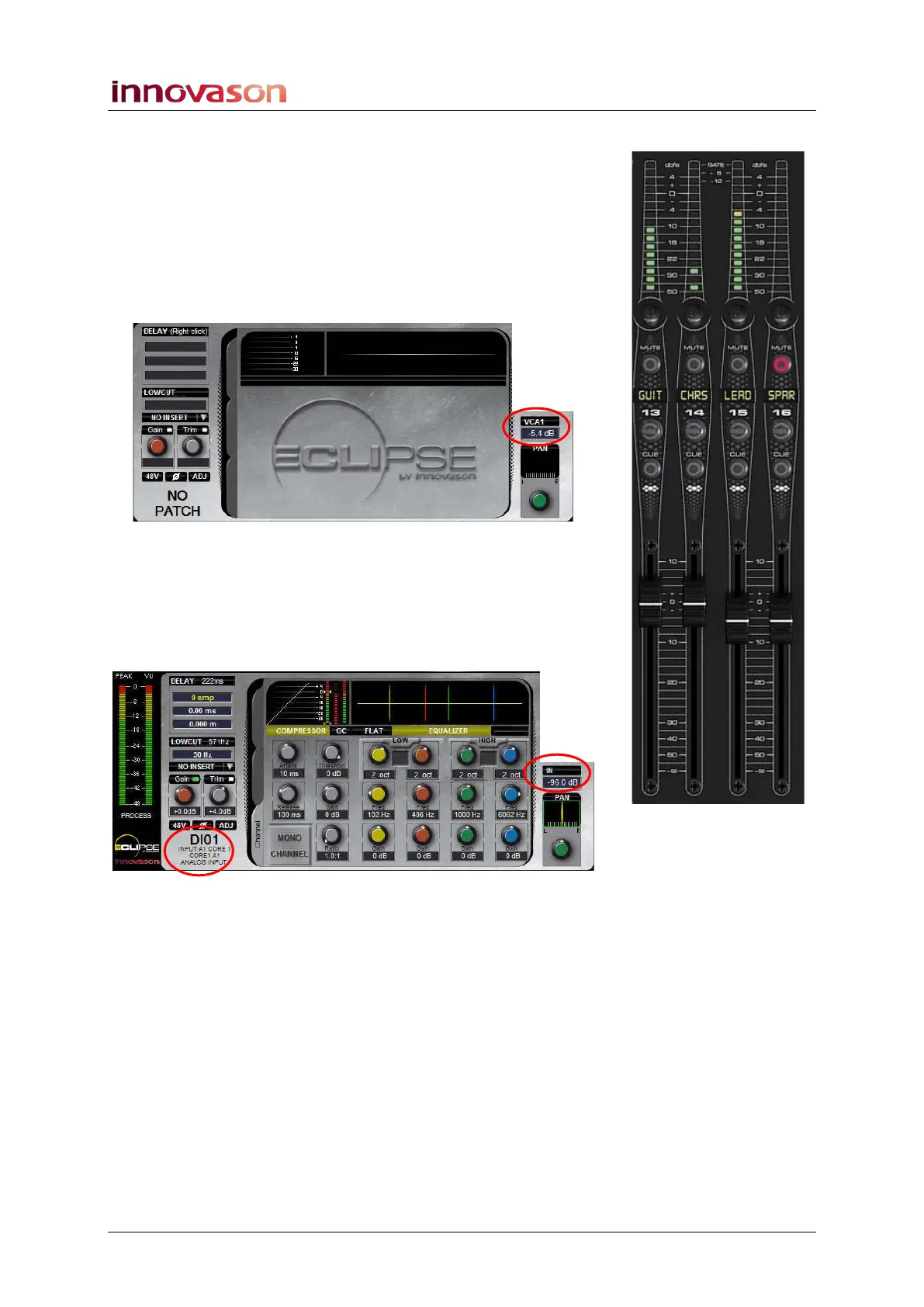
Note that what you see varies depending on whether you select
an input, output or control channel such as a VCA:
VCAs
1. Press SEL on a VCA channel (yellow ID):
On a VCA there is no processing so the only information shown
is the channel type (VCA1) and main level (-5.4dB):
Input Channels
1. Press SEL on an input channel (blue ID):
The channel type updates to IN, and the Label area shows the
user Label of the input patched to the channel (e.g. DIO1):
The display now shows all the parameters available for the
input channel. Buttons highlighted in yellow are on; those in
black are off. In our example, both the COMPRESSOR and
EQUALIZER are turned on.
Push-button parameters, such as 48V, and rotary controls, such
as Gain, can be adjusted from the display as well as the
console surface, see Page 87.



 To Next Page