Chapter 3: Operating Principles
The Nova Touch-Screen
70/ 526 2.0 Eclipse User Guide
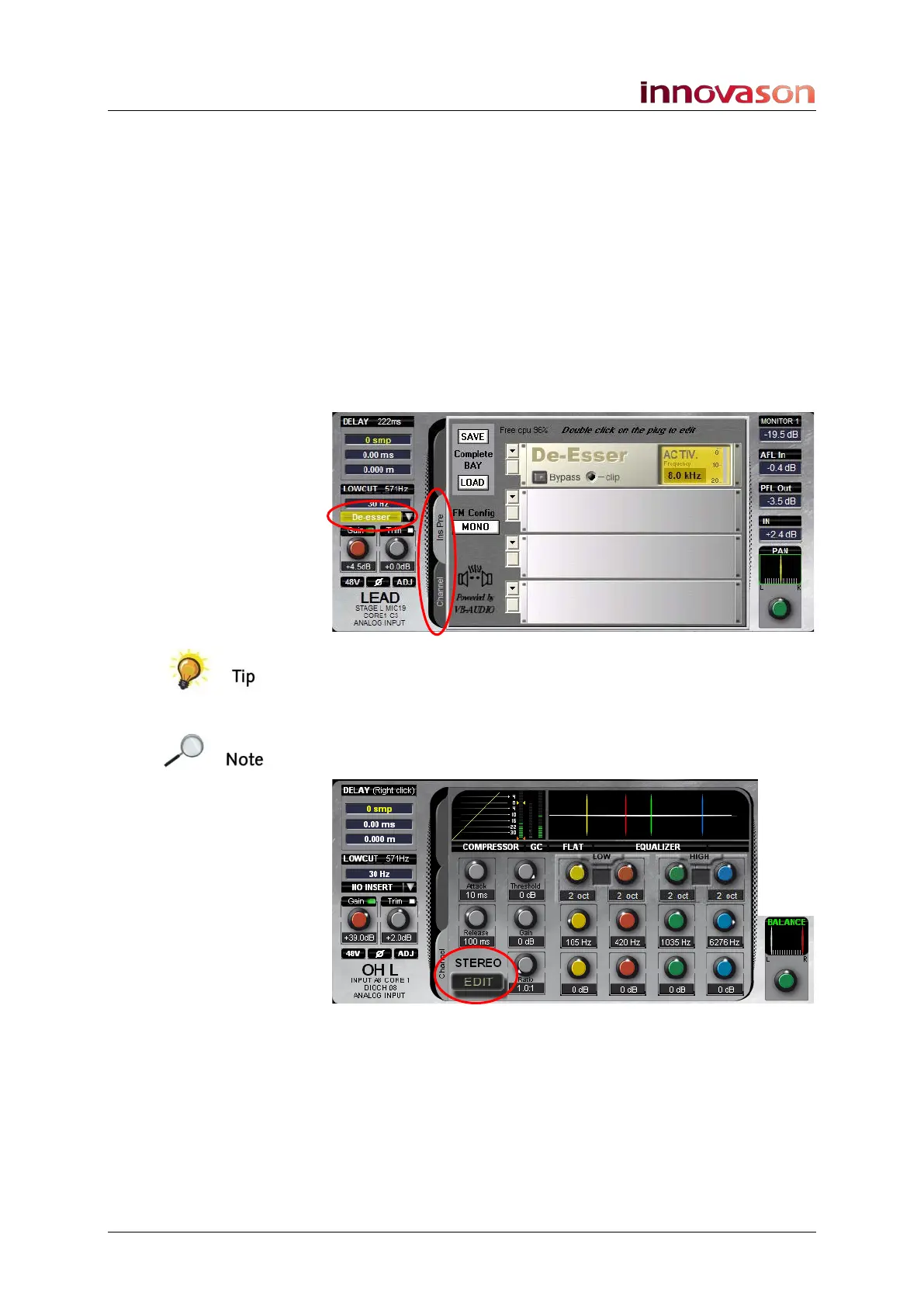
Tabs in the middle of the display are used to show different sets
of processing. For example, on an input channel which has an
insert device assigned you can tab between:
• Channel processing – the Compressor, Gate and
Parametric EQ available on all 104 input paths.
• Insert Pre – processing which has been inserted pre-
fader. This could be an external device or an internal
effects bay.
On this input channel an internal effects bay has been inserted
and can be viewed by clicking on InsPre:
A switch on the User Defined panel can be assigned to cycle
through the tabs, see Page 322.
Note that if the input channel is stereo, then the text STEREO
appears beside the Channel tab:
You can deploy the left and right components of a stereo input
to the Smart Panel using the on-screen EDIT button, see Page
189 for details.



 To Next Page