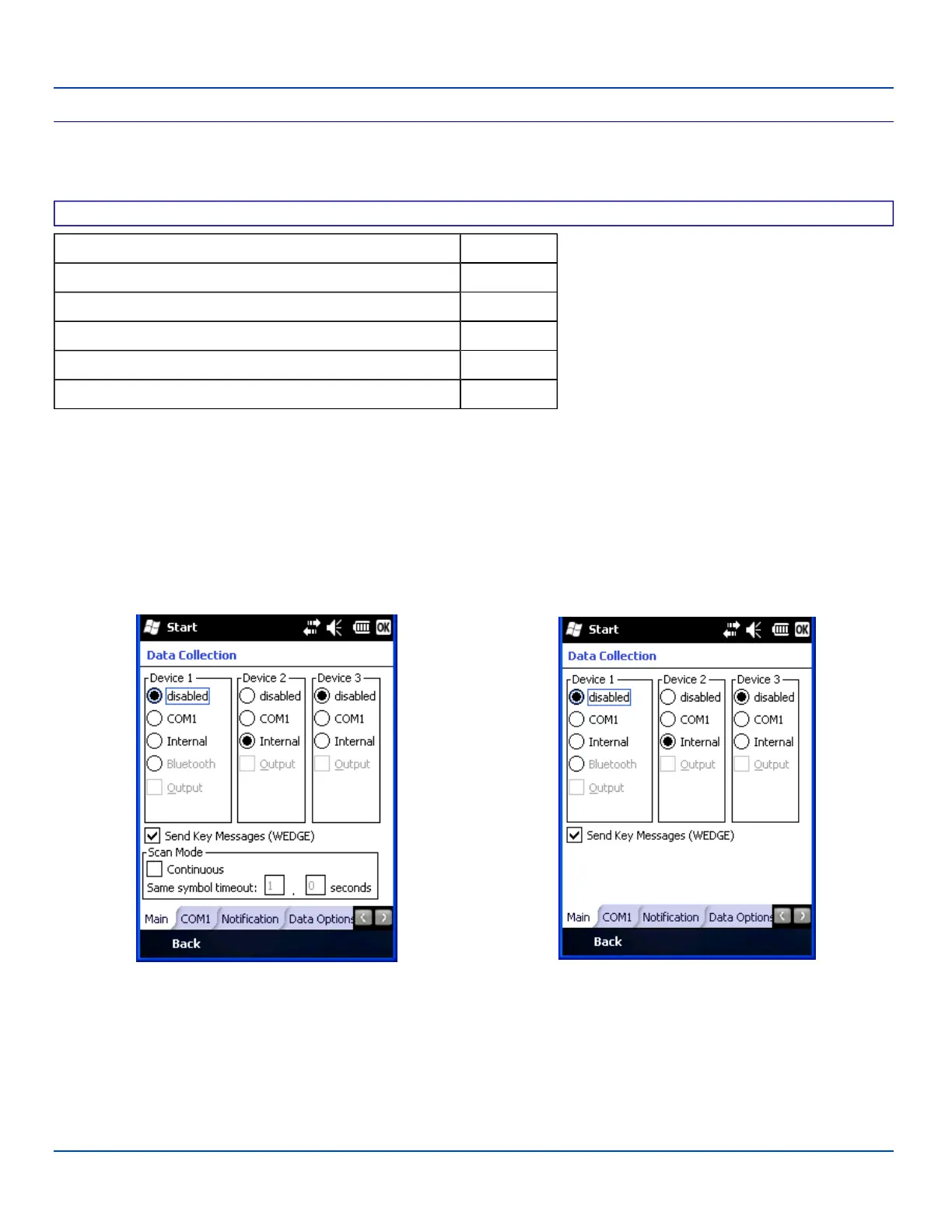
Main Tab
Main Tab
Start | Settings | System | Data Collection | Main tab
Factory Default Settings
Device 1 Disabled
Device 2 Internal
Device 3 Disabled
Send Key Messages Enabled
Scan Mode - Continuous Disabled
Scan Mode - Timeout between same symbol 1 second
Device 1 – Internal. Radio button allows scanner input/output on Device 1 (scan key or trigger).
Device 2 – Output is enabled when COM1 is enabled on this port.
Device 3 – Output is enabled when COM1 is enabled on this port.
The Data Collection Wedge supports up to three concurrent data collection devices. For example, the internal scanner could be
used to collect data at the same time a Bluetooth scanner is paired and/or a serial device is attached to COM1. The MX7
Tecton must be in a desktop cradle to use a tethered scanner.
Note: Since Internal is the default setting for Device 2, a Bluetooth scanner can be paired with the Wedge using
LXEZPairing on Device 1 without disabling the internal scanner.
Device with integrated Symbol Scanner Device with any other imager/scanner
Scanner Control - Main
Note: The Scan Mode (Continuous Scan) section is only present if the MX7 Tecton is equipped with a Symbol integrated
scanner.
Adjust the settings and tap ok to save the changes. The changes take effect immediately.
E-EQ-MX7WMRG-A [ 95 ] MX7 Tecton™ for Windows Mobile Reference Guide



 To Next Page