Data Options Tab
Data Options Tab
Start | Settings | System | Data Collection | Data Options tab
Barcode manipulation parameter settings on this tab are applied to the incoming data resulting from successful barcode scans
sent to the MX7 Tecton for processing.
Note: The Data Options tab contains only those options available for one type of decoding engine.
The Data Options tab contains several options to control barcode processing. Options include:
l Defining custom Code IDs
l Disable processing of specified barcode symbologies
l Rejecting barcode data that is too short or too long
l Stripping characters including Code ID, leading or trailing characters and specified barcode data strings
l Replacing control characters
l Adding a prefix and a suffix.
Factory Default Settings
Enable Code ID None
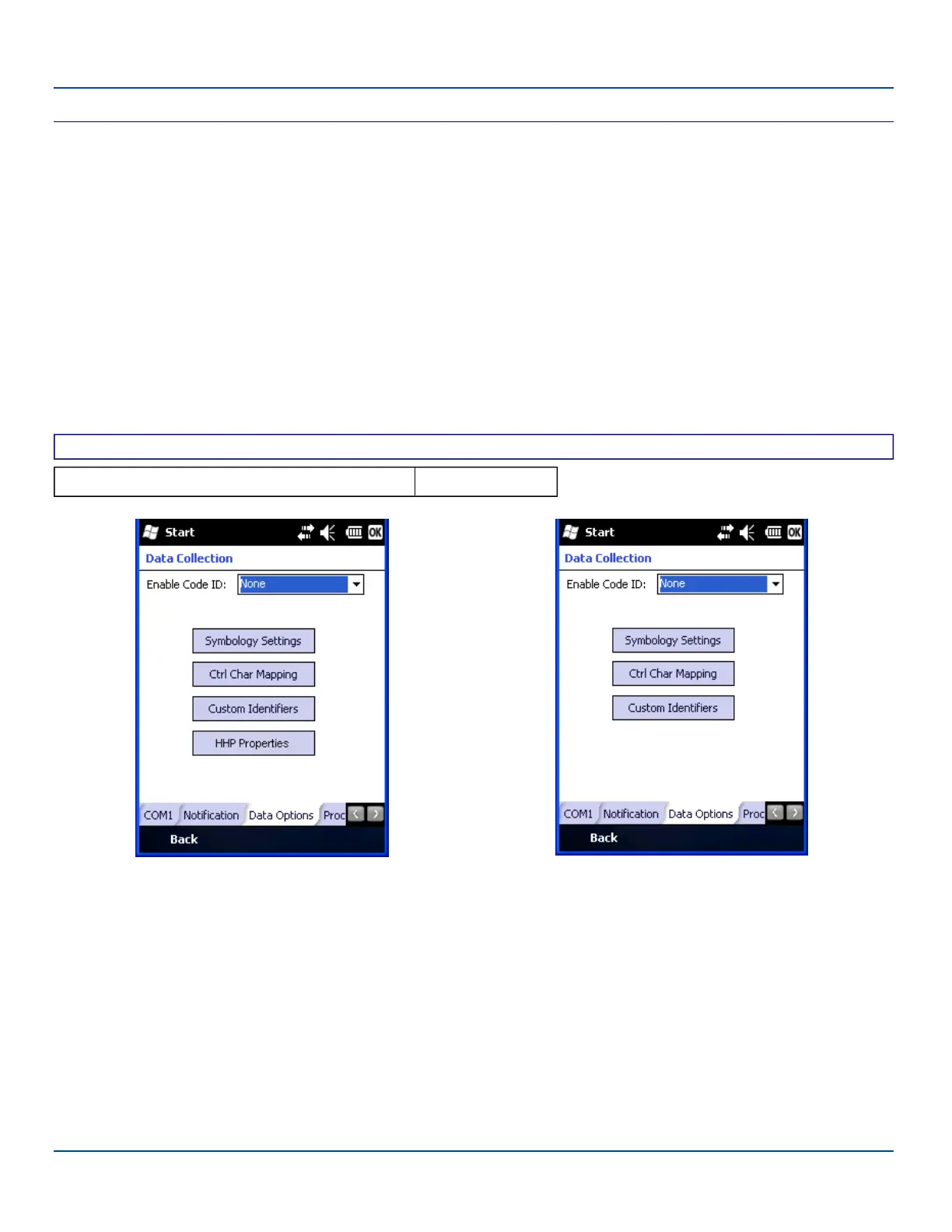
MX7 Tecton with an HHP imager MX7 Tecton with any other imager/scanner
Data Options Tab
Note: The HHP Properties button is only present if the MX7 Tecton is equipped with a Hand Held Properties (HHP)
imager.
Choose an option in the Enable Code ID drop-down box: None, AIM, Symbol, HHP or Custom.
E-EQ-MX7WMRG-A [ 100 ] MX7 Tecton™ for Windows Mobile Reference Guide



 To Next Page