PEAP/MSCHAP
PEAP/MSCHAP
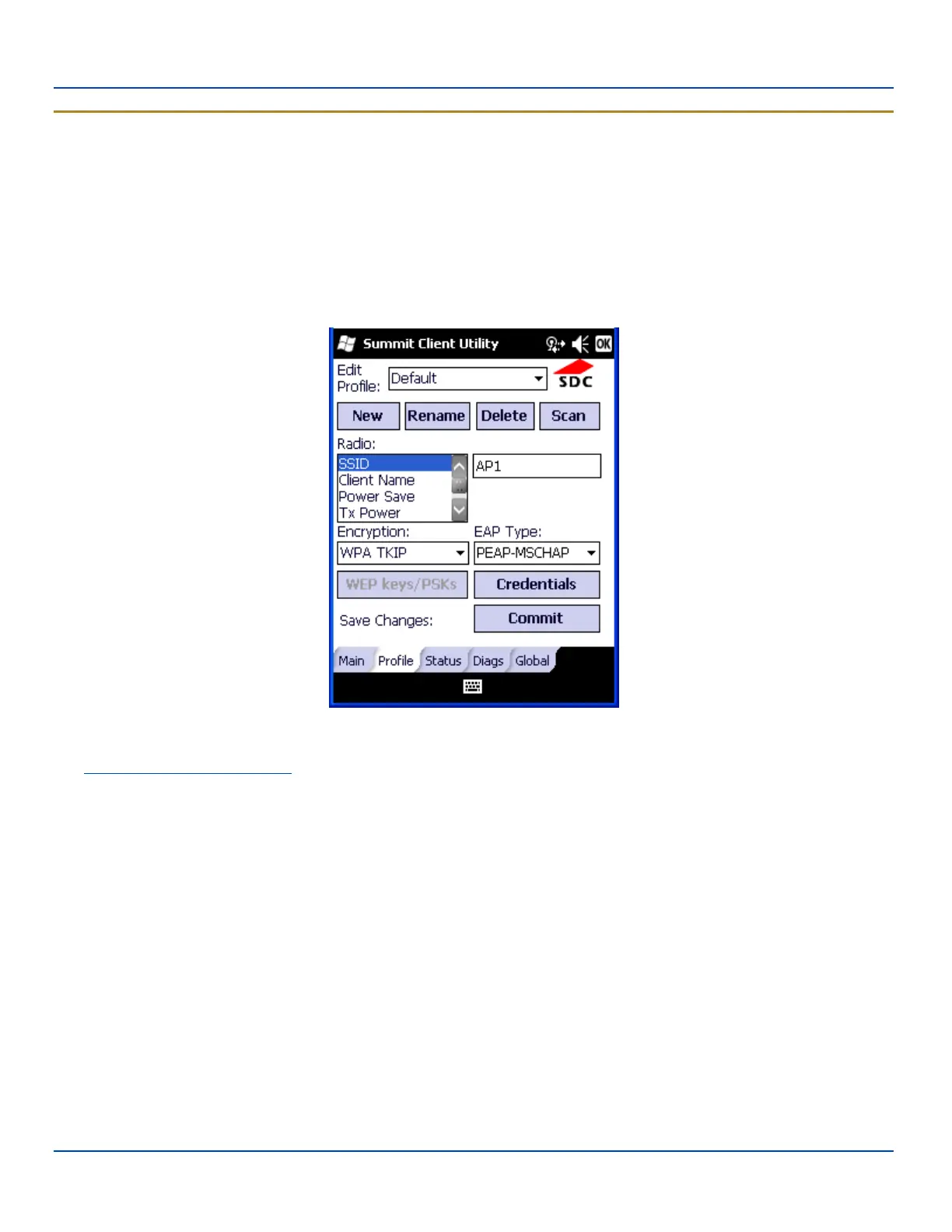
To use PEAP/MSCHAP, make sure the following profile options are used.
l Enter the SSID of the Access Point assigned to this profile
l Set EAP Type to PEAP-MSCHAP
l Set Encryption to WPA TKIP
l Set Auth Type to Open
To use another encryption type, select WPA CCKM, WPA2 AES or WPA2 CCKM for encryption and complete other entries as
detailed in this section.
PEAP/MSCHAP Profile Configuration
See Sign-On vs. Stored Credentials for information on entering credentials.
Click the Credentials button.
l No entries except the CA Certificate Filename are necessary for Sign-On Credentials as the user will be prompted for
the User Name and Password when connecting to the network.
l For Stored Credentials, User, Password and the CA Certificate Filename must be entered.
Enter these items as directed below.
E-EQ-MX7WMRG-A [ 276 ] MX7 Tecton™ for Windows Mobile Reference Guide



 To Next Page