Exporting a User Certificate
Exporting a User Certificate
Start Internet Explore on the PC that requested the certificate.
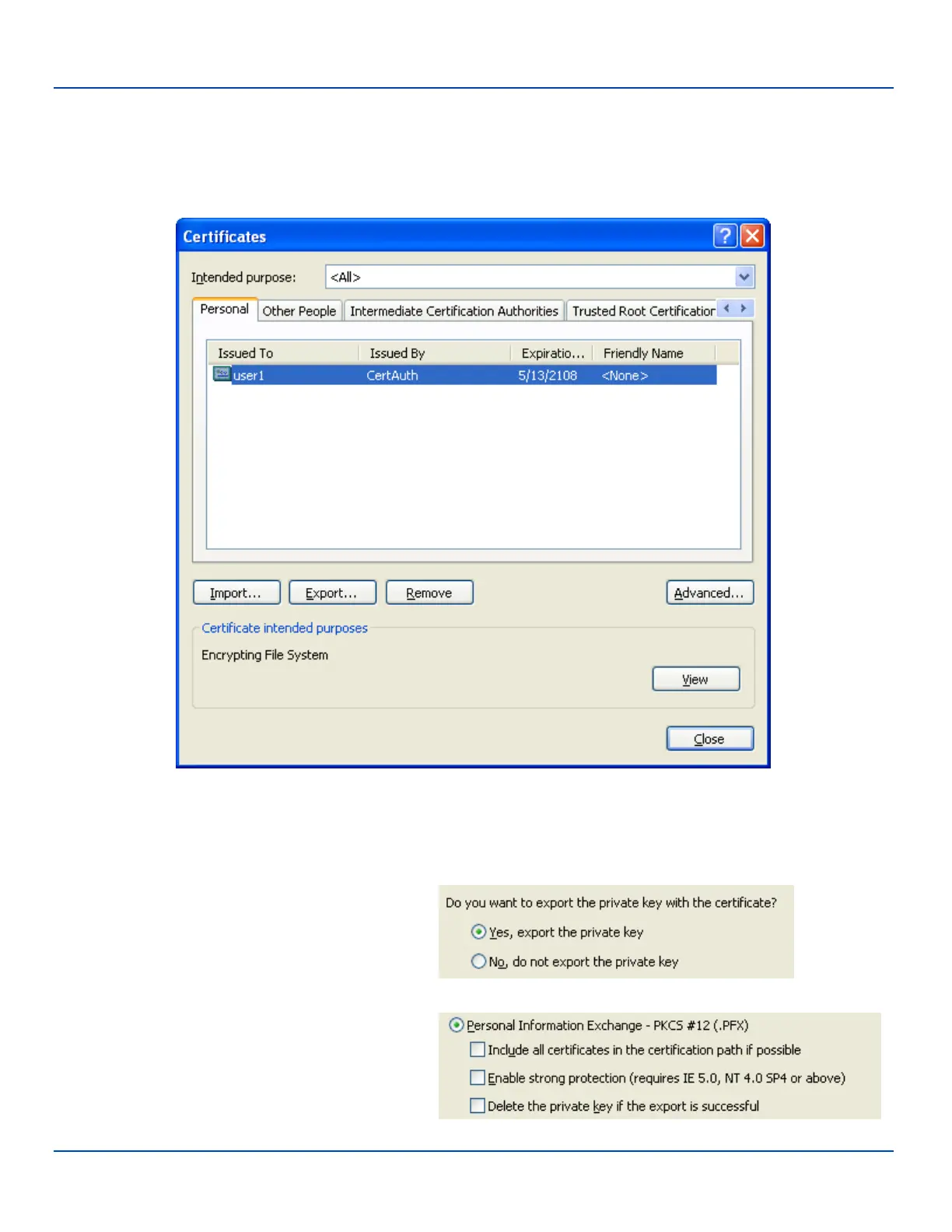
Select Tools |Internet Options | Content and click the Certificates button.
Certificate Listing
Make sure the Personal tab is selected. Highlight the certificate and click the Export button.
The Certificate Export Wizard is started
Select Yes, export the private key and click Next.
Uncheck Enable strong protection and check Next.
The certificate type must be PKCS #12 (.PFX).
E-EQ-MX7WMRG-A [ 299 ] MX7 Tecton™ for Windows Mobile Reference Guide



 To Next Page