Notification Tab
Notification Tab
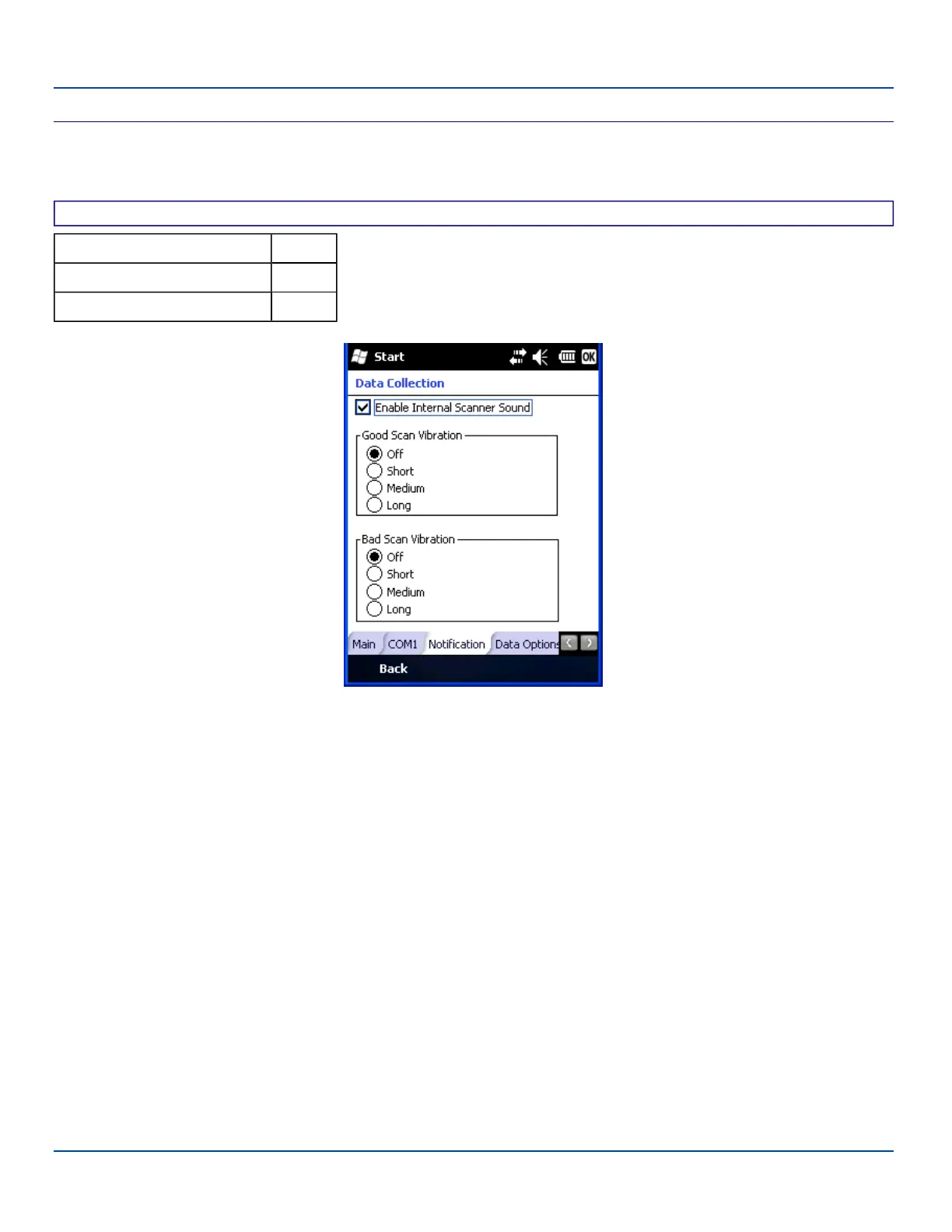
Start | Settings | System | Data Collection | Notification tab
Factory Default Settings
Enable Internal Scanner Sound Enabled
Good Scan Vibration Off
Bad Scan Vibration Off
Scanner Control / COM1
This panel toggles internal scanner sounds on and off. Internal scanner sound, by default, is enabled.
Enable Good scan vibration or Bad scan vibration when a tactile response on a good scan or bad scan is desired. Scan sounds
are accompanied by a tactile response when the internal scanner Sound parameter is enabled.
Enable short, medium or long duration for each selection (good scan and bad scan).
Adjust the settings and tap ok to save the changes. The changes take effect immediately.
E-EQ-MX7WMRG-A [ 98 ] MX7 Tecton™ for Windows Mobile Reference Guide



 To Next Page