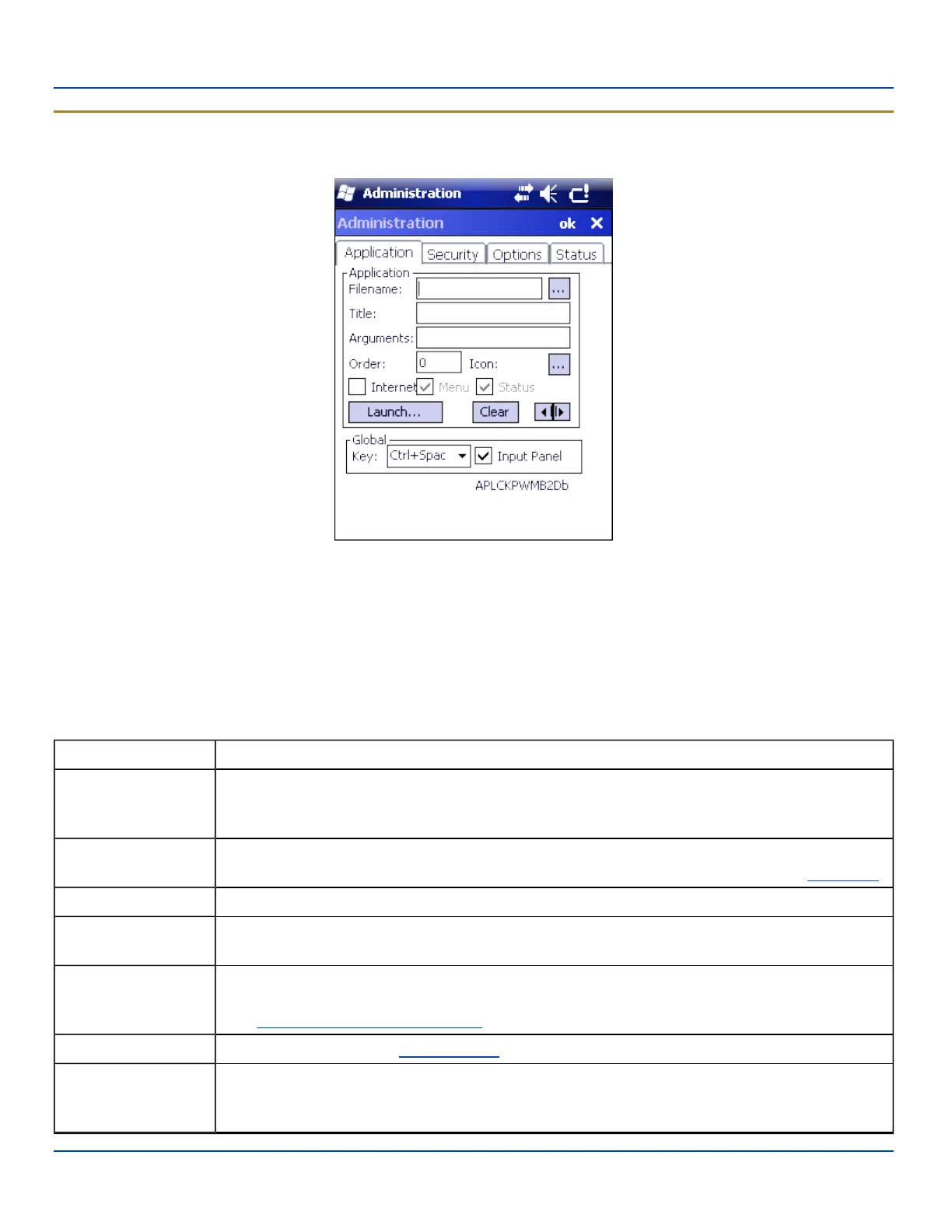
Application Panel
Application Panel
Application Panel
Note: AppLock cannot support multiple windows of some applications. Attempting to open multiple windows of RFTerm
or Pocket Word will cause AppLock to switch to administration mode.
Use the Application tab options to select the applications to launch when the device boots up in End-user Mode.
If no application is specified when the Administrator Panel is closed, the MX7 Tecton reboots into Administrator mode. If a
password has been set, but an application has not been specified, the user will be prompted for the password before entering
administration mode. The password prompt remains on the display until a valid password is entered.
Option Explanation
Filename
Default is blank. Move the cursor to the Filename text box and either type the application path or tap
the Browse button (the … button). The standard Windows Browse dialog is displayed. After selecting
the application from the Browse dialog, tap OK.
Title
Default is blank. Enter the Title to be associated with the application. The assumption is that multiple
copies of the same application may need unique titles in order to differentiate them in the Switchpad.
Arguments Default is blank. Enter the command line parameters for the application in the Arguments text box.
Order
Default is 1. Enter the Order in which the application is to be loaded or presented to the end-user.
Applications are launched in lowest to highest number order and do not need to be sequential.
Internet
Default is Disabled. Enable the Internet checkbox to use the End-user Internet Explorer (EUIE.EXE)
When the checkbox is enabled, the Internet Menu and Internet Status are available. See the section
titled End-user Internet Explorer (EUIE) for more details.
Launch Button See following section titled Launch Button.
Global Key
Default is Ctrl+Spc. Select the Global Key key sequence the end-user is to press when switching
between applications. The Global Key default key sequence must be defined by the AppLock
Administrator. The Global key is presented to the end-user as the Activation key.
E-EQ-MX7WMRG-A [ 186 ] MX7 Tecton™ for Windows Mobile Reference Guide



 To Next Page