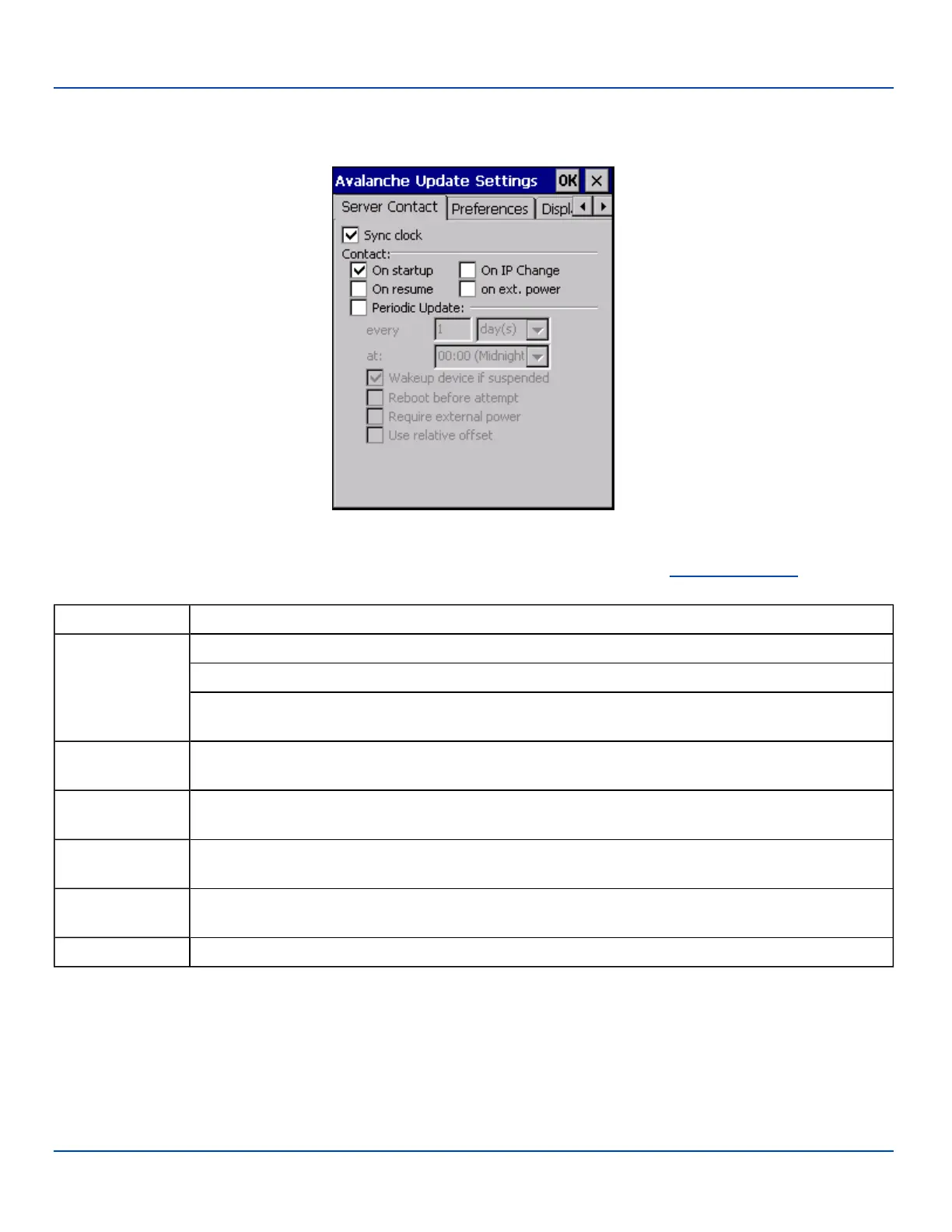
Server Contact
Server Contact
Server Contact Options
Note: Your MX7 Tecton screen display may not be exactly as shown above. Contact your LXE representative for
upgrade availability and version information.
Sync Clock Reset the time on the MX7 Tecton based on the time on the Mobile Device Server host PC.
Contact
On Startup – Connect to the Mobile Device Server when the Enabler is accessed.
On Resume – Connect to the Mobile Device Server when resuming from Suspend mode.
On Ext. Power – Initiate connection to the Mobile Device Server when the device is connected to an
external power source, such as based on a docking event.
Periodic Update
Allows the administrator to configure the Enabler to contact the Mobile Device Server and query for
updates at a regular interval beginning at a specific time.
Wakeup device if
suspended
If the time interval for periodic contact with the Mobile Device Server occurs, a mobile device that is in
Suspend Mode can wakeup and process updates.
Reboot before
attempt
Reboot mobile device before attempting to contact Mobile Device Server.
Require external
power
Only connect when the mobile device has external power.
Use relative offset Dimmed.
E-EQ-MX7WMRG-A [ 232 ] MX7 Tecton™ for Windows Mobile Reference Guide



 To Next Page