MX7 Tecton Cold Storage Configuration
MX7 Tecton Cold Storage Configuration
Highlights
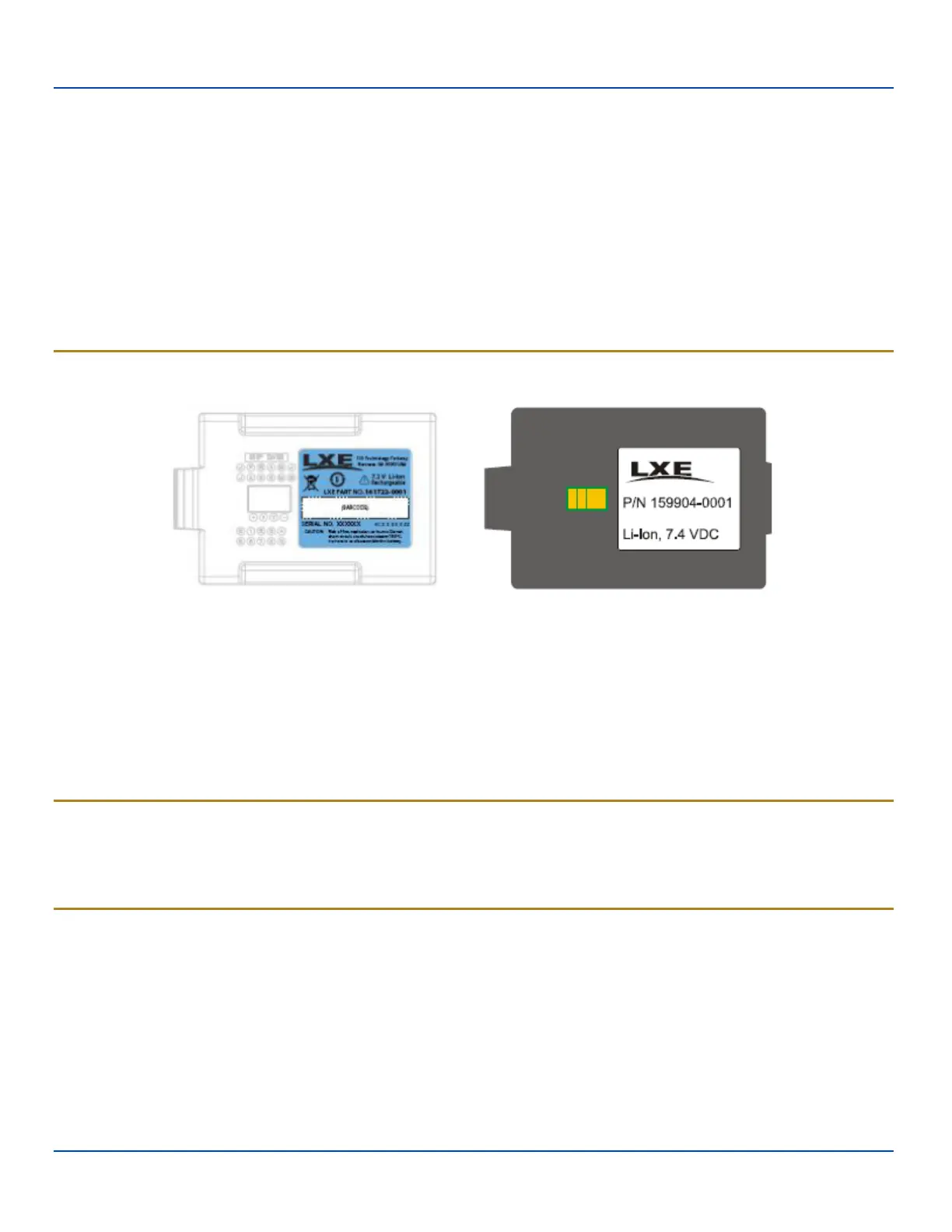
l MX7 Tecton 1250mAh Cold Storage battery has a blue label.
l Snowflake decal above the keypad.
l Heating element visible on the touchscreen and the scanner aperture.
l Cold storage battery is recharged in the MX7T Battery Charger, MX7T Desk Cradle and when in an MX7 Tecton
attached to an external power source (e.g. AC adapter).
The Cold Storage version is designed to operate normally when reading barcodes and moving from, and into, cold storage
warehouses, freezers and vehicles where the temperatures may vary between -30°C and 5°C (-22°F and 41°F).
Cold Storage Battery
Cold Storage Battery Label Standard MX7T Battery Label
There is no change in the way the Cold Storage battery is inserted into and removed from the MX7 Tecton battery well. See the
section in the MX7 Tecton User Guide titled Inserting Fully Charged Battery for instruction.
Cold Storage Battery Life – minimum 2.5 hours while the unit is roaming, powered on with ambient temperature -10°C (14°F) or
above, Display backlight turned on, Keypad LED backlight on, radio connected to Access Point, and scanner decoding
barcodes. The LXE Li-Ion main battery (MX7A381BATT / MX7393BATT ) has been designed specifically for the Cold Storage
device. This 1250mAh battery has a blue label while the standard MX7 Tecton 2200mAh battery has a white (MX7A380BATT /
MX7392BATT) label.
Snowflake Decal
A Cold Storage device has a snowflake decal between the touchscreen and the keypad. The decal is located to the left when
the mobile device screen is facing forward. Due to the heating elements overlaying the scan aperture, barcode scanning may
require the user to move the scan aperture closer to the barcode for good scan results.
Heating Elements
Heating elements activate when ambient temperature drops below 0°C (32°F). LXE recommends using the stylus when
performing screen touch functions. There may be some condensation as the Cold Storage device moves in and out of cold
storage areas. The condensation on the touchscreen and the scan aperture quickly dissipates.
The touchscreen heating elements and scanner aperture heating elements may be visible when the Cold Storage device is
tilted slightly. No user interaction is required to turn the heating elements on/off. Stylus taps on the touchscreen function
normally.
E-EQ-MX7WMRG-A [ 19 ] MX7 Tecton™ for Windows Mobile Reference Guide



 To Next Page