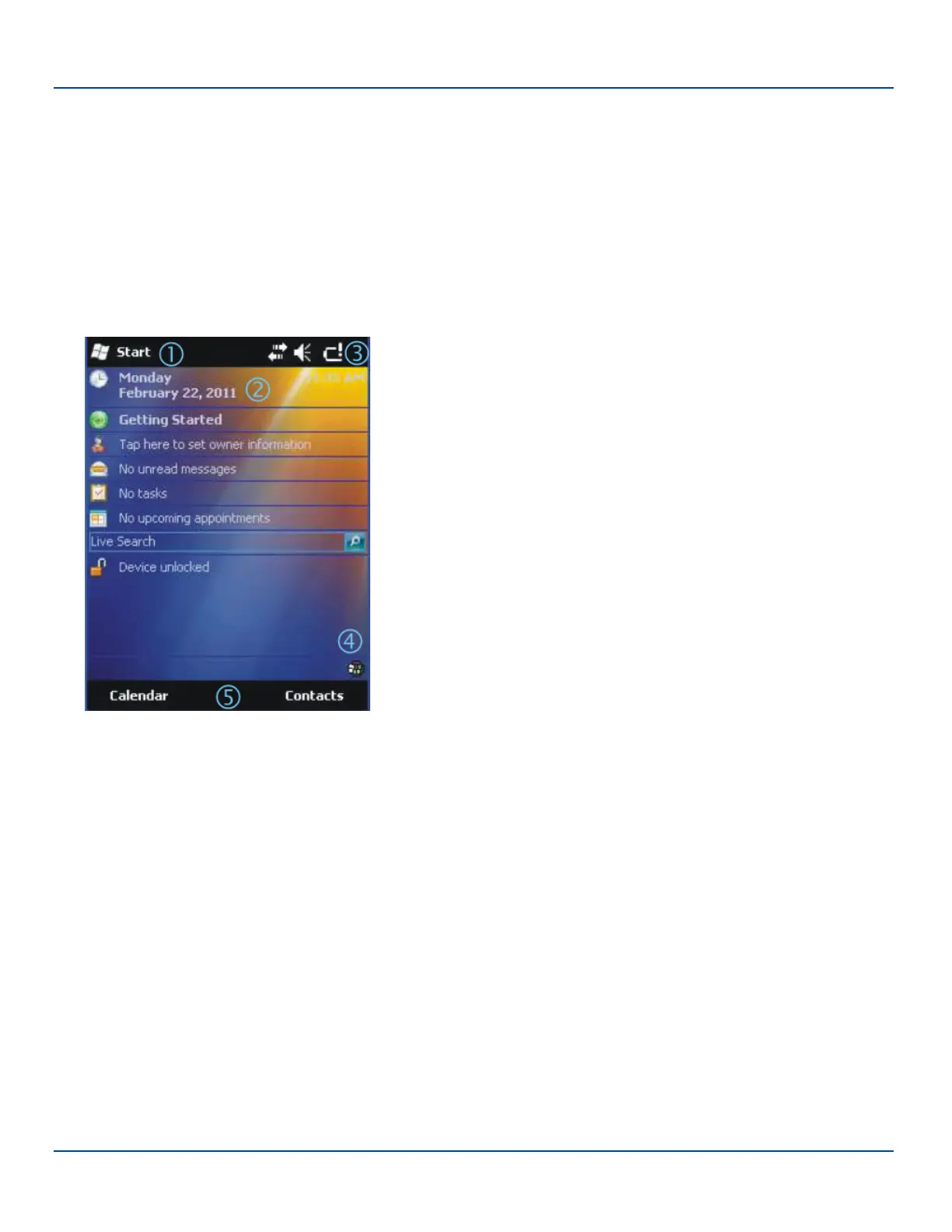
Today Screen
Today Screen
For general use instruction, please refer to commercially available Windows Mobile user guides or the Windows Mobile on-line
Help on the MX7 Tecton.
Note: Whenever possible, use the AC power adapter with the MX7 Tecton to conserve the main battery and to ensure the
internal battery is charged.
The main screen for the MX7 Tecton is known as the Today screen. The Today screen shows various options and status
icons. The Today screen appearance is configurable by selecting Start | Settings | Today. Both the appearance of the Today
screen and the items displayed may be configured.
1. Start menu
2. Configurable Today screen listing
3. Notification Bar
4. Status icons
5. Soft Keys
Today Screen Components
E-EQ-MX7WMRG-A [ 27 ] MX7 Tecton™ for Windows Mobile Reference Guide



 To Next Page