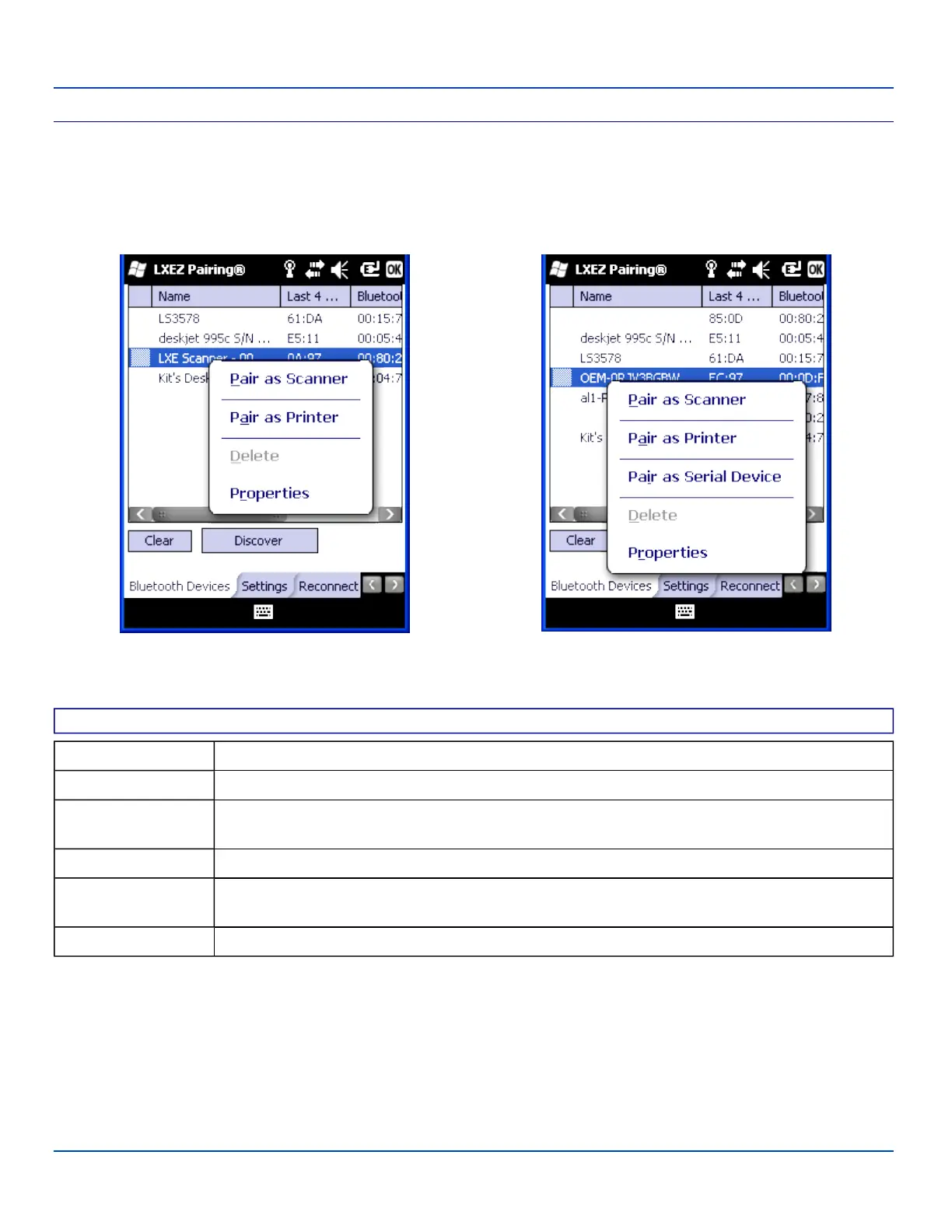
Bluetooth Device Menu
Bluetooth Device Menu
Pre-requisite: The Discover button has been clicked and there are Bluetooth devices listed.
Click on a device in the list to highlight it. Double-click the highlighted device to display the Bluetooth Device right click menu.
The Bluetooth device does not need to be active.
Filtered Mode On Filtered Mode Off
Right Click Menu
Right Click Menu Options
Pair as Scanner Receive data from the highlighted Bluetooth scanner or Bluetooth imager.
Pair as Printer Send data to the highlighted Bluetooth printer.
Pair as Serial Device
Communicate with the highlighted serial Bluetooth device. This option is available when Filtered
Mode is disabled.
Disconnect Stop the connection between the MX7 Tecton and the highlighted paired Bluetooth device.
Delete
Remove an unpaired device from the Bluetooth device list. The highlighted device name and iden-
tifier is removed from the MX7 Tecton Bluetooth Devices panel after the user taps OK.
Properties More information on the highlighted Bluetooth device.
E-EQ-MX7WMRG-A [ 77 ] MX7 Tecton™ for Windows Mobile Reference Guide



 To Next Page