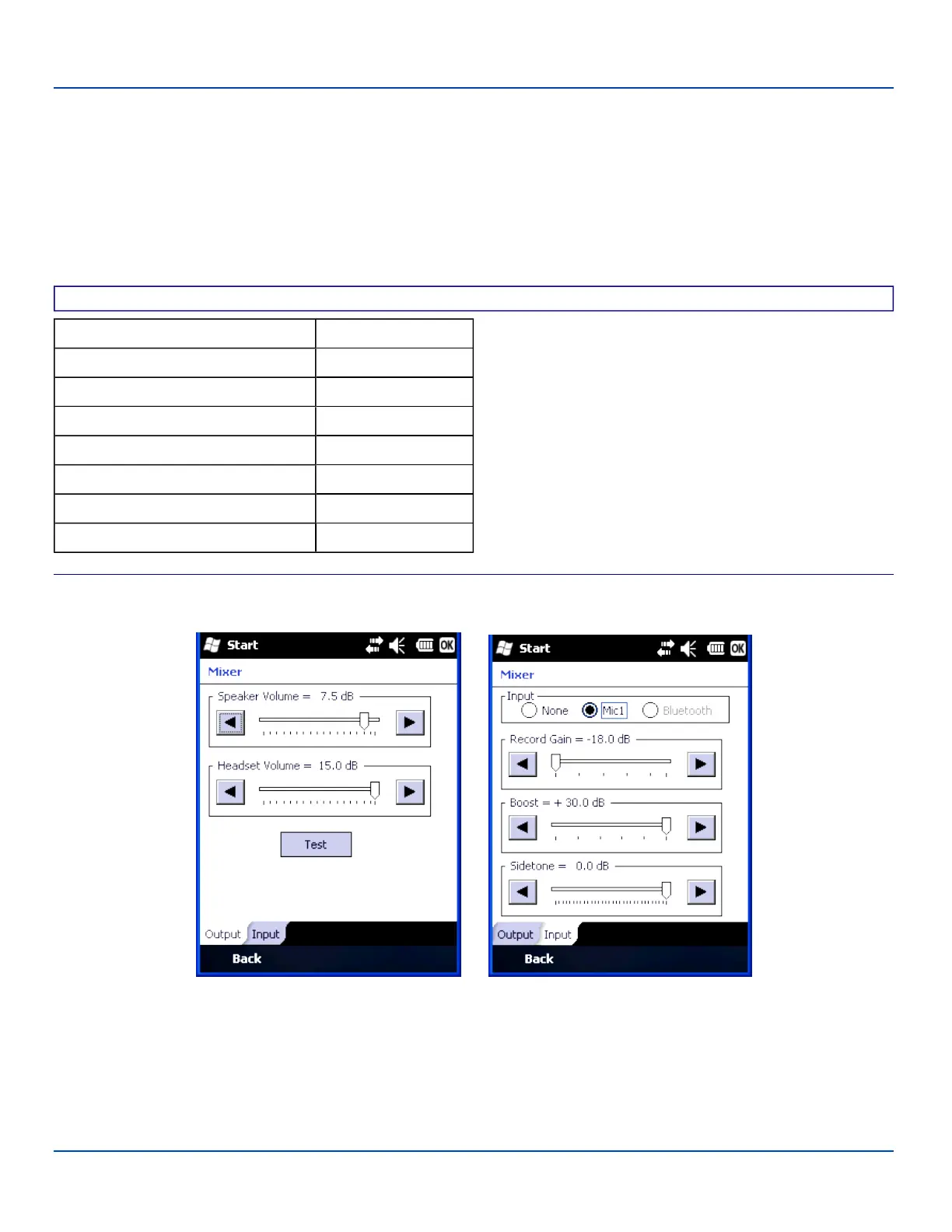
Mixer
Mixer
Start | Settings | System | Mixer
The MX7 Tecton has a speaker located above the scan button. It is active when a headset is not connected to the device.
Use the settings on these panels to adjust the volume, record gain and sidetone for microphone input, speaker and speaker
output.
Headsets can be enabled, disabled and selected using these panels.
Factory Default Settings
Output
Speaker Volume 7.5 dB
Headset Volume 15.0 dB
Input
Input Mic1
Record Gain 18.0 dB
Boost + 30.0 dB
Sidetone 0.0 dB
Mixer Panels
Tap and hold the sliders and move them either left or right, or tap the left and right arrows, to adjust decibel levels.
Tap the Test button on the Output panel to hear a changed setting.
E-EQ-MX7WMRG-A [ 140 ] MX7 Tecton™ for Windows Mobile Reference Guide



 To Next Page