Status LEDs
Status LEDs
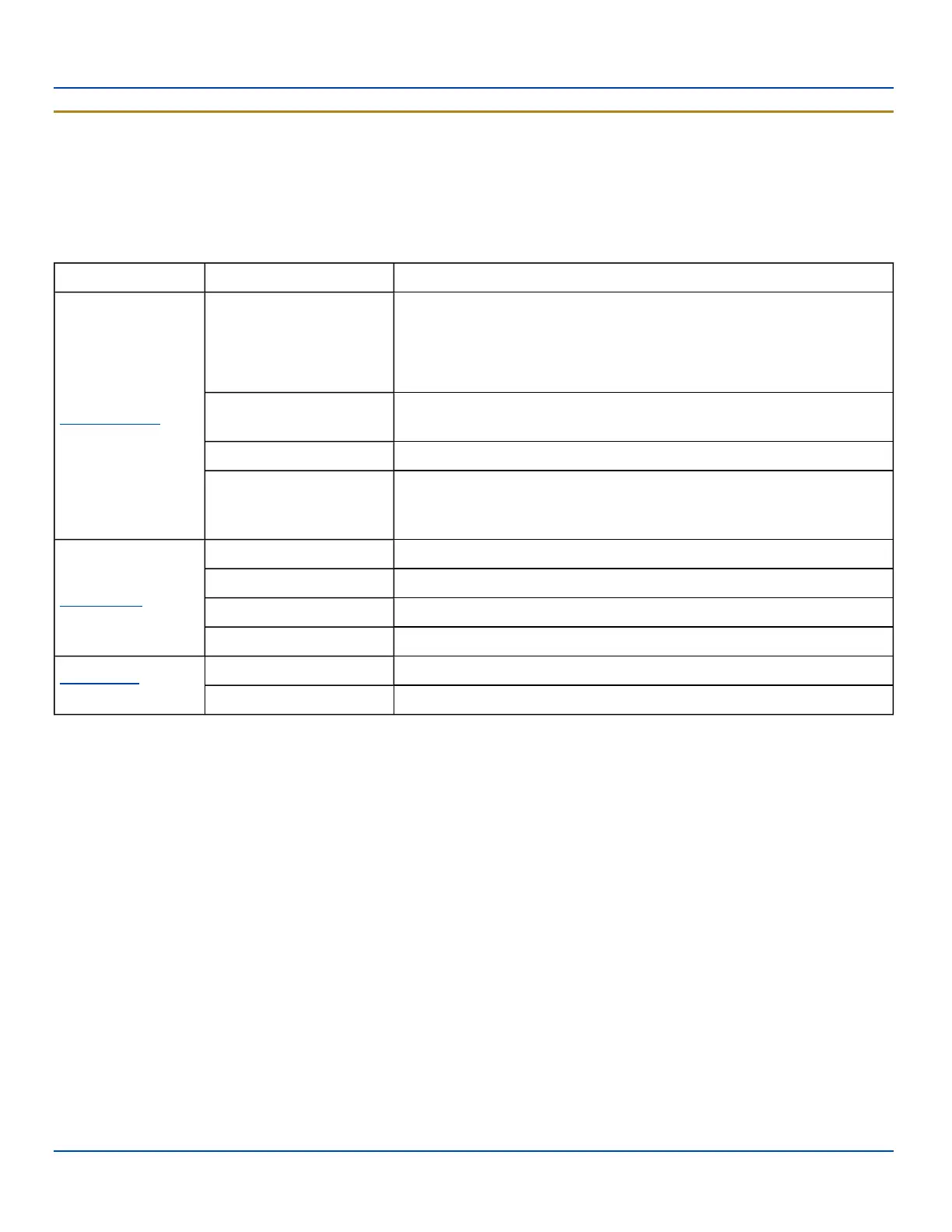
l The MX7 Tecton does not have a Bluetooth managed LED. Any Bluetooth activity indicators are located in the Desktop
taskbar.
l System Status LED is located at the top left of the keypad, above the Scan button.
l The Scan Status LED is located below the keypad.
l The Alpha Mode LED is located below the F4 key on the 32-key keypad (Numeric-Alpha keypad).
LED Color - Activity Indicates ...
System Status
Red - Blinking
Power fail. Replace the main battery with a fully charged main battery.
Or
Connect the MX7 Tecton to external AC power then replace the depleted
main battery with a fully charged main battery.
Red - Steady
Main Battery Low. If the main battery is not replaced with a fully charged
battery before the main battery fails, the MX7 Tecton is turned Off.
Green - Blinking Display Off. No user intervention required.
No Color
MX7 Tecton is either full on - with the display on (backlights may be
dimmed when the status LED has no color) or in Suspend - with the
display off.
Scan Status
Green - Steady Good scan.
Red – Steady Scan in progress.
No color Scanner / Imager ready for use.
Amber - Steady Barcode decoder engine storing changed parameters.
Alpha Mode
(Alph LED)
Green - Steady MX7 Tecton 32-key is in Alpha character input mode.
No color MX7 Tecton 32-key is in Numeric key input mode.
E-EQ-MX7WMRG-A [ 18 ] MX7 Tecton™ for Windows Mobile Reference Guide



 To Next Page