LEAP
LEAP
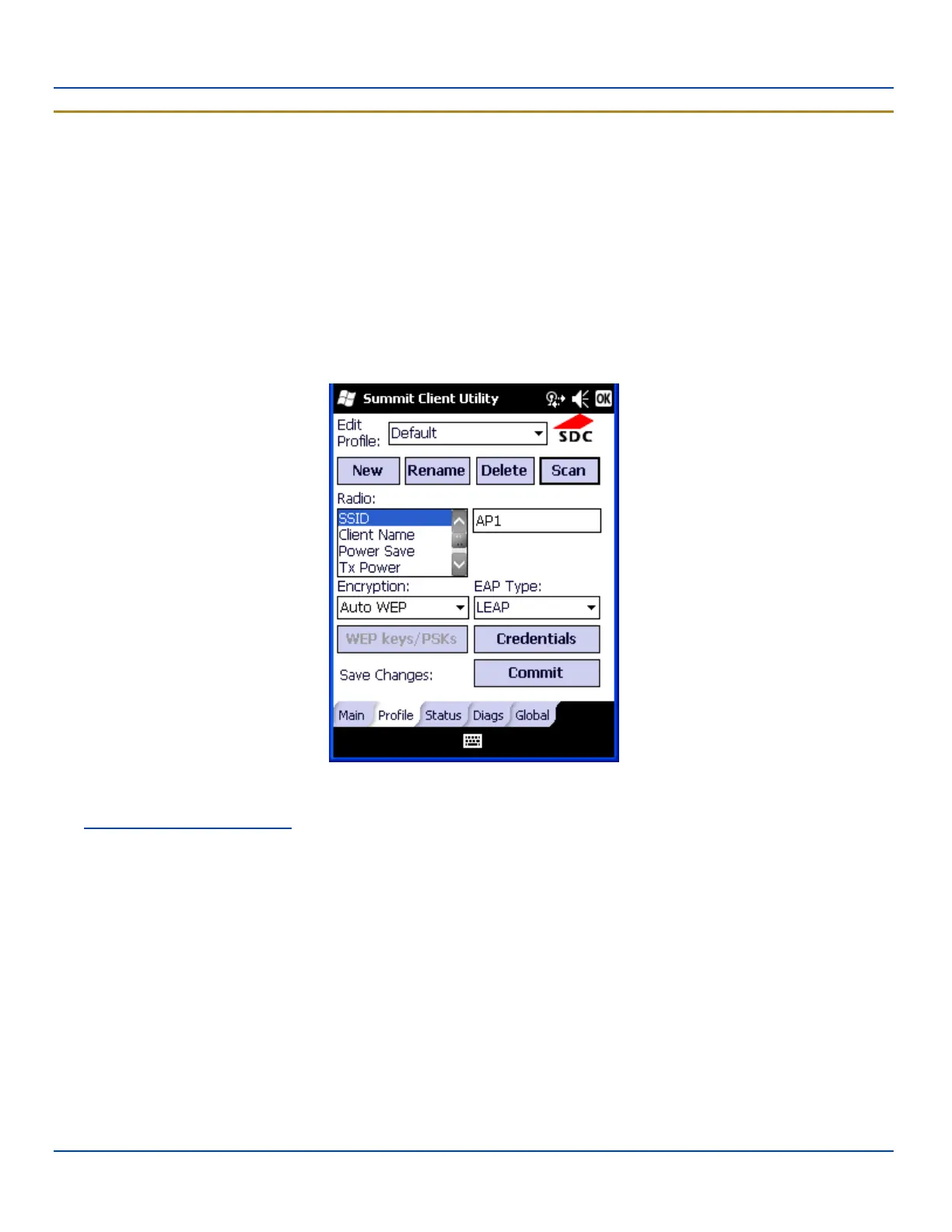
To use LEAP (without WPA), make sure the following profile options are used.
l Enter the SSID of the Access Point assigned to this profile
l Set EAP Type to LEAP
l Set Encryption to WEP EAP
l Set Auth Type as follows:
l If the Cisco/CCX certified AP is configured for open authentication, set the Auth Type radio parameter to
Open.
l If the AP is configured to use shared key or passphrase, set the Auth Type radio parameter to Shared.
l If the AP is configured for network EAP only, set the Auth Type radio parameter to LEAP.
LEAP Profile Configuration
See Sign-On vs. Stored Credentials for information on entering credentials.
To use Stored Credentials, click on the Credentials button. No entries are necessary for Sign-On Credentials as the user will
be prompted for the Username and Password when connecting to the network.
E-EQ-MX7WMRG-A [ 274 ] MX7 Tecton™ for Windows Mobile Reference Guide



 To Next Page