Notification Bar
Notification Bar
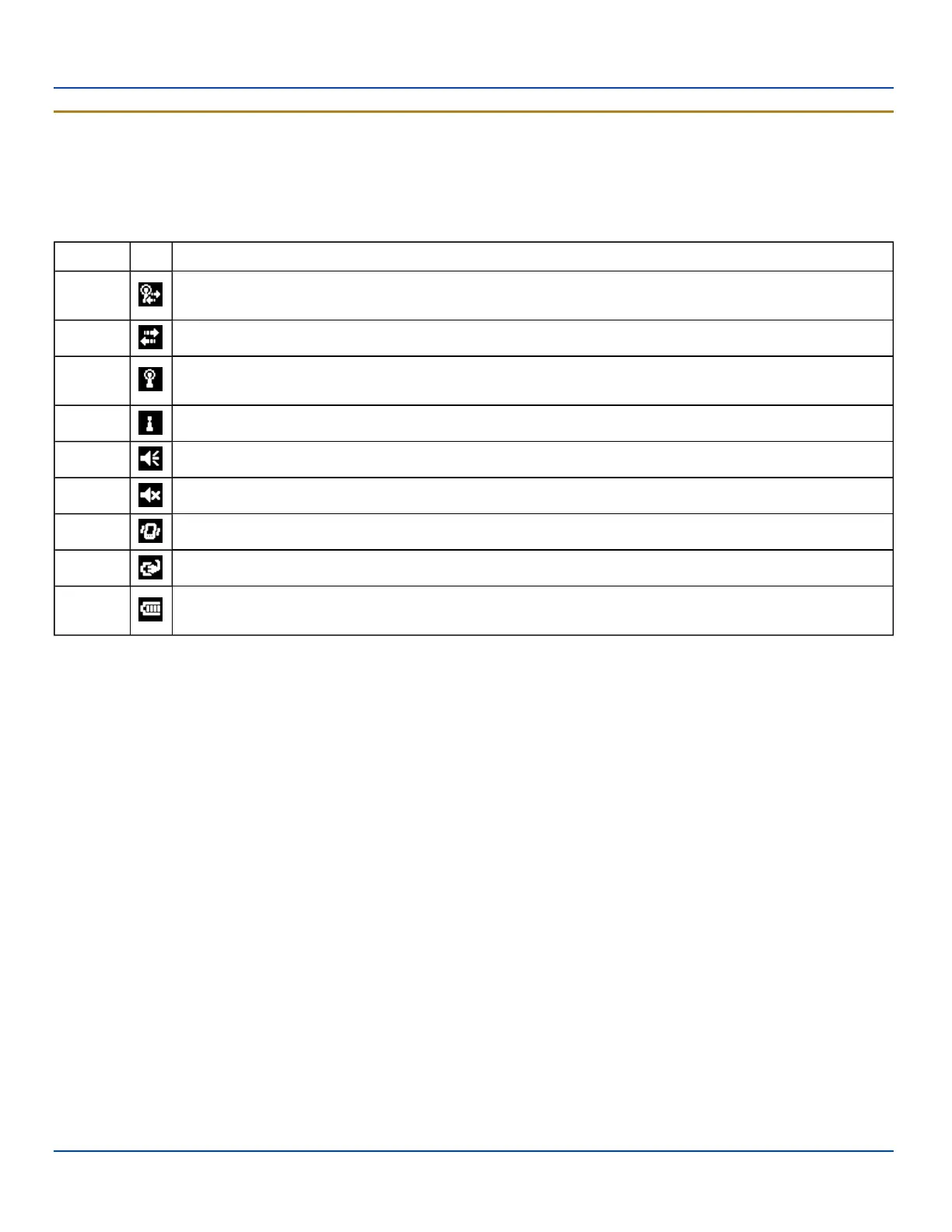
The Notification Bar is displayed at the top of the Today screen. The notification bar remains visible even when other screens
are selected, though the icons displayed may vary.
When the Notification bar is displayed on other screens there may be an X (close the current screen/program) or an ok (accept
the current input and close the screen).
Category Icon Meaning
Network
The Windows Mobile Wireless Manager is managing the wireless connection and the MX7 Tecton is
connected to a wireless network.
Network A wireless manager is managing the wireless connection.
Network
A wireless manager is managing the wireless connection and has detected one or more wireless networks
in range.
Network A wireless manager is managing the wireless connection and has not detected a wireless network in range.
Volume The speaker is on.
Volume The speaker is off.
Volume Vibrate is on.
Power The MX7 Tecton is connected to external power.
Power
The MX7 Tecton is operating on battery power. The strength of the battery is indicated by the number of
bars displayed: 0 (low battery) to 4 (fully charged battery).
E-EQ-MX7WMRG-A [ 29 ] MX7 Tecton™ for Windows Mobile Reference Guide



 To Next Page