MX7 Tecton OS Upgrade
MX7 Tecton OS Upgrade
Introduction
Depending on the size of the operating system, the total time required for a successful upgrade may require several minutes.
The OS upgrade files are unique to your MX7 Tecton physical configuration and date of manufacture. OS upgrade files
designed for one device configuration should not be used on a different device configuration.
OS and Language Options
The MX7 Tecton running Windows Mobile must be returned to the manufacturer, LXE, if the device is to be re-imaged with any
other Windows operating system (for example, Windows CE 6).
Same
Language to
Same
Language
During the upgrade process all settings revert to factory defaults. Parameters will need to be changed from
factory defaults to your preferred values at the conclusion of the upgrade process.
Change
Language
during
Upgrade
Process
When changing from one language to another during the upgrade process, all files in the System folder will be
deleted as the system is re-partitioned and all system settings are cleared. Parameters will need to be
changed from factory defaults to your preferred values at the conclusion of the upgrade process.
Preparation
l Please Contact your LXE representative to get the OS upgrade files from LXE.
l LXE recommends that removal or installation of the SD Flash card be performed on a clean, well-lit surface.
l Always perform MX7 Tecton updates when it has a fully charged main battery and/or a dependable external power
source connected to the MX7 Tecton.
Procedure
Place the new image files and MX7Update on a SD card.
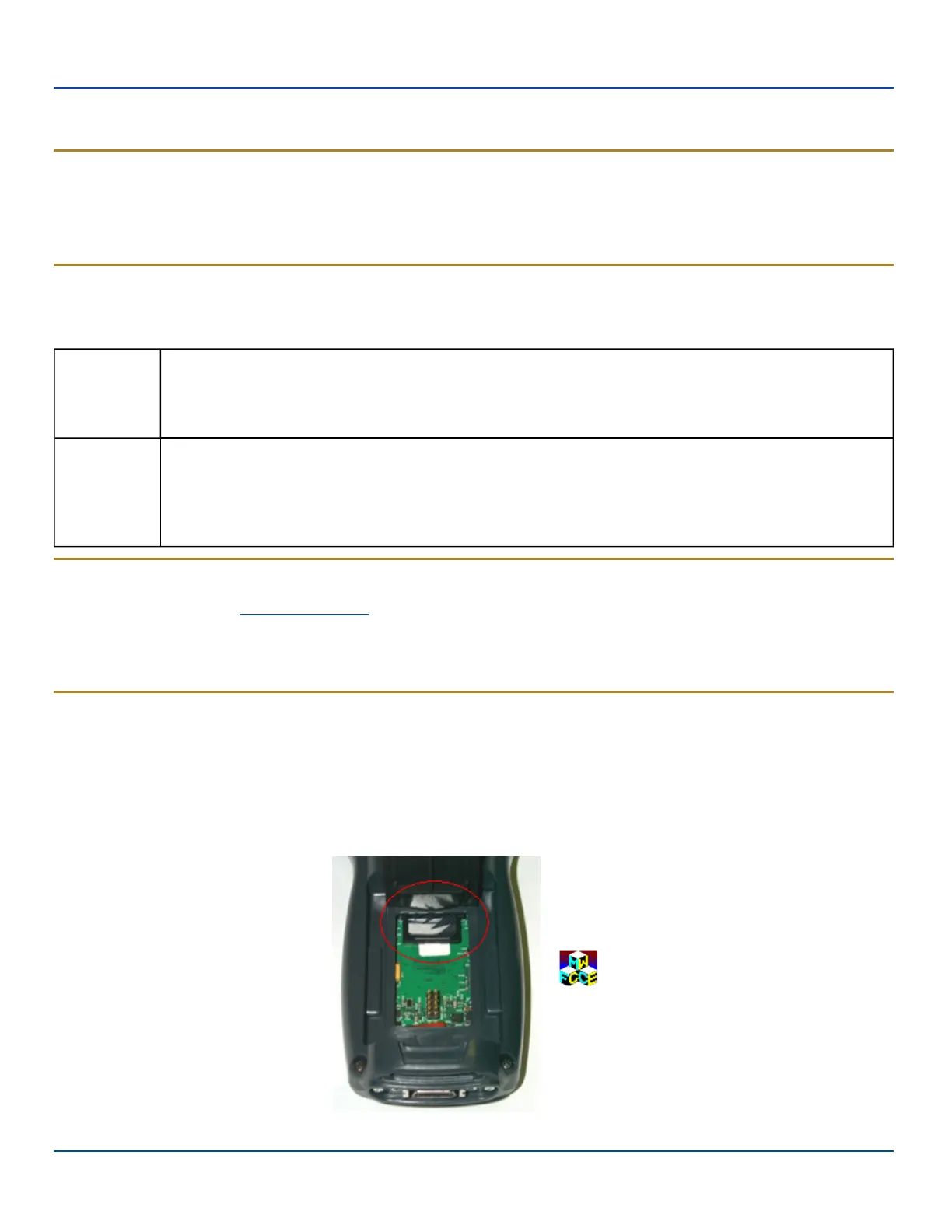
Place the MX7 Tecton in Suspend Mode and remove the main battery pack.
Lift the rubber barrier and slide the SD card out of the slot. Do not remove the rubber barrier. The MX7 Tecton may not have a
SD card in the slot because the OS is in flash.
E-EQ-MX7WMRG-A [ 35 ] MX7 Tecton™ for Windows Mobile Reference Guide



 To Next Page