Battery State and OS Upgrade
1. Place the card with the new image files on it into the SD slot. The label on the SD card should be facing up.
2. Launch MX7UPDATE.EXE in My Device | Storage Card.
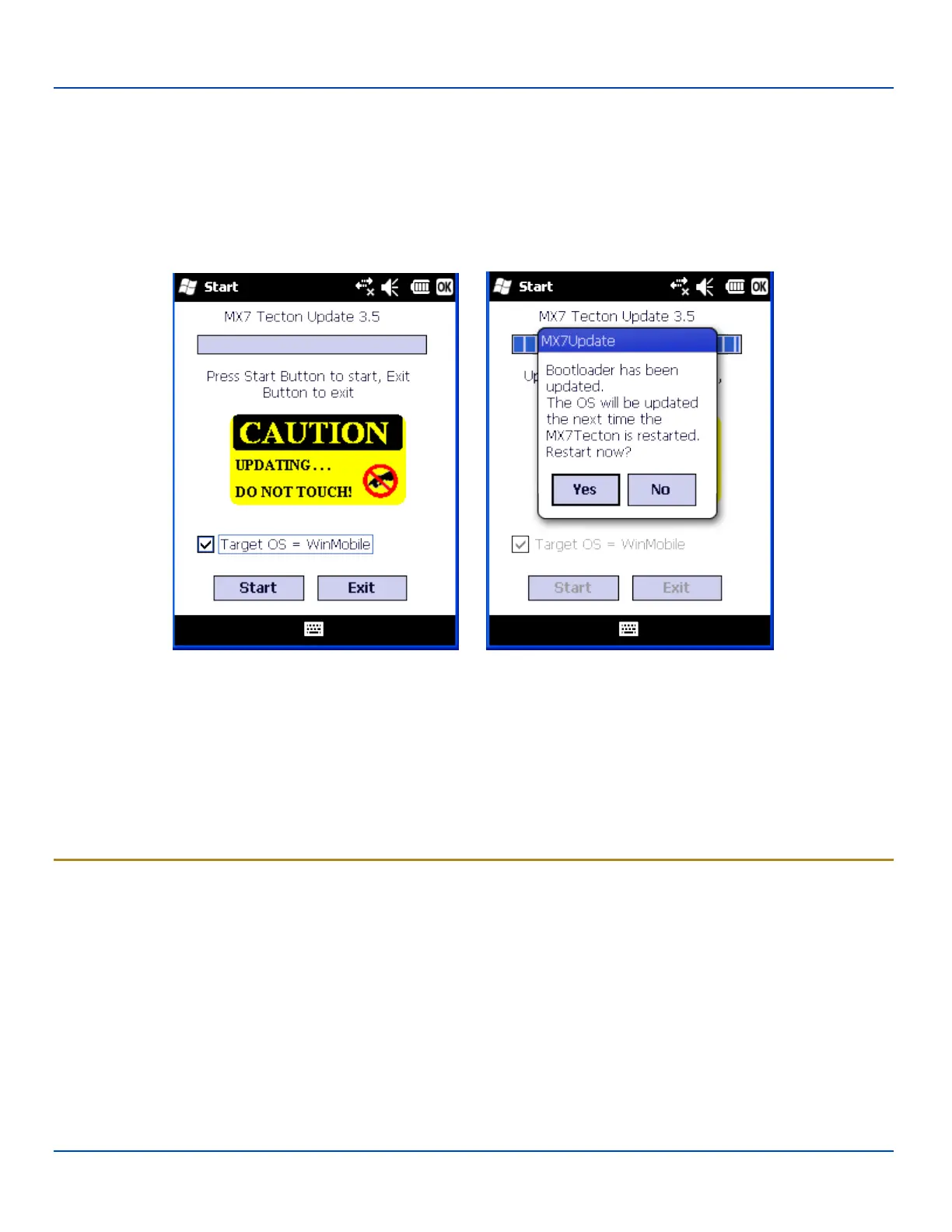
3. Verify the desired checkboxes are checked and the unwanted checkboxes are not checked
4. Important: If a failure occurs during the update, DO NOT RESTART (or coldboot). Follow the instructions on the screen
to Exit the update utility then restart the update utility.
5. Tap Start to start the update. The checkboxes are dimmed when the Update is processing. Do not touch the device until
the install/update is complete.
When the bootloader process is complete, tap the Yes button to complete the update process. Tap the No button to restart
later.
When the process is finished (MX7 Tecton has restarted), remove the SD card, replace the rubber barrier and replace the main
battery. Turn the MX7 Tecton on.
Check the OS update version by viewing the About or About LXE Settings panel.
Note: If the application displays “Update OS Image Failed” or “Update Boot Loader Image Failed”, do not Restart the
system manually. Perform a warm boot, then try the upgrade again. Restarting will cause a system crash, since there is
no valid image in the MX7 Tecton system.
Battery State and OS Upgrade
LXE recommends a fully charged main battery be installed in the MX7 Tecton prior to upgrading the operating system. A
prompt may appear when the battery reaches Critical Low that informs the user there is not enough power in the main battery to
perform the upgrade.
The operating system will not be able to execute the OS upgrade when the battery level is too low (25% or less), as there is a
high risk that the power remaining in the battery expires when executing the upgrade and the MX7 Tecton will be left in an
inoperable state.
When main battery power level is too low, connect external power to the MX7 Tecton before performing the upgrade procedure.
Do not disconnect external power before the upgrade process is complete.
The MX7 Tecton running Windows Mobile must be returned to LXE if the device is to be imaged with any other Windows
operating system (for example, Windows CE).
E-EQ-MX7WMRG-A [ 36 ] MX7 Tecton™ for Windows Mobile Reference Guide



 To Next Page