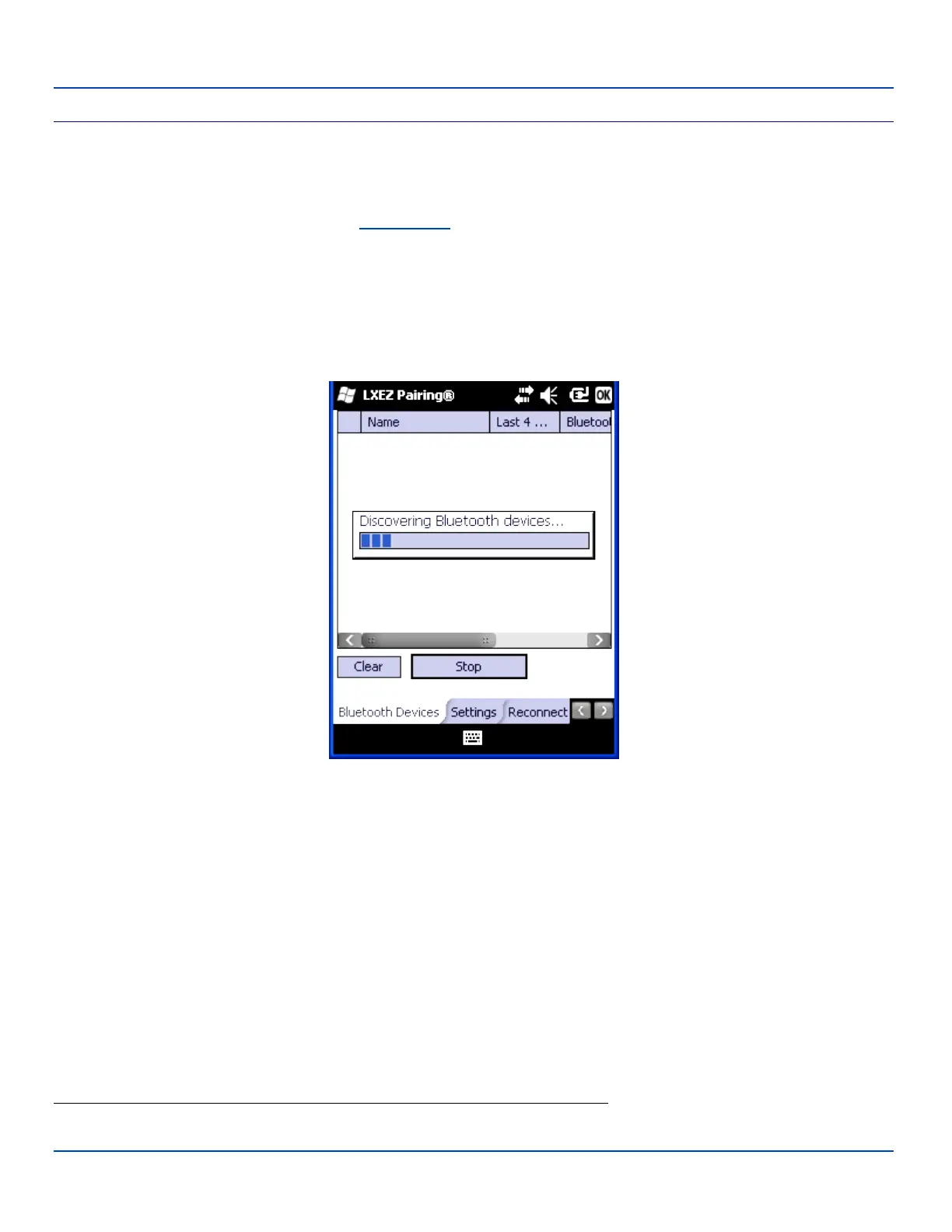
Discover Button
Discover Button
When tapped, the Bluetooth client discovers and displays all Bluetooth devices in the vicinity. Bluetooth managed devices
should be as close as possible
1
, in direct line of sight, with the MX7 Tecton during the Discover process.
At the end of the Discover process, and when Filtered Mode is disabled/unchecked, serial Bluetooth devices as well as
Bluetooth scanners and printers are displayed in the Device table. When Filtered Mode is enabled/checked, only Bluetooth
scanners and printers are displayed in the Device table.
Discover
Tap the Discover button to locate all discoverable Bluetooth devices in the vicinity. The Discovery process also queries for the
unique identifier of each device discovered.
Tap Stop at any time to end the Discover and Query for Unique Identifier functions.
Note: When an active paired device enters Suspend Mode, is turned Off or leaves the MX7 Tecton Bluetooth scanning
range, the Bluetooth connection between the paired device and the MX7 Tecton is lost. There may be audible or visual
signals as paired devices disconnect from the MX7 Tecton.
1
No more than 32.80 feet (10 meters) line of sight in a quiet environment.
E-EQ-MX7WMRG-A [ 75 ] MX7 Tecton™ for Windows Mobile Reference Guide



 To Next Page