Adapters
Avalanche
Icon
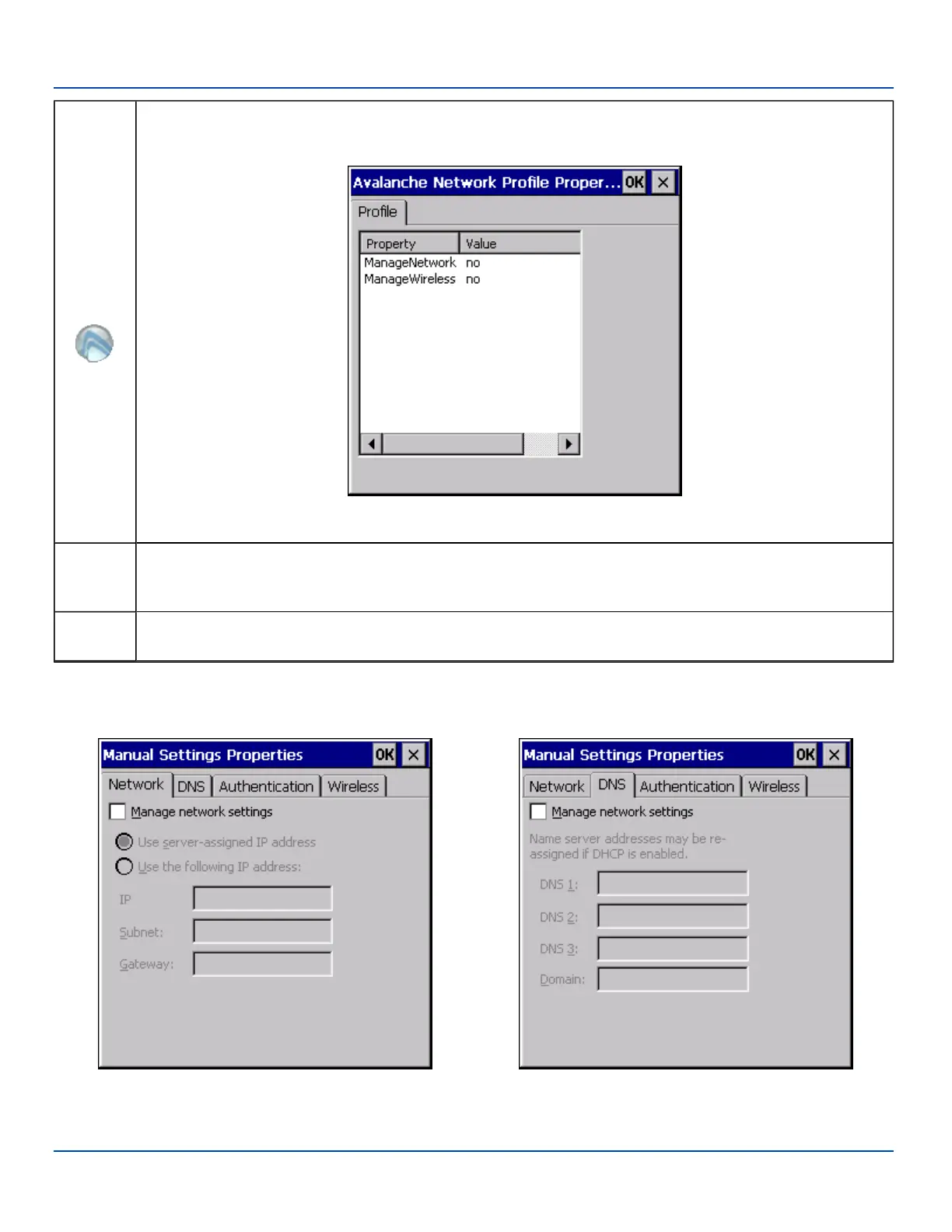
Selecting the Avalanche Icon will access the Avalanche Network Profile tab which will display current network
settings.
Avalanche Network Profile Displayed
Use
Manual
Settings
When enabled, the Enabler will ignore any network or wireless settings coming from the Avalanche MC Console
and use only the network settings on the MX7 Tecton.
Properties
Icon
Selecting the Properties icon displays the Manual Settings Properties dialog applet. From here, the user can
configure Network, DNS and Wireless parameters using the displays shown below:
Note: A reboot may be required after enabling or disabling these options.
Network DNS
E-EQ-MX7WMRG-A [ 239 ] MX7 Tecton™ for Windows Mobile Reference Guide



 To Next Page