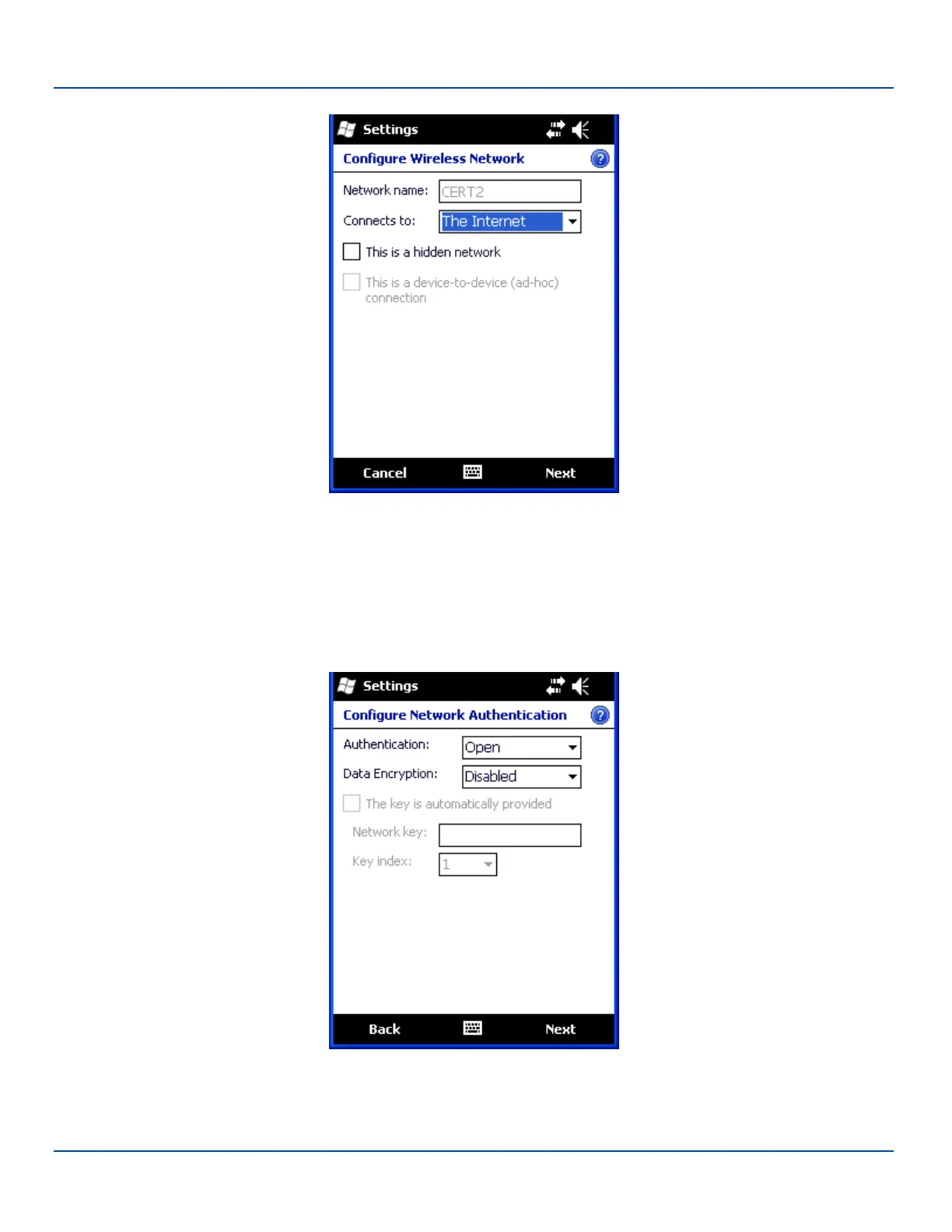
Create a New Network Connection
Network Configuration
Enter the SSID of the desired network in the Network name text box. Be sure to check the This is a hidden network checkbox
for a non-broadcast SSID.
In the Connects to box, select The Internet if the MX7 Tecton connects directly to the Internet, select Work if the MX7 Tecton
connects to a network (even if the network provides an Internet connection).
Tap Next.
Network Authentication
E-EQ-MX7WMRG-A [ 250 ] MX7 Tecton™ for Windows Mobile Reference Guide



 To Next Page