MASSO
MASSO Documentation
few line from the last running line so that the machining is resumed a few lines before it stopped.
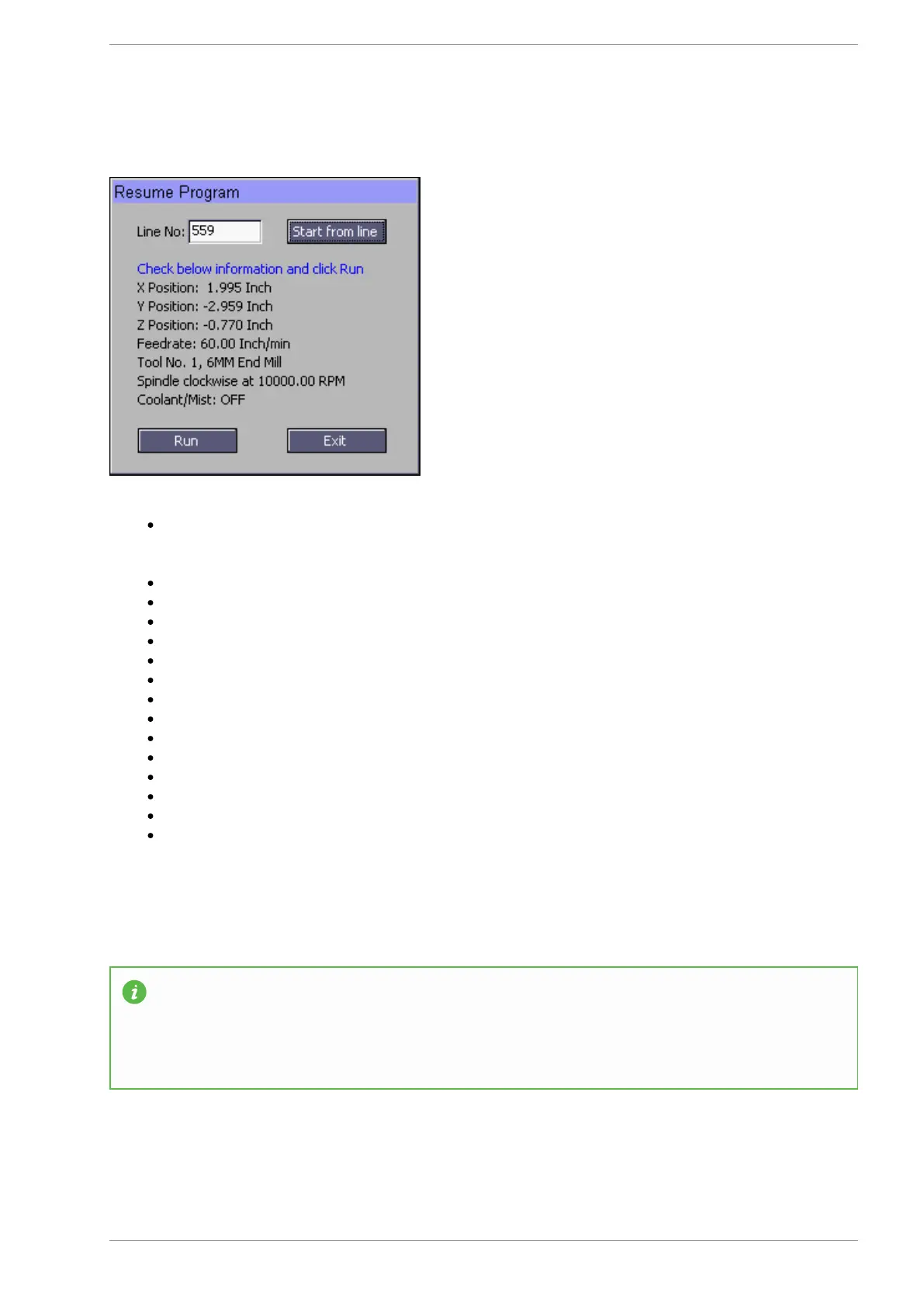
Next click Start from line button and MASSO will process the gcode file up to the line number
entered by you. When done MASSO will calculate all the machining parameters from the gcode file
as below:
Calculate the X, Y and Z axis position to resume machining from.
Cutting feedrate as per gcode.
Tool Number.
Spindle RPM and direction.
Coolant/Mist status.
Carefully check the information and click the Run button.
Next MASSO will resume the machining cycle as below:
Move Z axis up to the homing position.
Change tool if a different tool is required.
Sets the status of any output if used with M62 or M63 codes.
Start spindle at the requested RPM and direction.
Start Coolant/Mist as per gcode.
Goto X & Y resume position.
Move Z axis down to the cutting position and start machining at the feedrate as per gcode file.
Jump to Line in Plasma software
INFORMATION: When using the Jump to line in Plasma software MASSO will search backwards
in the Gcode file to locate the last M5 command and use this as it's starting line. If the line you
have selected is an M5 command it will use that line. If there is no previous M5 command it will
return to the start of the Gcode file. Use of Plasm Jump to line works the same as Mill software in
its operation.
v5.18 - 08 Apr,2021
www.masso.com.au Page 102 of 477



 To Next Page