MASSO
MASSO Documentation
6.8. Resuming Program or Jump to Line
INFORMATION: This feature is only available for mill and plasma software versions.
When machining complex jobs such as die molds or complex engraving jobs which can take a long time to
machine, power failure or broken tool means that you need to start the entire gcode file from start. Restarting
the gcode file from start is very time and resource consuming. To be able to effectively restart your
machining process from where you left, MASSO has a Resuming Program or Jump to Line feature (from
software v3.30).
With this feature the current gcode line number is saved into a high speed internal memory and even
if the machine is powered off while machining, MASSO will automatically store that last line number
in memory.
Scan the QR code to watch the MASSO video tutorial on YouTube
Or, Click here to view the video
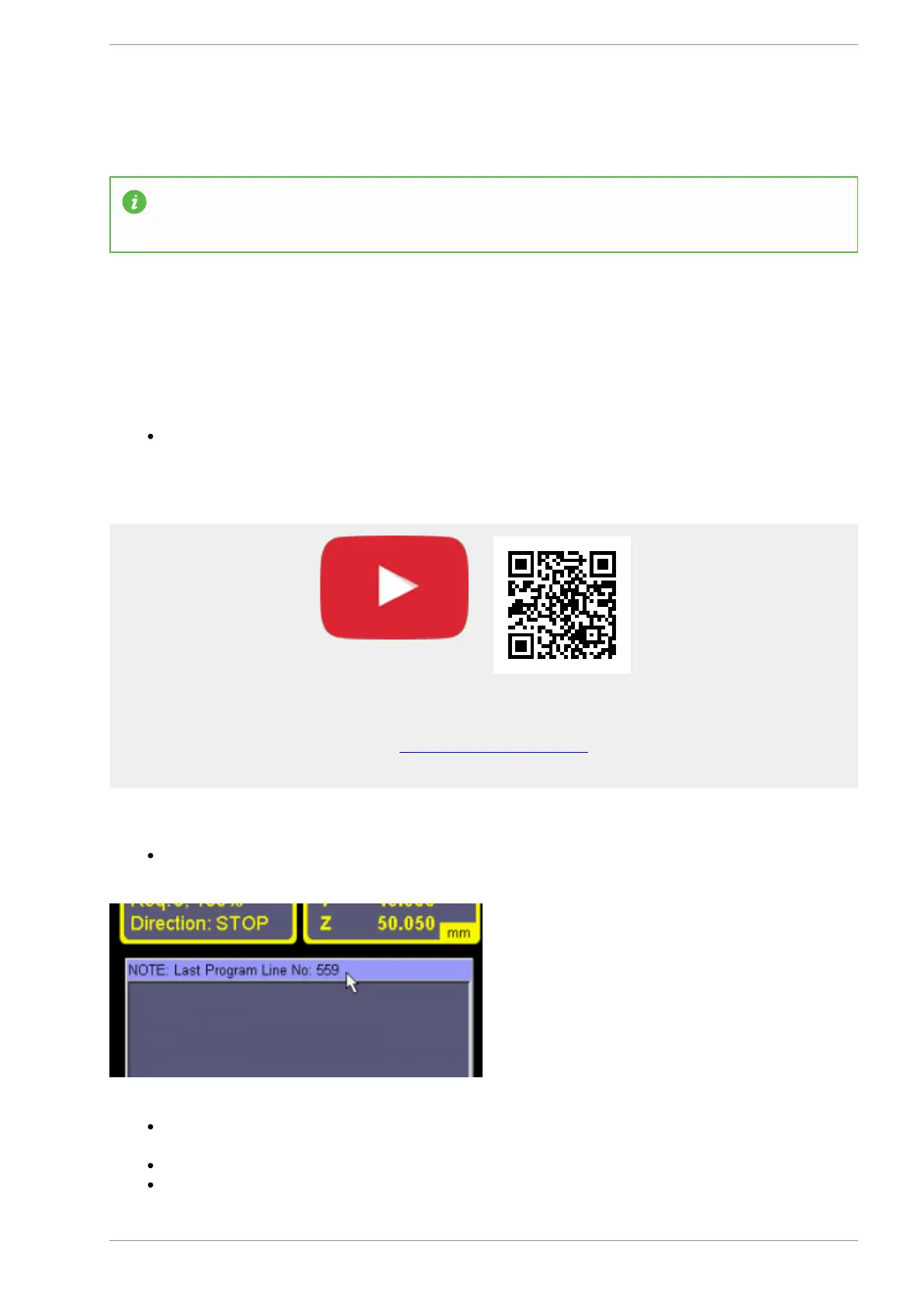
On power up, a message in displayed on the gcode list with the last line number that was running
After this please load the gcode file from the F6-Load File screen and go to F2-Program & MDI
screen
Now press CTRL+J to open the Resuming Program window.
The last line number will automatically be filled and depending on your program, please go back a
v5.18 - 08 Apr,2021
www.masso.com.au Page 101 of 477



 To Next Page