MASSO
MASSO Documentation
6.10.2. Mill Tool Calibration Steps
For routers and milling machines, tool length can be calibrated for manually or automatically by using a tool
setter or a simple touch plate.
INFORMATION: More information about Touch Probe and Plates setup can he found on this link
CLICK HERE
Scan the QR code to watch the MASSO video tutorial on YouTube
Or, Click here to view the video
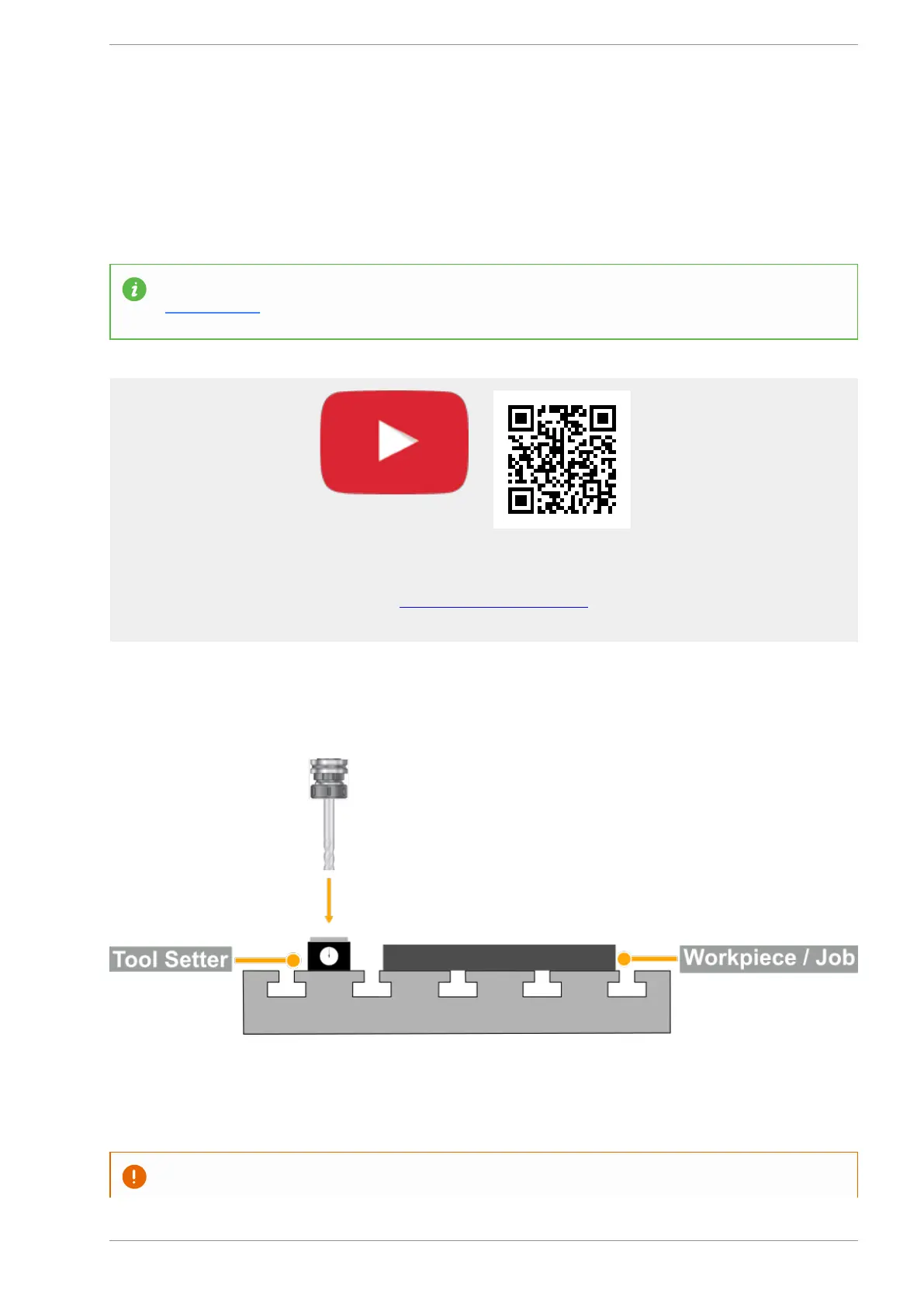
Step 1: Place the tool setter at a predefined position on the machine.
Step 2: On MASSO go to F3-JOG screen, next move the tool in position on top of the tool setter and touch
the tool till the tool setter shows exactly 0.00.
CAUTION: Once in position DO NOT MOVE the tool before completing the next step.
v5.18 - 08 Apr,2021
www.masso.com.au Page 127 of 477



 To Next Page