MASSO
MASSO Documentation
15. Automatic Tool Length Calibration
On milling machines or router where tools are manually changed and don't use tool holders, calibrating tool
length can be a time consuming task. MASSO supports automatic tool length calibration feature called
Auto
Tool Zero which can be setup to automatically calibrate the length of each tool automatically after tool
change.
Once setup, the user simply loads the tool into the spindle and MASSO will move the tool to the predefined
tool setter location, calibrate the tool length automatically before going back to the machining position.
Touch probe to skip
INFORMATION: Touch probe to skip is available on MASSO G3 software version 3.47 and above.
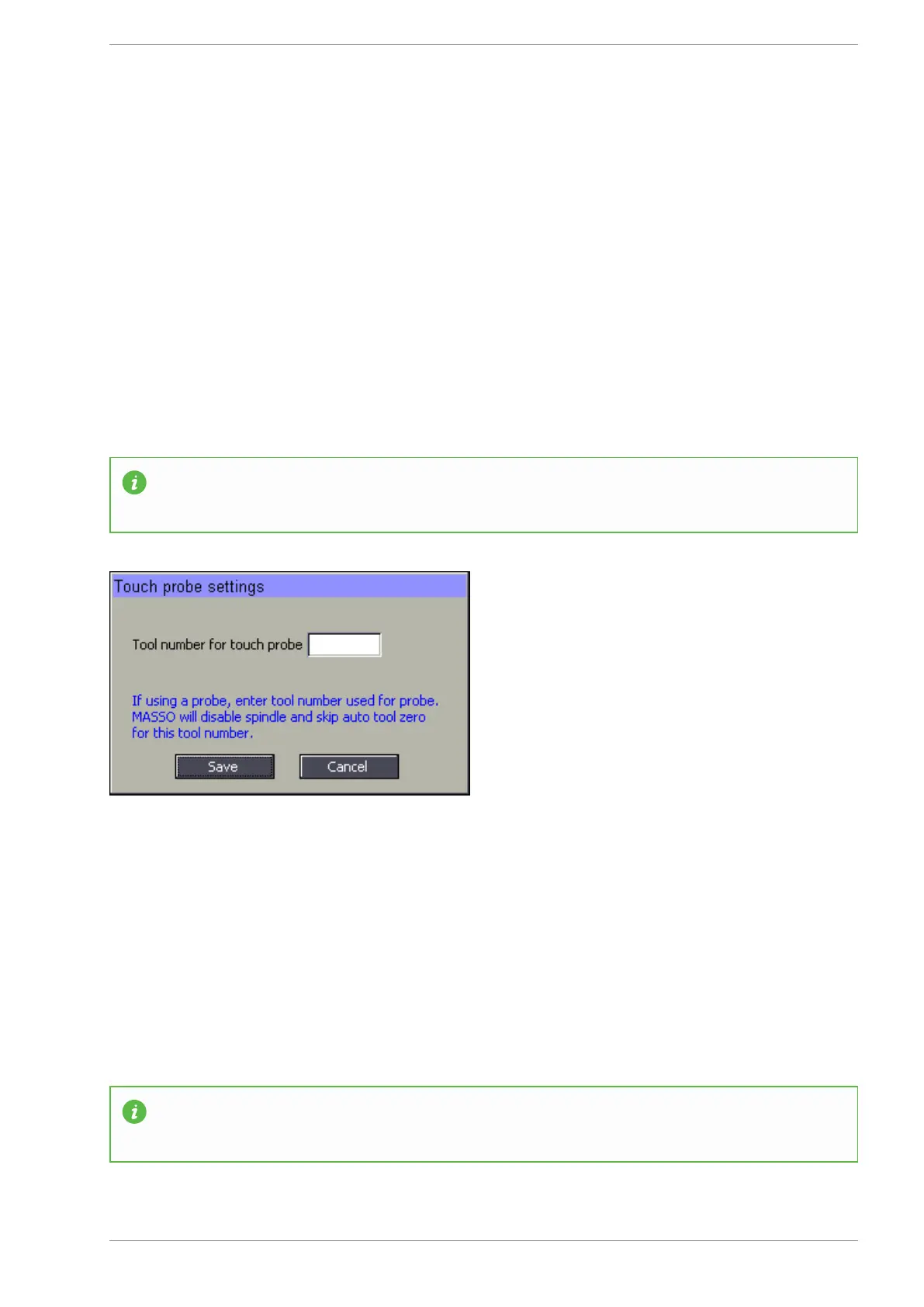
When using a touch probe, if auto tool zero is enabled, the controller will try to automatically do an auto tool
zero which can damage the touch probe. If a tool number is entered in the above settings then MASSO will
automatically skip auto tool zero for this tool number and the user can enter the calibrated length of the touch
probe in the F4-Tools & Work Offset screen.
This also disables the spindle so that it cannot be accidentally turned on when the touch probe is loaded.
Only auto tool zero when manually requested
INFORMATION: Only auto tool zero when manually requested is available on MASSO G3
software version 3.47 and above.
v5.18 - 08 Apr,2021
www.masso.com.au Page 398 of 477



 To Next Page