MASSO
MASSO Documentation
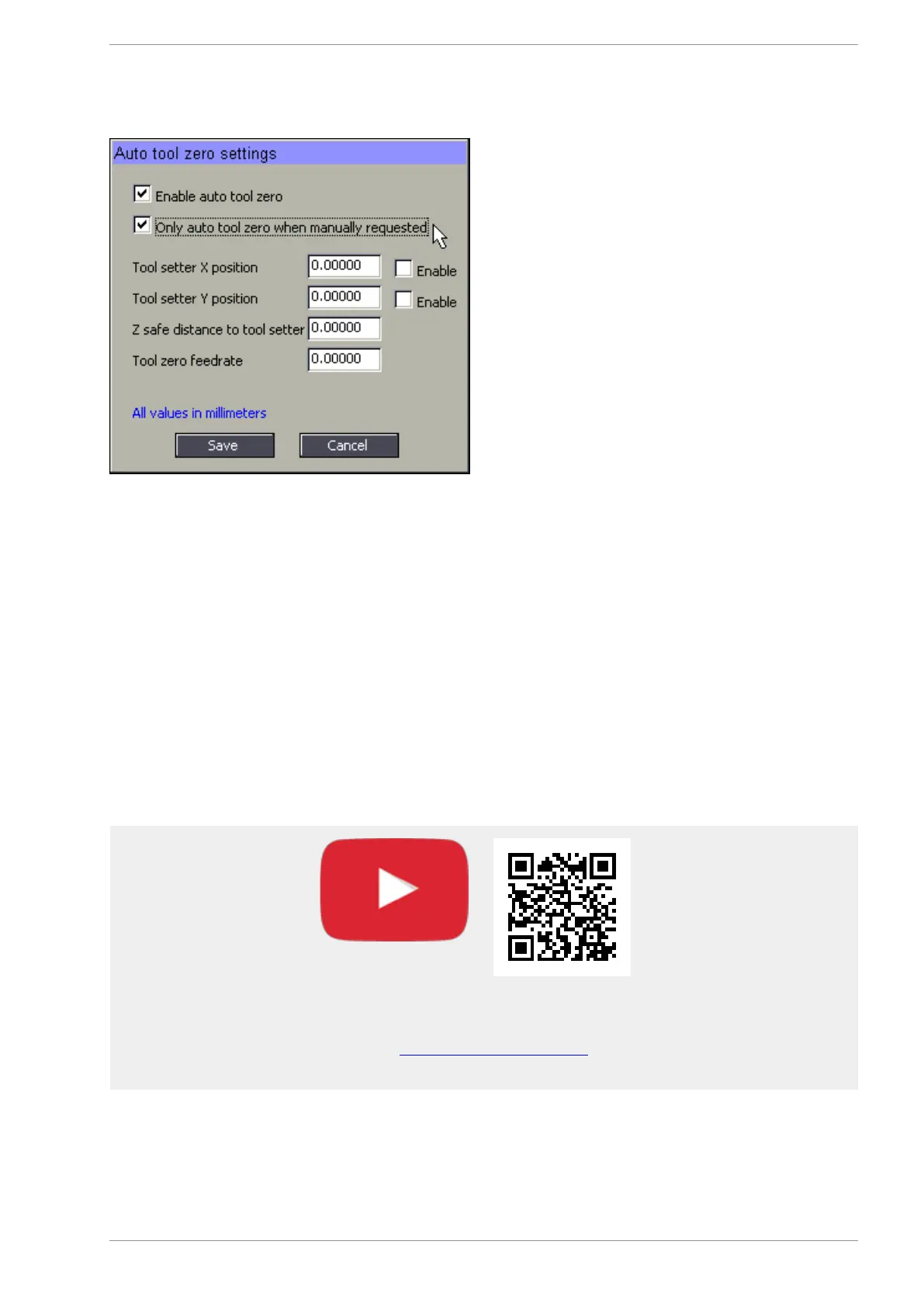
On machines where pre-calibrated tool holders are used for changing tools, auto tool zero is not required on
each tool change and only required when calibrating the tool into the tool holder.
If the above option is enabled then MASSO will not do an auto tool zero on tool change but the user can
manually run the auto tool zero cycle by pressing the "Auto Tool Zero" button in the F4-Tools & Work Offset
screen under the edit tool options. After pressing the "Auto Tool Zero" button, the system will run the auto
tool cycle and the length of the tool is automatically saved into the memory.
Here is a great video from CNCnutz explaining the entire process
Scan the QR code to watch the MASSO video tutorial on YouTube
Or, Click here to view the video
v5.18 - 08 Apr,2021
www.masso.com.au Page 399 of 477



 To Next Page