MASSO
MASSO Documentation
11.9. Axis Calibration Wizard
Axis calibration wizard can be used to calibrate axis where the calibration values of the mechanical setup are
unknown or hard to calculate axis. This may be due to multiple ratios on the axis such as timing belts and
rack & pinion designs.
INFORMATION: If your Axis maximum and minimum travel is not set correctly you may not be
able to travel the required distance for calibration. In this case change your maximum and
minimum travel distances while doing your calibration to ensure you do not reach the limits.
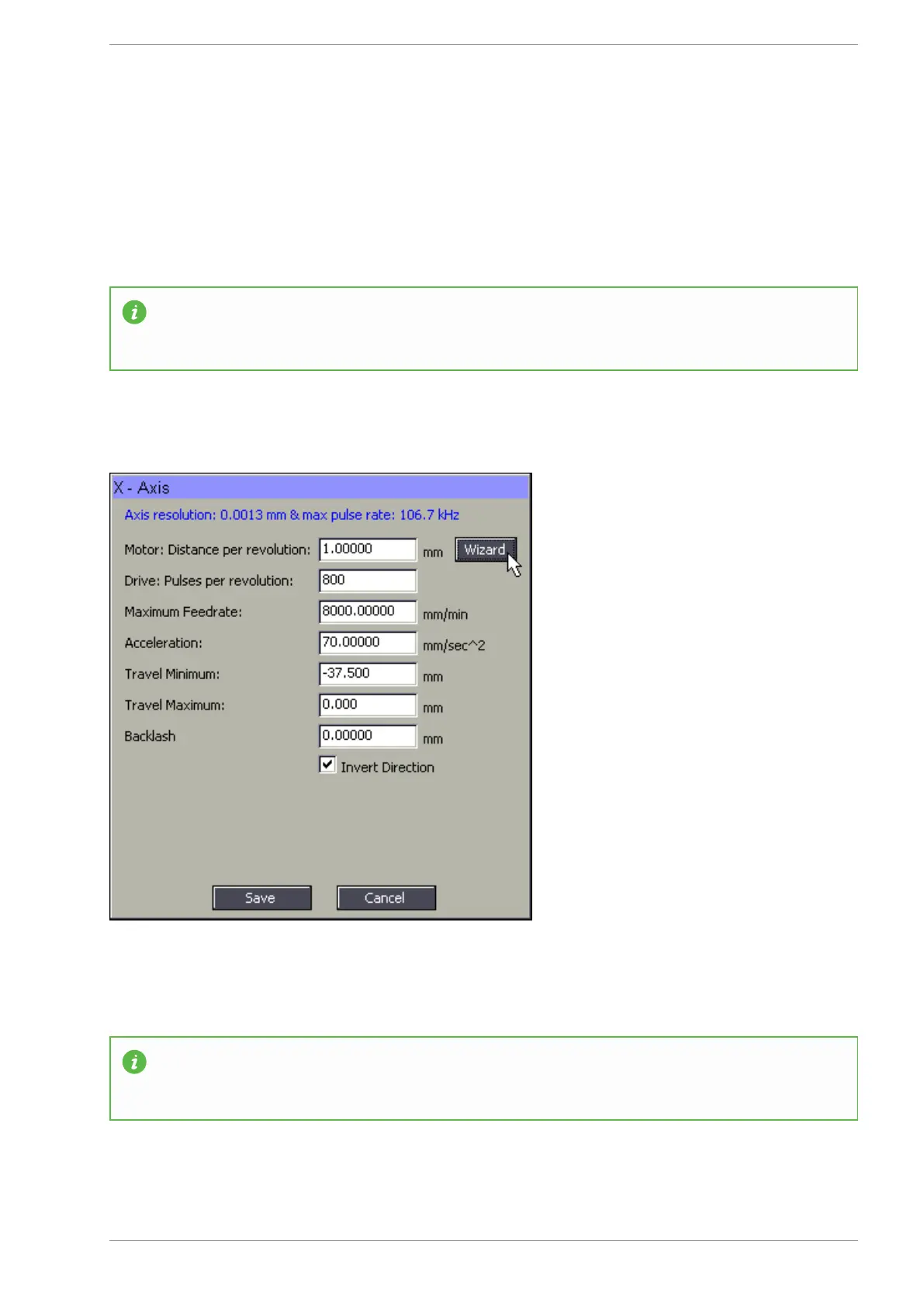
Open the wizard by clicking the "Wizard" button
Calibration steps
INFORMATION: For best results, move the axis from one extreme of the axis to the other extreme
during calibration, the longer the distance measured during calibration the more accurate the
calibration will be.
v5.18 - 08 Apr,2021
www.masso.com.au Page 329 of 477



 To Next Page