MASSO
MASSO Documentation
Step 1 Mark the starting point
Go into the F3 Screen and Jog the axis that you wish to calibrate to one end of the axis travel and mark the
starting point. This could be as simple as putting a sharp Vbit into your spindle and marking an X under the
cutter to show the starting point.
Hint: The easiest way to do this is to use a piece on masking tape with an X already marked on it
and slide it under the cutter point.
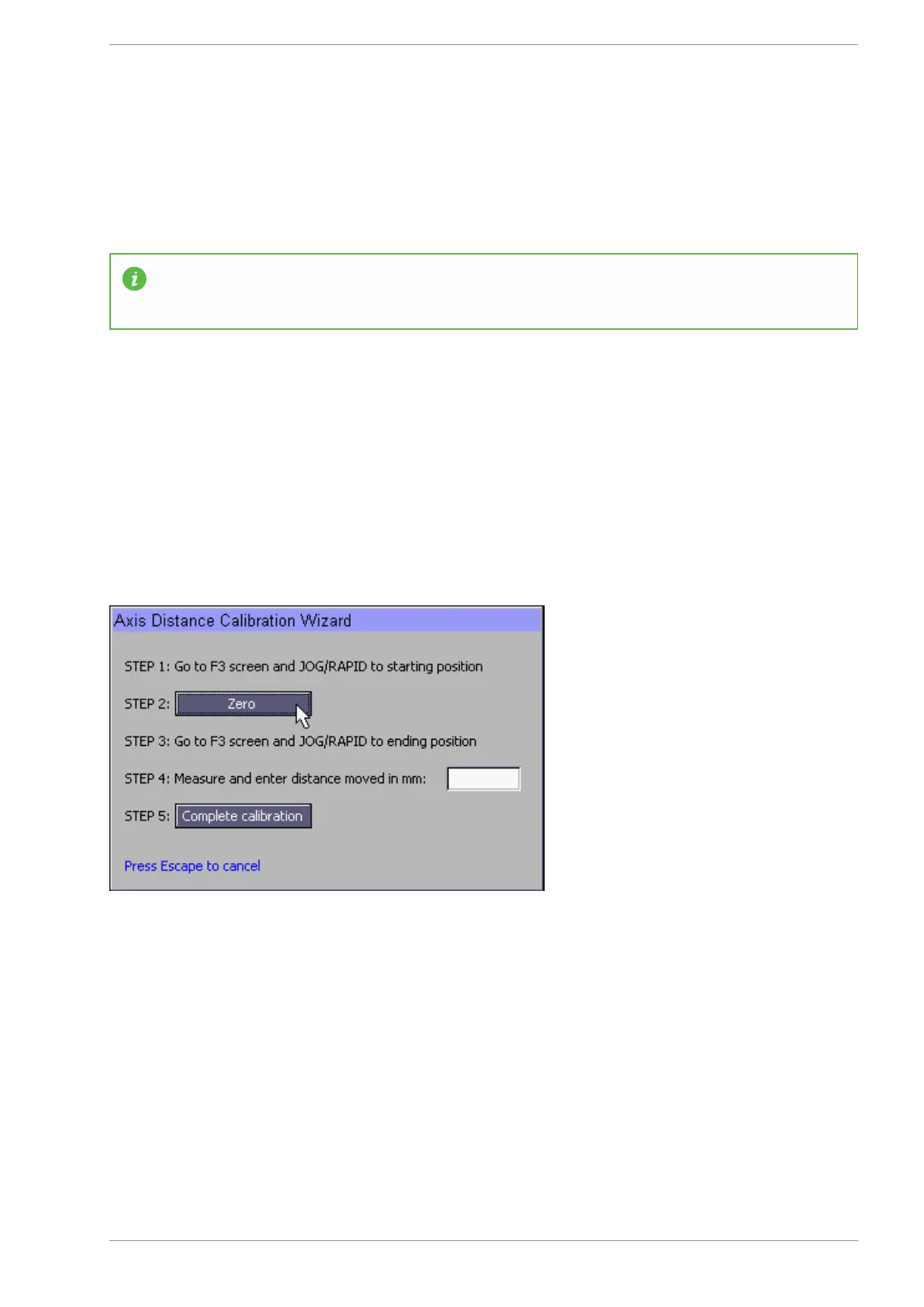
Step 2 Zero the Axis
Return to the F1 Screen and click the "Zero" button on the calibration Wizard screen.
The button will change to read "Zero Set"
Step 3 Move to the end point
Go to the F3 screen and jog to the the other end of the chosen axis. Mark the endpoint with another X
The longer the distance moved for your calibration the more accurate the final result will be.
Step 4 Measure
Using a ruler measure the distance between the starting X and the end X.
v5.18 - 08 Apr,2021
www.masso.com.au Page 330 of 477



 To Next Page