4 Parts Replacement VJ-1604 Maintenance Manual
Rev.-05 4-62
4.6 Replacing X Rail Section
This section describes the procedure to replace the X rail section.
4.6.1 Replacing PF Speed Reduction Belt
Do not touch the motor right after starting-up the plotter. Otherwise, you may be burned.
1. Open the maintenance cover L.
2. Remove the side maintenance cover L.
"4.2.5 Removing Side Maintenance Cover L" p.4-12
3. Remove the rear side cover.
"4.2.8 Removing Rear Side Cover" p.4-15
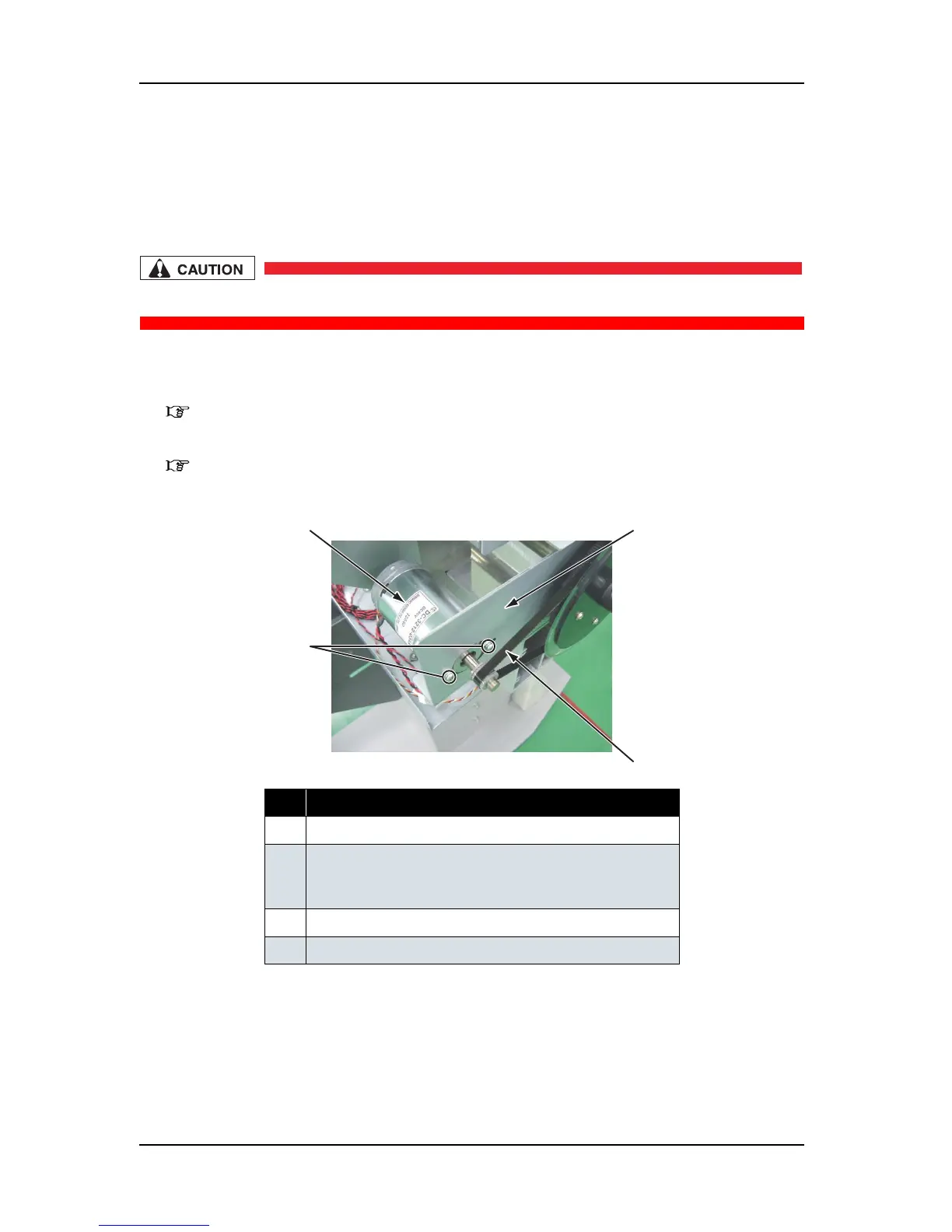
4. Loosen the screws (2 pieces) that retain the PF motor assembly.
5. Confirm that the PF speed reduction belt has been loosened.
No. Part name
1 PF motor assembly
2 Screws that retain the PF motor assembly
(pan-head screw with spring washer and flat washer M4
×
8)
3 PF speed reduction belt
4 PF drive mounting plate
2
1
3
4















 To Next Page